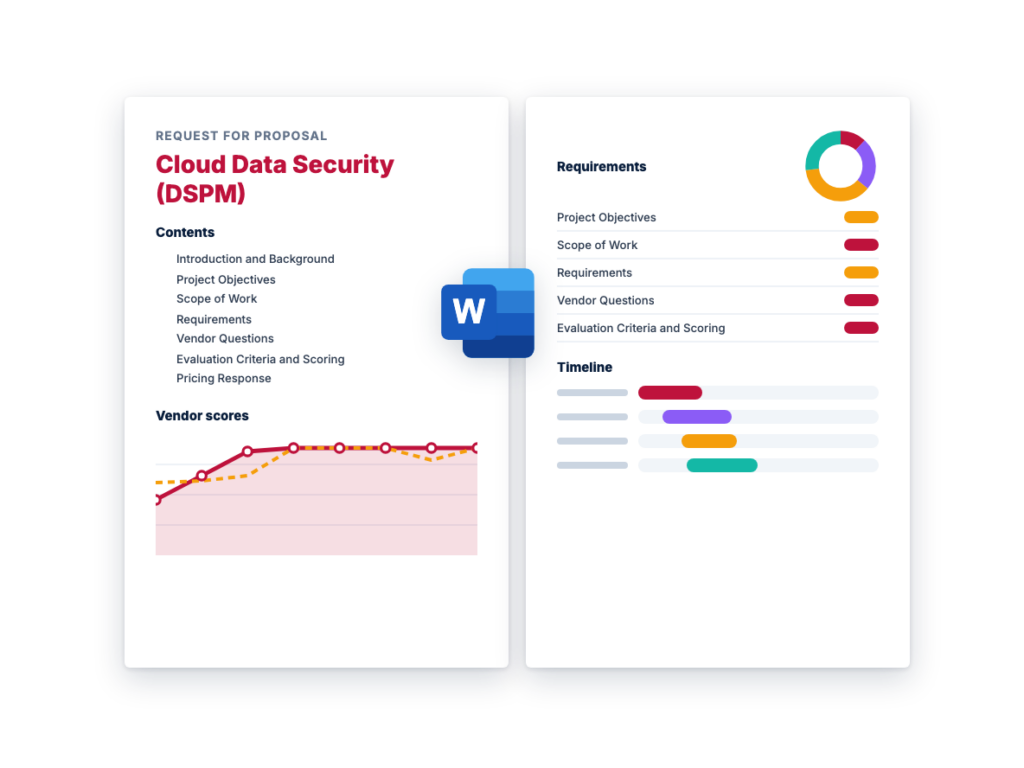
How to run a Cloud Data Security RFP
A cloud data security evaluation involves security, cloud platform, data engineering and privacy teams, and the platform needs read access to your data in order to classify it, so much of the early work is agreeing on scope and on what the tool may see. The example schedule in this template runs about 12 weeks from kickoff to contract award; allow more if your security team reviews each vendor's cloud permissions before anything is connected.
- Agree on scope and the data that matters (weeks 1-2). List the cloud providers, accounts, subscriptions and projects in scope, the data platforms you run (object storage, managed databases, data warehouses and lakehouses, self-managed databases), and any SaaS applications or on-premises stores you want covered. Write down what counts as sensitive for you, such as regulated personal data, payment card data, health data, credentials and intellectual property, and which regulations apply. Record the numbers vendors will price against: cloud accounts, data stores, approximate data volume and SaaS tenants.
- Assemble the buying team. Include cloud security and security operations, the cloud platform team that will grant read access, owners of your main data platforms, and your privacy or data protection lead, plus procurement and legal. Bring privacy in early: the platform reads sensitive data to classify it, so decide up front where scanning may run and who may view sample values.
- Decide what you're buying, and whether you need an RFI (weeks 2-3). Choose between a standalone DSPM platform and a DSPM module in a wider cloud security (CNAPP) or data security platform you already own or are considering, and decide whether SaaS, on-premises, data activity monitoring and AI data coverage are in scope. If that's still open, or your long list has more than five vendors, issue a short RFI asking which store types each vendor classifies by content, where scanning runs and how pricing works, and use the answers to build a shortlist.
- Tailor and issue the RFP (weeks 3-6). Delete requirements that don't apply, adjust priorities, and add your environment details and data store types to Section 1. Give vendors three weeks to respond, with a written question-and-answer window in the first week.
- Score the responses (weeks 6-7). Have each evaluator score independently against the rubric before comparing notes, and set aside any vendor that misses a Must-have. Check every 'yes' for whether the store type is classified by content or by metadata only, whether it needs an add-on license, and whether it is generally available today or still in preview.
- Run a proof of value with two or three vendors (weeks 7-10). Connect each platform read-only to one or two representative cloud accounts, including a data warehouse and a non-production account. Seed object storage and a database table with synthetic records of known sensitive types, so you can measure what each platform finds, how it classifies it and how many false positives it raises. Track how long the first full scan takes, what scanning adds to your cloud bill, and whether each finding names an owner and a fix. Call references of a similar size and cloud footprint.
- Negotiate and award (weeks 10-12). Use the pricing table to compare like for like, including add-on modules and the scanning costs you'll pay your cloud provider. Settle how the price changes as data volume and accounts grow, renewal caps and exit assistance before you sign.
Cloud Data Security RFP requirements
Each line is written to paste straight into your RFP. Must-have means a vendor that cannot meet it is out; Nice-to-have earns extra points. Change the priorities to fit your situation, and delete what doesn't apply.
Functional
| ID |
Requirement |
Priority |
| F1 |
Agentless discovery of data stores across [list cloud providers] through read-only cloud APIs, covering object storage, managed relational and NoSQL databases, data warehouses and lakehouses, file storage, and block volumes and snapshots. List the supported store types for each provider and whether each is classified by content or by metadata only. |
Must-have |
| F2 |
Discovery of shadow and unmanaged data, such as databases running on virtual machines or in containers, old snapshots and backups, data exports in object storage, and copies of data in development and test accounts. |
Must-have |
| F3 |
Discovery and classification of data in SaaS applications [list, for example file sharing, collaboration and CRM], including files shared publicly or with external users. Make this Must-have if SaaS data is in scope. |
Nice-to-have |
| F4 |
Discovery and classification of on-premises file shares and databases through a scanner or connector we host, reported in the same inventory as cloud data. |
Nice-to-have |
| F5 |
Classification of structured and unstructured data with predefined identifiers for personal data, financial and payment card data, health data, and credentials and secrets, using validation such as checksums and surrounding context to cut false positives. List supported file formats, data formats and languages. |
Must-have |
| F6 |
Custom classifiers (patterns, keywords, dictionaries and data types specific to our business), with the ability to mark false positives, tune or suppress rules, and see why each item was classified, including the rule matched and a confidence level. |
Must-have |
| F7 |
Classification of whole documents by type, such as contracts, source code, HR records or financial reports, using machine learning or language models, plus optical character recognition for scanned documents and images. |
Nice-to-have |
| F8 |
Context for every data store: cloud account and region, environment (production, test or development), owner or owning team, size, the sensitive data types found with an approximate count of sensitive records, and its encryption, backup and logging status. |
Must-have |
| F9 |
Access analysis showing which users, groups, roles, service accounts and external or third-party accounts can reach each sensitive data store, with effective permissions resolved across identity policies, resource policies, group membership and cross-account trust. Flag access that is broader than needed, and state whether unused access is identified from activity logs. |
Must-have |
| F10 |
Exposure detection for sensitive data: stores reachable from the internet, public or anonymous sharing links, access granted to external accounts, and sensitive data held in regions or environments our policies don't allow. |
Must-have |
| F11 |
Built-in and custom posture rules for data stores, covering encryption at rest, use of customer-managed keys, encryption in transit, access logging, backup and versioning, retention, and network exposure, with rule severity set by the sensitivity of the data in each store. |
Must-have |
| F12 |
Tracking of sensitive data as it is copied or moved between stores, accounts, environments and regions, such as production customer data in a test account, showing the source and each copy. State whether this relies on content similarity, cloud audit logs or both. |
Nice-to-have |
| F13 |
Risk-based prioritization that combines data sensitivity, volume, exposure, access and posture into a ranked list of issues, with the evidence behind each ranking visible to the analyst. |
Must-have |
| F14 |
A remediation workflow for each finding: step-by-step guidance, assignment to the data owner, ticket creation, status tracking, and automatic confirmation when the issue is fixed. |
Must-have |
| F15 |
Optional automated remediation, such as removing public access, revoking unused permissions or applying tags, that runs only for the actions and scopes we enable and can require approval before each change. |
Nice-to-have |
| F16 |
Compliance reports that show where regulated data is stored and which findings affect it, mapped to [list regulations and frameworks, for example GDPR, HIPAA and PCI DSS], exportable as evidence for audits and to support our privacy records. |
Must-have |
| F17 |
Data activity monitoring, often sold as data detection and response (DDR): alerts on unusual activity involving sensitive data, such as bulk downloads, access by an unusual identity or from an unusual location, or mass deletion, based on cloud audit logs and data platform logs. State which log sources are used and the typical delay from event to alert. |
Nice-to-have |
| F18 |
Coverage of AI data: discovery of sensitive data in AI training data sets, vector databases and data sources connected to AI services and assistants, and of which AI services and agents can access sensitive data. State which AI services are supported today. |
Nice-to-have |
Technical and architecture
| ID |
Requirement |
Priority |
| T1 |
Read-only access to our cloud accounts by default, through roles we create from vendor-provided templates. List every permission requested, and identify which ones allow reading data contents rather than metadata only. |
Must-have |
| T2 |
Classification performed inside our cloud accounts, or in a vendor environment in a region we choose. The vendor must not retain the contents of scanned data; list exactly what leaves our environment (metadata, classification results, sample values) and where and for how long it is stored. |
Must-have |
| T3 |
Onboarding at the cloud organization level, so new accounts, subscriptions and projects, and the data stores in them, are discovered automatically. State how soon a new data store appears in the inventory. |
Must-have |
| T4 |
A documented scanning approach: full scan or sampling for each store type, how samples are chosen in large stores, how often stores are rescanned, incremental scanning of changed data, and scan depth we can set per store. |
Must-have |
| T5 |
Scanning that doesn't affect production workloads. For databases, state whether the platform reads the live database, a replica or a snapshot, and how load is controlled through throttling or scheduled scan windows. |
Must-have |
| T6 |
An estimate, for our environment, of the compute, storage, data-transfer and API costs that scanning will add to our cloud bills, with controls to schedule, limit or cap that spending. |
Must-have |
| T7 |
Scanning of stores encrypted with customer-managed keys, with the key permissions documented, and a report of every store that could not be scanned or was only partly scanned, with the reason. |
Must-have |
| T8 |
Choice of the region where the vendor's service stores our inventory, findings and metadata, to meet data-residency requirements. List the available regions. |
Must-have |
| T9 |
Scanning of data stores reachable only on private networks, without exposing them to the internet, and support for [government or sovereign cloud regions] if we use them. |
Nice-to-have |
Integration
| ID |
Requirement |
Priority |
| I1 |
Single sign-on for administrators and analysts through our identity provider via SAML 2.0 or OIDC, with user and group provisioning via SCIM. |
Must-have |
| I2 |
Streaming of findings, alerts and administrator audit logs to our SIEM via syslog, API or cloud storage, in a documented schema. State whether OCSF is supported. |
Must-have |
| I3 |
Two-way integration with our ticketing (ITSM) platform, so findings create tickets routed to data owners and ticket status updates flow back to the finding. |
Must-have |
| I4 |
A documented REST API covering the data inventory, classification results, findings and remediation status, with published rate limits. |
Must-have |
| I5 |
Exchange of context with our CNAPP, CSPM or CIEM tools, so data sensitivity informs cloud misconfiguration and identity risk findings, and the reverse. |
Nice-to-have |
| I6 |
Writing classification results to data stores and files as cloud resource tags or as our existing sensitivity labels, so DLP, CASB and access-control tools can act on them. State whether existing labels can be read and reconciled with the platform's own classifications. |
Nice-to-have |
| I7 |
Export of classification results to our data catalog or data governance tools, and import of data owner and business context from them. |
Nice-to-have |
Security and compliance
| ID |
Requirement |
Priority |
| S1 |
A current SOC 2 Type II report and ISO/IEC 27001 certification covering the proposed service and any components we host, available under NDA. |
Must-have |
| S2 |
FedRAMP authorization at the required impact level, or equivalent regional certifications for public-sector use. Make this Must-have if you are a public-sector buyer. |
Nice-to-have |
| S3 |
Separation of read and write permissions: any write access needed for automated remediation is optional, granted through a separate role, and limited to the actions we enable. |
Must-have |
| S4 |
Masking by default of sensitive values found during scanning, in the console, reports, exports and alerts. Viewing unmasked sample values is limited by role, can be turned off completely, and is logged. |
Must-have |
| S5 |
Administrator and analyst access through SSO with MFA, role-based permissions that can be limited by cloud account, business unit or data store, and an audit log of every configuration change and every view of sample values. |
Must-have |
| S6 |
Isolation of our tenant's data, encryption in transit and at rest for everything the vendor stores, and a documented key-management approach. State whether customer-managed keys are available for vendor-stored data. |
Must-have |
| S7 |
A published vulnerability disclosure process and committed timelines for fixing security flaws, including in scanners and connectors we host, with direct notice when a fix needs action on our side. |
Must-have |
| S8 |
A data processing agreement, a current list of sub-processors, and a contractual commitment to notify us of security incidents affecting our data within a defined time. State the time. |
Must-have |
Implementation and support
| ID |
Requirement |
Priority |
| M1 |
A phased onboarding plan that connects our highest-risk accounts and data platforms first, with the expected time to a first complete inventory and classification, and the effort needed from our cloud and data teams. |
Must-have |
| M2 |
A classification tuning phase on our own data, agreed with us, so false positives are reduced before findings are routed to data owners. |
Must-have |
| M3 |
Identification of who delivers the implementation (vendor, partner or both) and the named team's experience with deployments of similar size and cloud footprint. |
Must-have |
| M4 |
A service-level agreement for availability of the platform, with service credits. State how availability is measured. |
Must-have |
| M5 |
24×7 support for critical issues, with response-time targets by severity. State your targets. |
Must-have |
| M6 |
Advance notice of changes that affect classification results, risk scores or the cloud permissions we must grant, plus release notes, a public status page and root-cause reports for incidents that affect us. |
Must-have |
| M7 |
Training for security analysts and data owners, a named customer success contact, and periodic reviews of coverage and open risk. |
Nice-to-have |
Commercial and pricing
| ID |
Requirement |
Priority |
| C1 |
Pricing broken down by metric (per data store, per cloud account, per resource or per volume of data) and term, showing list price, discount and net price. Define exactly what counts toward the metric. |
Must-have |
| C2 |
How the price changes as our data volume, accounts and data stores grow, and prices for additions mid-term, co-terminated with the main agreement. |
Must-have |
| C3 |
Identification of every capability in the proposal that is licensed separately, such as SaaS or on-premises connectors, data activity monitoring, AI data coverage and automated remediation. |
Must-have |
| C4 |
A cap on price increases at renewal, covering the subscription and any add-ons. State the cap. |
Must-have |
| C5 |
A proof of value in our own cloud accounts at no charge, with the vendor's engineering support. |
Nice-to-have |
| C6 |
Exit terms covering export of the inventory, classification results, findings history and audit logs, and deletion of our data with written confirmation at the end of the contract. |
Must-have |
Questions to ask Cloud Data Security vendors
These questions are designed to separate vendors, not to collect brochure answers. Ask for evidence: a demo, a document or a reference.
- Connect to [one test cloud account] and show every permission your platform requests. Which ones let it read data contents, and which are metadata only? What changes if we turn on automated remediation?
- Where exactly is our data read and classified: in our cloud accounts, in your environment, or both? List everything that leaves our environment, including sample values and match snippets, where it is stored and for how long.
- We'll seed object storage, a database and a data warehouse table with synthetic records of known types. Show which ones you found and how you classified them, list the false positives, and explain how we would tune the misses.
- How do you decide what to scan in a very large object store or database: a full scan, sampling or both? What can a sampled scan miss, and how do we see which stores were only partly scanned or not scanned at all?
- When your scanners run in our accounts, what compute, storage, data-transfer and API costs will appear on our cloud bill for an environment like ours [data volume, number of stores], and how can we schedule or cap them?
- How do you scan production databases without affecting them? Show whether you read the live database, a replica or a snapshot, and how load is limited.
- Pick a sensitive data store in the proof of value and show every user, service account, role and external account that can reach it, including access granted through groups, resource policies and cross-account trust. How do you show which of that access has actually been used?
- Show how you detect a copy of production customer data in a test account or a different region. Is this based on content similarity, cloud audit logs or something else, and how do you show which copy came from where?
- Walk us through one high-risk finding from detection to closure: how it is ranked, how the data owner is identified, what the remediation steps are, how a ticket is created and how you confirm the fix.
- Which of our SaaS applications and on-premises stores [list] can you scan today, and do you classify their content or only their metadata? Separate generally available connectors from those in preview.
- If data activity monitoring (data detection and response) is in your proposal, which log sources does it use, which of them must we turn on or pay for in our cloud accounts, and how long does an alert take to arrive after the event? Show an example alert.
- How do you find sensitive data in AI training data sets, vector databases and data sources connected to AI services, and how do you show which AI services or agents can access it? Which of this is generally available today?
- How do your classifications reach our DLP, CASB and access-control tools? Can you read our existing sensitivity labels and keep them consistent with your own classifications?
- Which features in your proposal are generally available today, which are in preview and which are on the roadmap? Give dates for roadmap items.
- Provide a reference customer of similar size, cloud footprint and regulatory profile. What did they have to tune in the first months, and what did they change in their cloud permissions to make scanning work?
Scoring rubric
Score each criterion from 1 to 5, multiply by its weight, and add the results. The weights below are a starting point; agree on your own before any proposals arrive so the scoring can't be bent around a favorite.
| Criterion |
Weight |
What a strong response shows |
| Discovery and data store coverage |
15% |
Every cloud, data platform and in-scope SaaS store type classified by content, shadow data found in the proof of value, and a clear report of anything not scanned. |
| Classification accuracy |
20% |
Seeded test records found and correctly classified, few false positives, explainable results and practical tuning. |
| Access, exposure and risk prioritization |
15% |
Effective access resolved across identities and policies, exposure shown with evidence, and a ranked list that puts the most sensitive, most exposed data first. |
| Remediation workflow |
10% |
Data owners identified, step-by-step fixes, two-way ticketing and confirmed closure, with automated remediation only where you allow it. |
| Architecture, data handling and scanning cost |
10% |
Read-only access by default, scanning that keeps data contents in your accounts or a region you choose, masked sample values, and a credible estimate of scanning costs. |
| Integration and operations |
10% |
Works with your identity provider, SIEM, ticketing, cloud security and DLP tools; a usable API; and classifications other tools can act on. |
| Implementation and support |
10% |
A phased onboarding plan, a tuning phase on your own data, an experienced named team, and clear SLAs and support targets. |
| Commercials and total cost |
10% |
A clear pricing metric, predictable growth pricing, add-ons stated, a renewal cap and fair exit terms over a three-year view that includes scanning costs. |
| Total |
100% |
|
Scoring scale
- 5 Exceeds: meets every Must-have and most Nice-to-haves, shown in a demo or proof of concept, with a matching reference customer.
- 4 Strong: meets every Must-have and some Nice-to-haves, with clear evidence.
- 3 Adequate: meets most Must-haves; gaps have a credible workaround or a dated roadmap commitment.
- 2 Weak: misses one or more Must-haves, or the answer is vague.
- 1 Poor: does not meet the requirement, or no answer.
Frequently asked questions
What should a cloud data security RFP include?
Your scope (the cloud accounts, data platforms, SaaS applications and on-premises stores to cover, and the sensitive data types and regulations that matter); requirements for discovery, classification, access analysis, exposure and posture checks, remediation and compliance reporting, marked Must-have or Nice-to-have; questions about what the platform reads and where it scans; integration, security and support terms; a pricing table that includes scanning costs in your own cloud accounts; and the rubric you'll score with. This template includes all of them.
What is DSPM, and how does it relate to cloud data security?
Data security posture management (DSPM) is the name now commonly given to cloud data security tools that start from the data itself. A DSPM platform finds data stores across your cloud and SaaS environments, classifies the sensitive data in them, shows who and what can reach that data, and flags exposure such as public access, missing encryption or production data in a test account. Earlier versions of this template listed encryption and generic monitoring features; this version is written for DSPM, and checks encryption and key management as part of each data store's posture.
What is the difference between DSPM, CSPM and DLP?
Cloud security posture management (CSPM) checks the configuration of cloud infrastructure, such as network, compute and storage settings, without knowing what data is inside. DSPM starts from the data: it finds and classifies sensitive data, then looks at the access and configuration around it. Data loss prevention (DLP) enforces policy on data in use and in motion, for example by blocking an upload or an email, while DSPM mainly covers data at rest. The three work together, and DSPM is also sold as a module of some cloud-native application protection platforms (CNAPPs) and data security platforms; this template's requirements apply either way.
Does a DSPM platform need to read our data?
To classify content, yes: the platform has to read files, objects or database records, or a sample of them. What differs between vendors is where that happens and what leaves your environment. Some scan inside your own cloud accounts and send back only metadata and classification results, while others process data in the vendor's cloud. This template asks vendors to list every permission they need, state where scanning runs and what is retained, and mask sensitive sample values by default (requirements T1, T2 and S4).
How long does a cloud data security RFP take?
The example schedule in this template runs about 12 weeks from kickoff to contract award, including three weeks for vendor responses and three to four weeks for a proof of value in your own cloud accounts. Allow more time if your security team must review each vendor's cloud permissions before anything is connected, or if privacy review of data scanning is new to your organization.
Related RFP templates
Download Template