How to run a ZTNA RFP
A ZTNA evaluation involves security, network, identity, endpoint and help-desk teams, and the hardest early task is finding out what your VPN actually carries today. The example schedule in this template runs about 11 weeks from kickoff to contract award; allow more if your proof of concept covers several data centers or cloud regions.
- Inventory what your VPN carries today (weeks 1-2). Pull VPN logs and list the private applications users reach, where each one is hosted, the protocols it uses and who uses it. Flag the awkward cases early: server-initiated connections, voice and video, applications reached by IP address rather than host name, and site-to-site traffic. Record the numbers vendors will price against: employees, contractors, devices, applications and hosting locations.
- Assemble the buying team. Include security, network, identity and endpoint owners, the owners of your main private applications, and the help desk, which will field the first access problems. Add procurement and legal, plus whoever manages contractor and partner relationships if third-party access is in scope.
- Settle the scope, and decide whether you need an RFI (weeks 2-3). Decide whether you're buying ZTNA on its own or a wider SSE or SASE platform (see the next section). If that's still open, or your long list has more than five vendors, issue a short RFI asking how each vendor handles your awkward application types, contractor access and service locations, and use the answers to build a shortlist.
- Tailor and issue the RFP (weeks 3-6). Delete requirements that don't apply, adjust priorities, and add your environment details and application inventory to Section 1. Give vendors three weeks to respond, with a written question-and-answer window in the first week.
- Score the responses (weeks 6-7). Have each evaluator score independently against the rubric before comparing notes, and set aside any vendor that misses a Must-have. Check every 'yes' for whether it needs an add-on license, a minimum agent version or a feature still in preview.
- Run a proof of concept with two or three vendors (weeks 7-10). Place connectors in one data center and one cloud environment, and test with a pilot group on managed and unmanaged devices, including a contractor. Disable a test user and break a device's posture mid-session to see how quickly access ends, take a connector offline, and compare performance with your current VPN. Ask the help desk to diagnose a staged access failure. Call references that have switched off their VPN.
- Negotiate and award (weeks 10-11). Use the pricing table to compare like for like, including contractor licensing and add-ons. Line up the subscription start with your migration waves and your VPN renewal date, and settle renewal caps and exit assistance before you sign.
ZTNA or full SASE: which RFP do you need?
ZTNA controls how users reach private applications in your data centers and cloud environments. On its own, it doesn't filter web traffic, control SaaS use or connect branch offices. Use this template when the job is retiring remote-access VPN, or giving contractors and partners access to specific internal applications.
If you also need a secure web gateway (SWG), a cloud access security broker (CASB), data loss prevention across all traffic, or SD-WAN, use the RFPhub SASE RFP template instead: it includes ZTNA as one of its services. If you're starting with ZTNA but expect to add those services later, keep this template and ask how your licenses carry over (requirement C6), so the first purchase doesn't box in the second.
Signs you need the SASE RFP rather than this one:
- You're also retiring on-premises web proxies, or need to control SaaS and generative AI use.
- Branch offices need new WAN connectivity, or branch firewalls are due for replacement.
- You want one agent, one console and one policy for web, SaaS and private-application traffic.
- You need data loss prevention on web and SaaS traffic, not only on private applications.
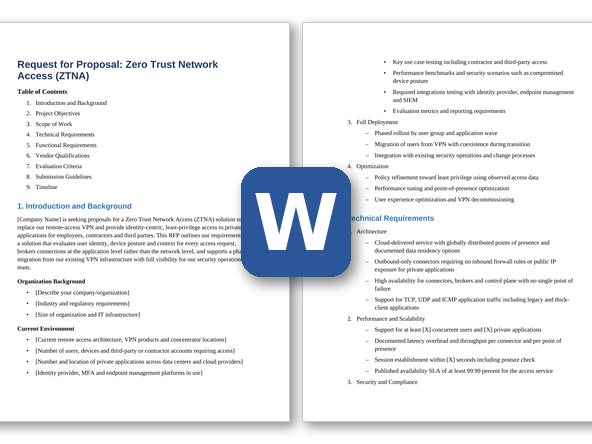
ZTNA RFP requirements
Each line is written to paste straight into your RFP. Must-have means a vendor that cannot meet it is out; Nice-to-have earns extra points. Change the priorities to fit your situation, and delete what doesn't apply.
Functional
| ID |
Requirement |
Priority |
| F1 |
Access granted per application, never to the network: each policy names the applications (by host name, wildcard domain, IP address or range, port and protocol) and the users or groups allowed to reach them. |
Must-have |
| F2 |
Policy rules that combine identity-provider attributes (user, group, department, employment type), device posture, location and time of day, evaluated on every new connection. |
Must-have |
| F3 |
Device posture checks for operating system version, disk encryption, host firewall, screen lock, a valid device certificate and a running EDR agent on Windows and macOS. State what can be checked on Linux, iOS, Android and ChromeOS. |
Must-have |
| F4 |
Continuous evaluation during active sessions: when a device falls out of compliance or a user is disabled, existing connections are ended or moved to a restricted policy. State how often re-evaluation runs and how quickly a change takes effect. |
Must-have |
| F5 |
Per-application re-authentication rules, such as requiring fresh MFA through our identity provider for sensitive applications or after a set interval. |
Must-have |
| F6 |
Agent-based access for any TCP or UDP application, including thick clients, file shares, SSH, RDP and real-time voice and video. State support for ICMP and for applications that use dynamic ports. |
Must-have |
| F7 |
Agentless access from a standard browser to internal web applications, for unmanaged devices and contractors, with nothing installed on the device. State whether RDP and SSH sessions can also be delivered in the browser. |
Must-have |
| F8 |
Controls for agentless and unmanaged-device sessions: blocking downloads, uploads, copy-and-paste and printing, browser isolation for sensitive applications, and recording of RDP and SSH sessions. |
Nice-to-have |
| F9 |
Third-party and contractor access with its own policies: external users sign in through our identity provider or their own organization's identity provider via federation, see only the applications assigned to them, and lose access automatically on an end date. |
Must-have |
| F10 |
Just-in-time access requests, approved by an application owner or sponsor, that grant access to a named application for a set time window. |
Nice-to-have |
| F11 |
Discovery of the private applications users reach, from observed traffic, to build our application inventory and show which applications still depend on the VPN. |
Must-have |
| F12 |
Policy recommendations based on observed access that narrow broad rules toward per-application least privilege, with a preview of the users affected before a change is applied. |
Nice-to-have |
| F13 |
An always-on connection that starts automatically and needs no user action after sign-in, plus pre-logon access on Windows so domain sign-in, group policy and device management work before a user logs in. State macOS support. |
Must-have |
| F14 |
A help-desk view of each user's recent access attempts and sessions, showing the device posture result, the policy applied and the reason any request was denied. |
Must-have |
| F15 |
Server-to-client connections, such as help-desk remote assistance or software deployment to a user's device, so these flows don't keep the VPN in service. |
Nice-to-have |
Technical and architecture
| ID |
Requirement |
Priority |
| T1 |
Outbound-only connectors: private applications need no inbound firewall rules, public IP addresses or listening ports exposed to the internet. |
Must-have |
| T2 |
Connectors deployable as virtual machines, as containers and as images for each cloud provider we use [list], with published sizing and supported throughput per connector. |
Must-have |
| T3 |
Connector groups with automatic load balancing and failover, and a recommendation for where to place connectors and how many to run in each of our data centers, cloud networks and regions. |
Must-have |
| T4 |
Central monitoring and upgrade of connectors, with health alerts and upgrades we can schedule and stage by connector group. |
Must-have |
| T5 |
Resolution of internal DNS names through the connectors, including split DNS, so users reach applications by their usual host names. |
Must-have |
| T6 |
Service locations offering private-application access in [list your regions], with each user's connection routed to a nearby location automatically. State any location where private-application access isn't offered. |
Must-have |
| T7 |
Documented behavior when the vendor's control plane, a service location or a connector group is unavailable: what happens to new and established sessions, and how long failover takes. |
Must-have |
| T8 |
A business continuity option that keeps designated critical applications reachable through customer-hosted components if the vendor's cloud service can't be reached. |
Nice-to-have |
| T9 |
Local enforcement for users on the corporate network, so the same per-application policy applies on site without sending traffic to on-premises applications through the cloud. |
Nice-to-have |
| T10 |
Coexistence with our current VPN client and other security agents on the same device during migration, with documented handling of routing and DNS conflicts. |
Must-have |
| T11 |
Encryption of all traffic between agents, the service and connectors, with mutual authentication of each component. Describe the protocols used and how device and connector certificates are issued, stored and rotated. |
Must-have |
Integration
| ID |
Requirement |
Priority |
| I1 |
Sign-in through our identity provider via SAML 2.0 or OIDC, SCIM provisioning of users and groups, and support for more than one identity provider (for example, a separate one for partners). |
Must-have |
| I2 |
Device posture and risk signals from our endpoint management (MDM/UEM) and EDR tools, usable in access policy. List the tools with pre-built integrations. |
Must-have |
| I3 |
Receipt of session-revocation and risk-change events from our identity provider and security tools through the OpenID Shared Signals Framework (CAEP) or a documented API, applied to active sessions. |
Nice-to-have |
| I4 |
Near-real-time streaming of access, session, connector-health and administrator audit logs to our SIEM via syslog, API or cloud storage, in a documented schema. State whether OCSF is supported. |
Must-have |
| I5 |
A documented API and infrastructure-as-code support for applications, connectors and policies, including a call that revokes a user's or device's sessions so our SOAR playbooks can cut access during an incident. |
Nice-to-have |
Security and compliance
| ID |
Requirement |
Priority |
| S1 |
No network-level access for users: devices reach only the applications policy allows, and cannot scan or browse the networks behind the connectors. |
Must-have |
| S2 |
A current SOC 2 Type II report and ISO/IEC 27001 certification covering the private-access service and its connectors, available under NDA. |
Must-have |
| S3 |
FedRAMP authorization at the required impact level, and FIPS 140-3 validated cryptography in agents and connectors. Make this Must-have if you are a public-sector buyer or a contractor that needs them. |
Nice-to-have |
| S4 |
Administrator access through SSO with MFA, role-based permissions that can be limited to specific applications or connector groups, and an audit log of every policy and configuration change. |
Must-have |
| S5 |
A log entry for every access decision showing the user, device, application, posture result, matching policy and the reason it was allowed or denied, kept for a retention period we set, stored in a region we choose and exportable at any time. |
Must-have |
| S6 |
A published vulnerability disclosure process and committed timelines for fixing security flaws in agents and connectors, with direct notice when a fix needs action on components we host. |
Must-have |
| S7 |
Protection of the agent against being disabled or removed by users, with an alert when an agent stops reporting. |
Nice-to-have |
| S8 |
A data processing agreement, a current list of sub-processors, and a contractual commitment to notify us of security incidents affecting our data within a defined time. State the time. |
Must-have |
Implementation and support
| ID |
Requirement |
Priority |
| M1 |
A discovery and design phase covering our current VPN usage, application inventory, connector placement and initial policy set, each delivered as a written document. |
Must-have |
| M2 |
A phased migration plan that moves users and applications off the VPN in waves, runs both side by side during the transition, and sets the criteria for switching off the VPN. |
Must-have |
| M3 |
Identification of who delivers the implementation (vendor, partner or both) and the named team's experience with VPN-to-ZTNA migrations. |
Must-have |
| M4 |
A service-level agreement for availability of the access service, with service credits. State how availability is measured and whether problems with customer-hosted connectors are excluded. |
Must-have |
| M5 |
Around-the-clock support for access outages, with response-time targets by severity level. State the targets. |
Must-have |
| M6 |
Control over agent and connector updates, such as release rings that let us update a pilot group first, plus advance notice of changes that affect policy behavior. |
Must-have |
| M7 |
A public status page covering each service location, and a written root-cause report for any incident that affects our users. |
Must-have |
| M8 |
Training and runbooks for our help desk covering common access problems, plus administrator training. |
Nice-to-have |
Commercial and pricing
| ID |
Requirement |
Priority |
| C1 |
Pricing broken down by metric (per user, per device or per application) and term, showing list price, discount and net price. State whether agentless access, browser-based RDP and SSH, and session recording are priced separately. |
Must-have |
| C2 |
Pricing for contractors and other external users, including how occasional or seasonal users are counted. |
Must-have |
| C3 |
Prices for adding users or modules mid-term, co-terminated with the main agreement. |
Must-have |
| C4 |
A renewal price cap covering the subscription and any add-ons. State the cap. |
Must-have |
| C5 |
Ramped pricing that follows the migration waves, so we don't pay for every user while many are still on the VPN. |
Nice-to-have |
| C6 |
Credit for existing ZTNA licenses if we move to the vendor's SSE or SASE bundle during the term. |
Nice-to-have |
| C7 |
Exit terms covering export of application definitions, policies and logs, and transition assistance at the end of the contract. |
Must-have |
Questions to ask ZTNA vendors
These questions are designed to separate vendors, not to collect brochure answers. Ask for evidence: a demo, a document or a reference.
- Trace one connection from a user's laptop to an application in our data center. Where is the access decision made, which path does the traffic take, and at which points could the application traffic be seen unencrypted?
- We disable a user in our identity provider while they have open sessions. Show how long it takes for their connections to end, and what that depends on: token lifetime, a polling interval or a pushed event.
- Which of our application types need special handling or aren't supported today: thick clients with dynamic ports, voice and video, server-initiated connections, applications reached by IP address rather than host name, and overlapping private address ranges in our cloud networks?
- Recommend connector placement for our environment [data centers, cloud regions, other sites]: how many connectors per location, what sizing, and what happens to active sessions when a connector fails or is upgraded?
- If your cloud service or our nearest service location becomes unavailable, which users lose access to which applications? Demonstrate your business continuity option and tell us what it costs.
- A contractor with an unmanaged laptop and their own company's identity provider needs access to two applications for [30] days. Show the setup, the controls applied to the session, and how access ends.
- Show your agent running alongside our current VPN client during migration. Which routing, DNS or agent conflicts come up in migrations like ours, and how are they resolved?
- How do you find out which applications users reach over our VPN today, and turn that into per-application policies without breaking access? Show the tooling for tightening broad rules over time.
- A user calls the help desk saying they can't reach the finance application. Show how a first-line analyst finds out whether the cause is identity, device posture, policy, the connector or the application.
- Is the same per-application policy enforced when users are in the office? If so, how does traffic to on-premises applications avoid a round trip through your cloud?
- Show a sample log record for a denied request. Which fields explain the decision, and how long does a record take to reach our SIEM?
- List the security advisories published for your connectors and agents in the last two years, with the time from disclosure to a fix. How are customers told when a component they host needs patching?
- Which capabilities in your proposal need a separate license or add-on: agentless access, browser-based RDP and SSH, session recording, business continuity, local enforcement or contractor access?
- Which of your Y answers depend on a minimum agent or connector version, a specific operating system version, or a feature still in preview? Give general-availability dates for anything in preview.
- Provide a reference customer of similar size that has switched off its remote-access VPN using your product. What stayed on the VPN longest, and why?
Scoring rubric
Score each criterion from 1 to 5, multiply by its weight, and add the results. The weights below are a starting point; agree on your own before any proposals arrive so the scoring can't be bent around a favorite.
| Criterion |
Weight |
What a strong response shows |
| Access policy and continuous evaluation |
25% |
Per-application policy built on identity and device posture, with changes applied to live sessions and the timing shown in the proof of concept. |
| Application coverage and access methods |
15% |
Agent-based access for every application type you rely on, agentless access for unmanaged devices, and workable contractor access. |
| Connector architecture and resilience |
15% |
Outbound-only connectors with clear sizing and placement guidance, tested failover, and a documented answer for when the vendor's cloud is unreachable. |
| User experience and troubleshooting |
10% |
Always-on access that needs no user action, pilot performance at least equal to your VPN, and a help desk that can find the cause of a failed connection quickly. |
| VPN migration approach |
10% |
Application discovery, side-by-side running with your VPN, a wave-based plan, and a reference customer that has switched its VPN off. |
| Integration, logging and operations |
10% |
Works with your identity provider, endpoint tools and SIEM; logs that explain each decision; usable APIs; and a credible patching record for agents and connectors. |
| Commercials and total cost |
15% |
Transparent pricing, fair terms for contractors and add-ons, a renewal cap, and a three-year view that includes the cost of hosting connectors. |
| Total |
100% |
|
Scoring scale
- 5 Exceeds: meets every Must-have and most Nice-to-haves, shown in a demo or proof of concept, with a matching reference customer.
- 4 Strong: meets every Must-have and some Nice-to-haves, with clear evidence.
- 3 Adequate: meets most Must-haves; gaps have a credible workaround or a dated roadmap commitment.
- 2 Weak: misses one or more Must-haves, or the answer is vague.
- 1 Poor: does not meet the requirement, or no answer.
Frequently asked questions
What should a ZTNA RFP include?
Your scope (users, contractors, private applications and where they are hosted); requirements for per-application policy, device posture, continuous evaluation, agent and agentless access, connectors, VPN coexistence and logging, each marked Must-have or Nice-to-have; questions about resilience, contractor access and migration; security, support and SLA terms; a pricing table; and the rubric you'll score with. This template includes all of them.
What is the difference between ZTNA and a VPN?
A remote-access VPN authenticates the user and then places the device on the internal network, where it can reach whatever the network's firewall rules allow. ZTNA checks identity and device posture for each application, brokers a connection to that application only, and keeps applications hidden from users who aren't allowed to use them. ZTNA products can also re-check access during a session, so a device that falls out of compliance loses access without waiting for the user to disconnect.
Can ZTNA fully replace a VPN?
For users reaching private applications, it can, provided the product supports every application type you depend on. Check the edge cases before you commit: thick clients with dynamic ports, voice and video, server-initiated connections such as help-desk remote assistance, and applications addressed by IP address rather than host name. Site-to-site links between offices and data centers are handled by SD-WAN or firewalls rather than ZTNA, so plan for them separately.
What is the difference between agent-based and agentless ZTNA?
Agent-based ZTNA uses software on managed devices to carry any TCP or UDP application and to report device posture. Agentless ZTNA works from a standard browser, which suits contractors and unmanaged devices, but it covers web applications and, with some products, RDP and SSH sessions, and it can check much less about the device. A ZTNA RFP should normally ask for both, with stricter policy for agentless sessions.
How long does a ZTNA RFP take?
The example schedule in this template runs about 11 weeks from kickoff to contract award, including three weeks for vendor responses and three to four weeks for a proof of concept. Allow longer if you don't yet have an inventory of what your VPN carries, or if the proof of concept spans several data centers and cloud regions. The migration itself follows the award and runs in waves.
Further reading
Related RFP templates