How to run an Immutable Backup RFP
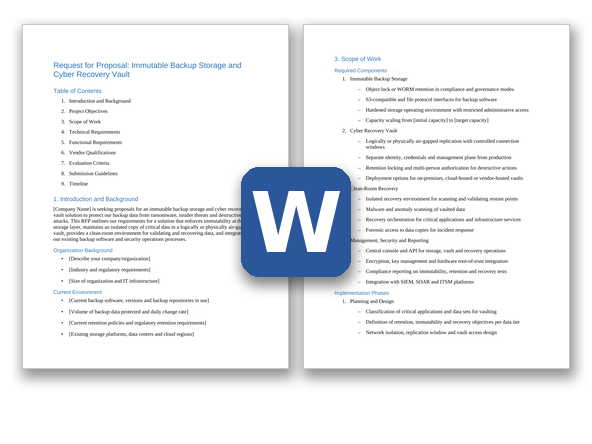
An immutable backup and cyber recovery vault evaluation sits between the backup, storage and security teams, and the decisions that matter most (which data goes in the vault, how isolated it is, and how fast you need it back) should be settled before vendors get involved. The example schedule below runs about 13 weeks from kickoff to contract award; stretch it if your proof of concept includes a full clean-room recovery of several applications.
- Define data tiers and recovery objectives (weeks 1-2). List your critical applications and data sets, and decide which need an immutable copy and which also need a vaulted copy. Set retention for each tier, note any regulatory retention periods, and agree on recovery time and recovery point objectives for recovery from the vault, not just from normal backups. Record the numbers vendors will price against: protected data volume, daily change rate, retention and expected growth.
- Assemble the buying team. Include backup and storage administrators, security operations and incident response, the identity and network teams (they will design the vault's isolation), owners of the critical applications, risk and compliance, procurement and legal. Add whoever handles cyber insurance if your policy asks about backup controls. Decide early who will hold the vault's credentials and who will approve destructive actions, because those people can't be the same.
- Choose the architecture, and decide whether you need an RFI (weeks 2-4). Decide whether you need an immutable target for your existing backups, an isolated vault as well, or both, and whether the vault will be on premises, in a cloud account you control, or a vendor-hosted service. If you're unsure, or your long list mixes storage appliances, software-defined storage and hosted vault services, issue a short RFI first asking how each vendor's locks work, what isolation it provides and how it prices, then build a shortlist of three or four.
- Tailor and issue the RFP (weeks 4-7). Delete requirements that don't apply, adjust priorities, and add your backup software versions, data volumes and retention periods to Section 1. If you only need an immutable target, mark the vault and clean-room requirements Nice-to-have or delete them. Give vendors three weeks to respond, with a written question-and-answer window in the first week.
- Score the responses (weeks 7-8). Have each evaluator score independently against the rubric before comparing notes, and set aside any vendor that misses a Must-have. Check every 'immutable' claim: is the lock enforced by the storage itself in compliance mode, or is it a setting in the backup software that an administrator could change? Check which features are generally available today and which are on the roadmap.
- Run a proof of concept with two vendors (weeks 8-12). Try to delete locked backups and shorten retention with your most privileged account, then again from a backup server you treat as compromised. Simulate an attack: encrypt a test data set, let it be backed up, and see whether detection alerts fire, whether the last clean restore point can be found, and how long recovery into the clean room takes. Measure restore throughput with your own data, and call a reference customer that has recovered from the vault.
- Negotiate and award (weeks 12-13). Use the pricing table to compare like for like. Settle recovery-time charges (data retrieval, egress, clean-room compute), capacity growth pricing, renewal caps, hardware refresh terms and what happens to locked data at the end of the contract before you sign.
Immutable storage, air gaps and cyber recovery vaults: what's the difference?
Immutable backup storage stops backup data from being changed or deleted before its retention period ends. WORM (write once, read many) is the general term. On object storage, the standard mechanism is object lock in the S3-compatible API: in compliance mode no user, including administrators, can shorten retention or delete locked data before it expires, while in governance mode users granted a specific permission can override the lock. A hardened appliance goes further by locking down the operating system itself, for example by removing root and shell access, so a compromised administrator account can't get underneath the lock.
Immutability doesn't isolate the data. An attacker who controls your backup console, identity system or network can still stop new backups, shorten retention on future copies, or reach the encryption keys you need to restore. An air gap adds isolation. A physical air gap keeps a copy on offline media. A logical air gap keeps a copy on a network and management plane that production can't reach, with replication opened only on a schedule and from the vault side.
A cyber recovery vault combines both: an immutable, isolated copy of your most critical data with its own credentials, plus the tools to use it after an attack, such as malware scanning, a way to find the last clean restore point, and a clean room where systems are rebuilt before they reconnect to production. This template covers immutable storage and the vault. If you only need an immutable target for your existing backups, mark the vault and clean-room requirements Nice-to-have or delete them.
Questions to settle before you issue the RFP:
- Which data sets need a vaulted copy, not just an immutable one?
- How long must locked copies be kept, and does any regulation or contract set the period?
- Will the vault be on premises, in a cloud account you control, or a vendor-hosted service?
- Who will hold the vault's credentials, and who will approve destructive actions?
- Where will the clean room run, and who will build and maintain it?
Immutable Backup RFP requirements
Each line is written to paste straight into your RFP. Must-have means a vendor that cannot meet it is out; Nice-to-have earns extra points. Change the priorities to fit your situation, and delete what doesn't apply.
Functional
| ID |
Requirement |
Priority |
| F1 |
Immutability enforced by the storage platform itself, not only by the backup software: locked backup data can't be modified, overwritten, encrypted or deleted until its retention expires, even by someone holding valid backup-server credentials. |
Must-have |
| F2 |
Compliance-mode retention locks (object lock compliance mode or an equivalent WORM setting): once set, no user, including our administrators, the account or tenant owner and the vendor's support staff, can shorten the retention period, remove the lock or delete the data before it expires. Retention can only be extended. |
Must-have |
| F3 |
Governance-mode locks for lower-tier data, where only named roles with a specific permission can shorten or remove retention, and every override is logged and alerted to the security team. |
Nice-to-have |
| F4 |
Retention set per object or per backup by our backup software through the API, including extending retention on existing data, plus a default retention per bucket, volume or policy for data written without one. |
Must-have |
| F5 |
Legal hold on selected backups or data sets that prevents deletion regardless of retention expiry until an authorized user releases it, with every hold and release recorded against the user who made it. |
Must-have |
| F6 |
Protection of retention expiry from changes to the system clock or time source (for example, a tampered NTP server). Describe how the platform keeps time and limits clock changes. |
Must-have |
| F7 |
Multi-person authorization for destructive and security-weakening actions, such as deleting data, shortening retention, removing a legal hold, deleting buckets, volumes or policies, changing replication or time settings, resetting administrator credentials and disabling MFA. A second person with separate credentials must approve each one. |
Must-have |
| F8 |
Malware scanning of restore points before they are restored, with signatures kept current in isolated deployments and support for indicators of compromise from our security team (such as file hashes and YARA rules). Results are recorded against each restore point. State whether scanning is part of the proposed solution or relies on our backup software. |
Must-have |
| F9 |
Detection of signs of ransomware in protected data, such as entropy changes, unusual change rates, mass deletions or file-type changes, with alerts to our security team. State whether detection is part of the proposed solution or relies on our backup software. |
Must-have |
| F10 |
Identification of the most recent restore point with no detections for each protected system, to speed up choosing a clean recovery point during an incident. |
Nice-to-have |
| F11 |
An isolated recovery environment (clean room) where restore points can be mounted, scanned and tested without connecting to production networks or identity systems. |
Must-have |
| F12 |
Automated clean-room recovery: on-demand provisioning of compute and network on premises or in a cloud account we control, and recovery plans that bring up core infrastructure (directory services, DNS, virtualization management) before applications, with scan steps built in. |
Nice-to-have |
| F13 |
Read-only access to restore points for our incident responders and forensic tools, without altering the vaulted copy. |
Must-have |
| F14 |
Scheduled recovery tests from the vault with pass/fail results and elapsed times, and reports we can give to auditors, regulators and insurers as evidence. |
Must-have |
Technical and architecture
| ID |
Requirement |
Priority |
| T1 |
A stated deployment model for each component: on-premises appliance, software-defined storage on our hardware, storage in our cloud account, or a vendor-hosted vault service. Describe where each copy lives and who operates it. |
Must-have |
| T2 |
For appliance and software-defined deployments, a hardened operating environment: no root or shell access for customer administrators, no services beyond those needed, and signed software and firmware updates. State any exceptions. |
Must-have |
| T3 |
A vault copy isolated from production. On-premises vaults: replication initiated from the vault side or through a controlled gateway, with the link closed outside scheduled windows. Cloud or vendor-hosted vaults: a separate account or tenancy with its own control plane. Provide a diagram of every network path into the vault, including management, replication, support and updates. |
Must-have |
| T4 |
A vault management plane separate from production: its own administrator accounts and identity store, MFA for every login, and management interfaces that can't be reached from the production network or authenticated through our production directory. |
Must-have |
| T5 |
Sustained ingest throughput of at least [value] TB per hour across our backup window, stated for our data mix with deduplication and encryption enabled. |
Must-have |
| T6 |
Restore throughput of at least [value] TB per hour for a mass recovery from the vault, including parallel restores of several applications. State the figures you will demonstrate in the proof of concept. |
Must-have |
| T7 |
Replication of [value] TB per day of changed data to the vault within the scheduled window, with bandwidth throttling and scheduling. |
Must-have |
| T8 |
Capacity reporting and forecasting that account for locked retention, with alerts well before capacity runs out (locked data can't be deleted to free space), and non-disruptive expansion to [target capacity]. |
Must-have |
| T9 |
Deduplication and compression, with reporting on data reduction over time. State whether reduction applies to the vault copy and how it interacts with encryption. |
Nice-to-have |
Integration
| ID |
Requirement |
Priority |
| I1 |
Validated integration with [current backup software and versions], with a compatibility matrix showing which immutability features are supported for each version. |
Must-have |
| I2 |
A documented S3-compatible object storage API with object lock support (compliance and governance retention modes, retention periods, legal hold and default bucket retention). List any object lock or versioning API calls that are not supported. |
Must-have |
| I3 |
File protocol access (NFS or SMB) where required, with a description of how retention locks are applied and enforced over these protocols. |
Nice-to-have |
| I4 |
No loss of backup-software features such as synthetic full backups, incremental-forever backups, instant recovery and backup copy jobs when writing to the proposed target. List any feature that is lost or limited. |
Must-have |
| I5 |
Streaming of alerts and audit logs to our SIEM in a documented format (for example, syslog), plus a REST API for status, alerts and reports. |
Must-have |
| I6 |
Use of our external key manager or hardware security module through KMIP or another documented interface. |
Must-have |
| I7 |
Integration with our SOAR and ticketing (ITSM) platforms, so an alert can open a ticket or start a response playbook. |
Nice-to-have |
Security and compliance
| ID |
Requirement |
Priority |
| S1 |
Encryption at rest (AES-256) and in transit (TLS 1.2 or higher), including replication traffic to the vault. State whether the cryptographic modules hold a current FIPS 140-3 validation; make this Must-have if you are a US federal buyer. |
Must-have |
| S2 |
Separate encryption keys for vault and production copies, with documented key rotation and key backup. |
Must-have |
| S3 |
Encryption keys needed for recovery stay available when our production key management, identity systems and network are unavailable or compromised. Describe how. |
Must-have |
| S4 |
Role-based access that separates backup operators, storage administrators and security officers, so no single role can both request and approve a change to retention or deletion settings. |
Must-have |
| S5 |
A tamper-evident audit log of every administrative, retention, legal hold and deletion action, kept for [period] and exportable. |
Must-have |
| S6 |
Alerts on high-risk activity, including retention or policy changes, deletion attempts against locked data, bulk deletions, failed logins, credential or MFA changes, time-source changes, replication failures and capacity thresholds, sent to our SIEM and to at least one channel that doesn't depend on our production email. |
Must-have |
| S7 |
Vendor remote support access disabled by default, enabled only with our approval for each session, time-limited and recorded. Support staff can't remove locks or shorten retention. |
Must-have |
| S8 |
An independent assessment of the immutability feature against the record-retention rules that apply to us (for example, SEC Rule 17a-4(f) for broker-dealers). Make this Must-have if those rules apply to you. |
Nice-to-have |
| S9 |
For any vendor-hosted or vendor-managed component, a current SOC 2 Type II report and ISO/IEC 27001 certification covering it, available under NDA. |
Must-have |
| S10 |
For any vendor-hosted component, a data processing agreement, a current list of sub-processors, storage only in [regions], and a contractual commitment to notify us of security incidents affecting our data within a defined time. State the time. |
Must-have |
Implementation and support
| ID |
Requirement |
Priority |
| M1 |
A phased implementation plan (data tier and retention design, a pilot with a subset of backup jobs, vault and clean-room setup, then phased migration) with named roles and the effort expected from both sides, including recovery runbooks for [critical applications] tested before go-live. |
Must-have |
| M2 |
A proof of concept that includes attempts to delete locked data and shorten retention with our most privileged account and from a compromised backup server, a simulated ransomware recovery from the vault, and restore throughput measured with our data. |
Must-have |
| M3 |
Identification of who delivers the implementation (vendor, partner or both) and the relevant experience of the named team. |
Must-have |
| M4 |
24×7 support for critical issues, with response-time targets by severity and priority escalation during an active cyber incident. State your targets. |
Must-have |
| M5 |
For any vendor-hosted component, a service-level agreement covering availability and the time to make vaulted data available for recovery, with service credits. State how each is measured. |
Must-have |
| M6 |
Incident response help during an attack, from the vendor or a named partner, with the terms stated (what is included, response times and any retainer). |
Nice-to-have |
| M7 |
Training and documentation for backup, storage and security staff, and periodic reviews of recovery readiness. |
Nice-to-have |
Commercial and pricing
| ID |
Requirement |
Priority |
| C1 |
Pricing broken down by hardware, software or subscription, cloud consumption and support, with the metric (per TB usable, per TB protected, per appliance or per workload) and term, showing list price, discount and net price. |
Must-have |
| C2 |
Every charge that applies during a recovery, such as data retrieval, egress, API requests and clean-room compute, priced for a full recovery of [value] TB. |
Must-have |
| C3 |
Prices for added capacity during the term, co-terminated with the main agreement, and a cap on price increases at renewal. State the cap. |
Must-have |
| C4 |
Hardware refresh and support renewal terms for appliances, including migration of locked data to new hardware without breaking or resetting retention. |
Must-have |
| C5 |
A proof of concept at no charge, with the vendor's engineering support. |
Nice-to-have |
| C6 |
Exit terms: export of our data in a usable format, continued read and restore access to locked data until its retention expires if the subscription or support lapses, and transition assistance at the end of the contract. |
Must-have |
Questions to ask Immutable Backup vendors
These questions are designed to separate vendors, not to collect brochure answers. Ask for evidence: a demo, a document or a reference.
- What, if anything, can remove a compliance-mode lock or delete locked data before it expires: closing the account or tenancy, a factory reset, a support procedure, physical access to disks, or a software update? What protects against each?
- In the proof of concept, our most privileged administrator and then a compromised backup server will try to delete locked backups, shorten retention and delete the bucket or volume. What will happen, and which alerts will fire?
- How does the platform keep time, and what stops someone from changing the clock or time source to expire retention early?
- Show us every network path into the vault, including replication, management, support access and updates. Which side opens each connection, and when is it closed?
- Which credentials, identity systems, consoles or network segments does the vault share with production, if any? Could an attacker with domain administrator rights in production reach it?
- Which actions require multi-person authorization, how is the second approver authenticated, and can one person switch the requirement off?
- How does our backup software set and extend retention on your platform? Which versions are validated, and which backup-software features are lost or limited when writing to it?
- How are malware signatures kept current inside an isolated vault? How long does scanning [value] TB take, and can we add our own indicators of compromise?
- Using a simulated encryption attack, show how you find the last clean restore point for one application, and how detection is tuned to limit false alerts.
- What restore throughput will you commit to for a mass recovery of [value] TB from the vault into the clean room, and under what conditions was that figure measured?
- If our production key manager is encrypted or offline, how do we get the keys needed to recover from the vault?
- Walk us through standing up the clean room: what infrastructure it needs, who provides it, how long it takes, and how recovered systems are released back to production.
- If you offer a ransomware recovery warranty or guarantee, provide its full terms, conditions and exclusions.
- Which features in your proposal are generally available today, and which are in preview or on the roadmap? Give dates for the roadmap items.
- Provide a reference customer of similar size that has recovered production systems from your vault, in a real incident or a full-scale test.
Scoring rubric
Score each criterion from 1 to 5, multiply by its weight, and add the results. The weights below are a starting point; agree on your own before any proposals arrive so the scoring can't be bent around a favorite.
| Criterion |
Weight |
What a strong response shows |
| Immutability and retention enforcement |
20% |
Compliance-mode locks enforced by the storage itself, shown surviving deletion attempts by your most privileged account, with a protected time source and legal hold. |
| Isolation and access control |
15% |
Separate credentials and management plane, a path-by-path network design, multi-person authorization and controlled vendor support access. |
| Detection and clean recovery |
20% |
Current malware scanning and anomaly detection, a reliable way to find the last clean restore point, and a clean-room recovery demonstrated in the proof of concept. |
| Performance at scale |
15% |
Ingest, replication and mass-restore throughput measured with your data, and capacity planning that accounts for locked retention. |
| Integration and operations |
10% |
Validated with your backup software versions without lost features, logs to your SIEM, keys in your key manager, and clear alerts. |
| Implementation and support |
10% |
A credible phased plan, an experienced named team, tested runbooks, and real help during an incident. |
| Commercials and total cost |
10% |
Transparent pricing including recovery-time charges, growth and renewal caps, and fair hardware refresh and exit terms over a three- to five-year view. |
| Total |
100% |
|
Scoring scale
- 5 Exceeds: meets every Must-have and most Nice-to-haves, shown in a demo or proof of concept, with a matching reference customer.
- 4 Strong: meets every Must-have and some Nice-to-haves, with clear evidence.
- 3 Adequate: meets most Must-haves; gaps have a credible workaround or a dated roadmap commitment.
- 2 Weak: misses one or more Must-haves, or the answer is vague.
- 1 Poor: does not meet the requirement, or no answer.
Frequently asked questions
What should an immutable backup RFP include?
Your data tiers, retention periods and recovery objectives; requirements for storage-level immutability, vault isolation, separate credentials, multi-person authorization, malware scanning and clean-room recovery, each marked Must-have or Nice-to-have; integration with your backup software, SIEM and key management; support and SLA terms; a pricing table that includes recovery-time charges; and the rubric you'll score with. This template includes all of them.
What is the difference between object lock compliance mode and governance mode?
In compliance mode, no user, including administrators and the account owner, can shorten the retention period or delete a locked object before it expires; retention can only be extended. In governance mode, users who hold a specific bypass permission can shorten or remove the lock, so it protects against mistakes and ordinary accounts but not against a compromised privileged account. Use compliance mode for the copies you rely on for ransomware recovery, and test it in the proof of concept with your most privileged account.
Is immutable backup enough to recover from ransomware?
Not on its own. Immutability stops backup copies from being changed or deleted, but an attacker who controls your backup console, identity system or encryption keys can still stop new backups, shorten retention on future copies, or make recovery depend on systems they have compromised. That's why this template also asks for isolation, separate credentials, multi-person authorization, malware scanning before restore, and regular recovery tests.
What is clean room recovery?
A clean room is an isolated environment where you restore systems from backup, scan them and check that they work before reconnecting them to production. It keeps you from restoring the malware or attacker access that caused the incident. Plan to rebuild core services such as directory services and DNS in the clean room first, then bring up critical applications; the requirements in this template ask vendors how they support that.
How long does an immutable backup RFP take?
The example schedule in this template runs about 13 weeks from kickoff to contract award, including three weeks for vendor responses and about four weeks for a proof of concept. Allow more time if the proof of concept includes a full clean-room recovery of several applications, or if you need to build network isolation for an on-premises vault first.
Further reading
Related RFP templates