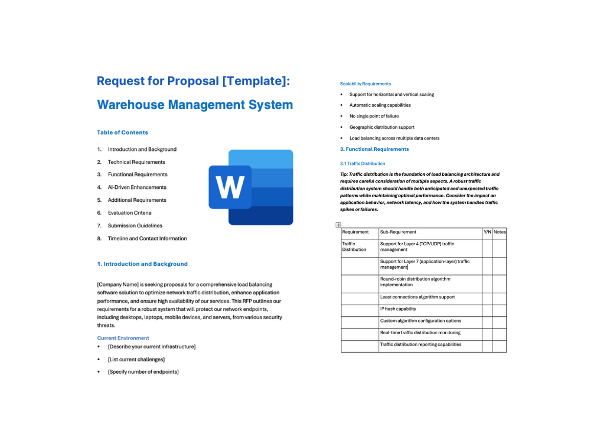
How to run a WMS RFP
A WMS changes how every person on the warehouse floor works, so the evaluation has to be grounded in your real operation, not in vendor feature lists. The example schedule below runs about 15 weeks from kickoff to contract award; stretch it for several sites, warehouse automation or a 3PL operation with many clients. Implementation follows as a separate project.
- Document your operation and volumes (weeks 1-3). Map your current processes from receiving to shipping, including the exceptions. Build a data pack that vendors can design and price against: sites and storage types, active SKUs and units of measure, order lines per day on average and at peak, order profiles by channel, mobile users per shift, carriers, EDI trading partners, and any automation in place or planned.
- Assemble the buying team. Include warehouse operations (managers, supervisors and an experienced floor lead), inventory control, IT and integration, transportation, customer service and finance, plus procurement and legal. Add engineering if automation is in scope, and account managers if you run a 3PL operation. The people who do the work every day are best placed to judge the mobile screens and exception handling.
- Decide whether you need an RFI (weeks 3-5). Issue a short RFI first if you haven't decided between a dedicated WMS and your ERP's warehouse module, if your long list has more than five vendors, or if you're selecting automation at the same time. Ask about fit with your order profile, deployment model, integrations with your ERP and automation, and pricing model, then cut the list to three or four vendors.
- Tailor and issue the RFP (weeks 5-8). Delete requirements that don't apply, adjust priorities, and attach your data pack and process maps to Section 1. Give vendors three weeks to respond, with a written question-and-answer window in the first week.
- Score the responses and run scripted demonstrations (weeks 8-11). Have each evaluator score independently against the rubric before comparing notes, and set aside any vendor that misses a Must-have. Give the two or three leaders a demonstration script built from your own items and orders, including exceptions such as a short pick, a damaged receipt and a late order cancellation. Score what you see on screen, not what is on the slides.
- Visit reference sites (weeks 11-13). Visit at least one live warehouse per finalist with an operation like yours. Talk to supervisors and floor staff as well as IT, and ask how the go-live went, what still runs outside the system, and how the vendor responded when something broke.
- Negotiate and award (weeks 13-15). Use the pricing table to compare like for like over the contract term, including peak-season terms, hardware and EDI costs. Put go-live criteria, hypercare and a release freeze around your peak season into the statement of work, and schedule go-live away from your busiest period.
WMS vs ERP warehouse module: when you need a dedicated WMS
Many ERP systems include a warehouse or inventory module that handles receiving, bin locations, picking and shipping. Its advantages are real: inventory and finance live in one system, there is no WMS-to-ERP integration to build and support, and you deal with one vendor and one contract. For a single site with a straightforward order profile and no automation, it can be the right answer.
A dedicated WMS is built to direct the work on the floor, not just record it, and the case for one grows as the operation becomes more complex. The trade-off is an extra integration to maintain and two systems whose inventory figures must agree, so plan for reconciliation from the start.
If you're unsure, put both options in the same evaluation. Send this RFP to your ERP vendor for its warehouse module alongside dedicated WMS vendors, and score every proposal against the same scripted scenarios.
Signs you need a dedicated WMS:
- High order and line volumes, many SKUs, or tight carrier cut-offs that call for directed, prioritized work instead of printed pick lists
- Picking methods beyond simple order-by-order picking: batch, cluster, zone, wave or waveless release, with replenishment driven by demand
- Warehouse automation in place or planned (WES/WCS, autonomous mobile robots, conveyors, sortation, AS/RS) that needs a system to release and coordinate work
- Several clients in one building, as a 3PL, with client-specific rules, EDI and billing for storage and handling
- Labor management against engineered standards, or incentive pay based on measured performance
- Several warehouses running different ERPs, or an ERP replacement planned, where warehouse operations shouldn't depend on one ERP's timeline
- Lot, serial or expiry control, customer compliance labels or advance ship notice requirements that you can't meet with your ERP module today
WMS RFP requirements
Each line is written to paste straight into your RFP. Must-have means a vendor that cannot meet it is out; Nice-to-have earns extra points. Change the priorities to fit your situation, and delete what doesn't apply.
Functional
| ID |
Requirement |
Priority |
| F1 |
Receiving against advance ship notices (ASNs), purchase orders and blind receipts, with scanning of license plate numbers (LPNs) or SSCC pallet labels, capture of lot, serial and expiry data, and recording of over, short and damaged quantities with reason codes. |
Must-have |
| F2 |
Cross-docking of received goods straight to outbound staging for open orders, both planned (from ASN and order data) and opportunistic (identified at receipt). Make this Must-have if cross-docking is part of your operation. |
Nice-to-have |
| F3 |
Directed putaway using configurable rules: item attributes, velocity, location capacity by weight and cube, mixing rules, and storage restrictions such as temperature zones or hazardous-material segregation. Operators confirm each putaway by scanning the location. |
Must-have |
| F4 |
Slotting analysis that recommends item locations based on pick velocity, dimensions, weight and items often ordered together, and creates the move tasks to re-slot. |
Nice-to-have |
| F5 |
Replenishment of pick locations from reserve storage using min/max and demand-based triggers, with urgent replenishments prioritized ahead of the picks that need the stock. |
Must-have |
| F6 |
Real-time inventory by location, license plate, lot, serial number, expiry date and status (for example, available, quarantine, damaged or on hold), with status controlling what can be allocated, and conversions between units of measure (each, inner pack, case and pallet). |
Must-have |
| F7 |
Cycle counting by schedule (for example, by ABC class or zone) and by trigger (such as an empty location or a short pick), with blind counts, recount thresholds and supervisor approval of adjustments. |
Must-have |
| F8 |
Allocation rules for stock rotation (FEFO, FIFO or a specific lot) and customer-specific constraints such as minimum remaining shelf life or single-lot shipments, with handling of partial allocation and backorders. |
Must-have |
| F9 |
Order release in waves built by rules (carrier, cut-off time, zone or order type), with a supervisor view of open work and backlog against carrier cut-offs and the ability to reprioritize or reassign tasks. State whether continuous (waveless) release is supported. |
Must-have |
| F10 |
Discrete, batch, cluster, zone and pick-and-pass picking, with optimized pick paths and each, case and pallet picking in the same building. Short picks are recorded, redirected to an alternate location where stock exists, and trigger a count. |
Must-have |
| F11 |
Pack stations with scan verification of every item, weight capture, packing lists and customer-specific documents. State whether the system recommends carton sizes (cartonization). |
Must-have |
| F12 |
Shipping for parcel, less-than-truckload (LTL) and truckload orders: carrier labels and customer compliance labels, manifesting and end-of-day close, bills of lading, and load verification by scanning each pallet or carton onto the trailer. |
Must-have |
| F13 |
Returns processing: receipt against a return authorization or as an unexpected return, inspection and grading, and disposition (restock, refurbish, quarantine, return to vendor or scrap), with results sent to our ERP for credit. |
Must-have |
| F14 |
Dock appointment scheduling, including carrier self-scheduling, and yard management: gate check-in and check-out, trailer location and status, and yard moves assigned to drivers. |
Nice-to-have |
| F15 |
Labor management: engineered labor standards for each task, actual versus standard performance by worker, team and shift, and labor planning from forecast workload. Make this Must-have if you run incentive pay or plan to manage to engineered standards. |
Nice-to-have |
| F16 |
Third-party logistics (3PL) capabilities: multiple clients in one warehouse with client-specific items, rules, labels and documents; billing for storage, handling, value-added services and accessorial charges; and a client portal for inventory and order visibility. Make this Must-have if you are a 3PL. |
Nice-to-have |
| F17 |
Standard dashboards and reports for warehouse KPIs, including dock-to-stock time, order cycle time, on-time shipment against cut-off, pick and ship accuracy, inventory accuracy from counts, units and lines per labor hour, and location utilization, with drill-down and export. |
Must-have |
Technical and architecture
| ID |
Requirement |
Priority |
| T1 |
All our warehouses in one instance, with shared item, customer and supplier data and site-specific locations, rules and settings. State the deployment model proposed: multi-tenant SaaS, single-tenant hosted or on-premises. |
Must-have |
| T2 |
Configuration of rules, workflows, mobile screens, labels and reports by our trained administrators, without custom code. Identify every requirement in this RFP that would need custom development. |
Must-have |
| T3 |
Execution and confirmation of all floor tasks (receiving, putaway, moves, replenishment, picking, counting and loading) on handheld or vehicle-mounted mobile computers with barcode scanning, updating inventory in real time, in the languages our staff use. State the supported device operating systems and whether the mobile client is native or browser-based. |
Must-have |
| T4 |
Additional mobile and hands-free options: voice-directed picking, wearable or ring scanners, and camera-based scanning on smartphones. |
Nice-to-have |
| T5 |
Performance at our peak volume of [order lines per hour] with [number] concurrent mobile users. State scanner transaction response times and provide load-test results at a comparable volume. |
Must-have |
| T6 |
Defined, tested behavior when the connection between the warehouse and the hosted system is lost: which floor tasks can continue, how transactions are synchronized afterward, and the network redundancy you recommend. |
Must-have |
| T7 |
At least one non-production (sandbox) environment with a copy of our production configuration, for testing configuration changes, integrations and new releases. |
Must-have |
| T8 |
GS1 barcode and label support: GTINs, GS1-128 logistics labels with SSCCs, and parsing of GS1 Application Identifiers (such as lot, expiry date and serial number) from a single scan, with label templates our team can edit. State support for 2D barcodes such as GS1 DataMatrix and QR codes using GS1 Digital Link. |
Must-have |
Integration
| ID |
Requirement |
Priority |
| I1 |
Two-way, near real-time integration with our ERP ([name your ERP]) for items, purchase orders, sales and transfer orders, receipts, shipments, inventory adjustments and status changes, plus a report that reconciles on-hand inventory between the two systems. State whether the connector is prebuilt and maintained by you. |
Must-have |
| I2 |
Integration with our order management system and sales channels for order intake, changes and cancellations up to the point of picking, and shipment confirmation with tracking numbers. |
Must-have |
| I3 |
Integration with our transportation management system (TMS) for load planning, carrier assignment and shipment status, and with parcel carriers, directly or through a multi-carrier shipping system, for rates, labels, tracking and manifests. |
Must-have |
| I4 |
EDI with customers, suppliers and clients in ANSI X12, and EDIFACT where needed (for example, DESADV despatch advice), including [keep those you use]: 940 warehouse shipping order, 945 warehouse shipping advice, 943 warehouse stock transfer shipment advice, 944 warehouse stock transfer receipt advice, 947 warehouse inventory adjustment advice, 846 inventory inquiry/advice, 856 ship notice/manifest and 997 functional acknowledgment. State whether translation, mapping and trading-partner onboarding are included or need a separate EDI provider. |
Must-have |
| I5 |
Integration with warehouse automation through documented, standard interfaces (for example, REST APIs or message queues): warehouse execution and control systems (WES/WCS), autonomous mobile robot (AMR) fleet managers, conveyors and sortation, and automated storage and retrieval systems (AS/RS). List the automation integrations in live production today. Make this Must-have if automation is in place or planned during the contract term. |
Nice-to-have |
| I6 |
REST APIs covering items, orders, inventory, receipts, shipments and tasks, with event notifications (webhooks or message streams), published documentation and stated rate limits. |
Must-have |
| I7 |
An integration monitor that shows failed and pending messages, raises alerts, and lets our team correct and reprocess messages without vendor involvement. |
Must-have |
| I8 |
Scheduled export or data feeds of inventory and transaction history to our data warehouse or analytics platform. |
Nice-to-have |
Security and compliance
| ID |
Requirement |
Priority |
| S1 |
A current SOC 2 Type II report and ISO/IEC 27001 certification covering the proposed service, available under NDA. For on-premises deployments, describe your secure development and patching practices. |
Must-have |
| S2 |
Single sign-on via SAML 2.0 or OIDC with MFA for office users and administrators, fast sign-in for floor staff on shared devices (for example, badge scan), and role-based permissions by function, warehouse and client. |
Must-have |
| S3 |
A complete audit trail of inventory transactions and adjustments (who, what, when, where, quantities before and after, and reason code), with approval required for adjustments above a value threshold we set. |
Must-have |
| S4 |
Forward and backward lot and serial traceability: from a supplier lot to every order and customer it shipped to, and from a shipment back to its receipts, available as a standard report to support recalls. |
Must-have |
| S5 |
The records required by product-traceability regulations that apply to us (for example, FSMA 204 for foods on the FDA Food Traceability List, or DSCSA serialization for prescription drugs in the US). Make this Must-have if you handle regulated products. |
Nice-to-have |
| S6 |
Isolation of our data from other customers, encryption in transit and at rest, backups with stated recovery point and recovery time objectives, and a choice of hosting region. |
Must-have |
| S7 |
A data processing agreement, a current list of sub-processors, and a contractual commitment to notify us of security incidents affecting our data within a defined time. State the time. |
Must-have |
Implementation and support
| ID |
Requirement |
Priority |
| M1 |
A phased implementation plan by site, starting with design workshops based on our process maps, with named roles, the effort expected from our team, and agreed go-live criteria. |
Must-have |
| M2 |
Identification of who delivers the implementation (vendor, partner or both) and the named team's experience with operations like ours: order profile, industry and automation. |
Must-have |
| M3 |
Migration of item, unit-of-measure, location and on-hand inventory data, including lots, serial numbers and status, with a cutover plan covering the inventory count or validation at go-live. |
Must-have |
| M4 |
Integration, end-to-end and peak-volume testing with our data before go-live, including carriers, EDI trading partners and any automation. |
Must-have |
| M5 |
On-site support across every shift at go-live, and a hypercare period afterward with defined exit criteria. State its length. |
Must-have |
| M6 |
A service-level agreement for availability with service credits, and 24×7 support for critical issues covering every shift and weekend we operate, with response-time targets by severity. State your targets. |
Must-have |
| M7 |
A published release schedule, advance notice of changes, sandbox access to each release before it reaches production, and the ability to defer non-security updates during our peak periods [dates]. |
Must-have |
| M8 |
Role-based training for administrators, super users and supervisors, with train-the-trainer materials for floor staff in [languages]. |
Must-have |
Commercial and pricing
| ID |
Requirement |
Priority |
| C1 |
Pricing broken down by module, metric (per site, per named or concurrent user, per order or transaction volume, or per client for 3PLs) and term, showing list price, discount and net price. |
Must-have |
| C2 |
Terms for seasonal peaks: how temporary users, extra devices or volume above licensed levels are priced, and whether short-term increases are available without a permanent uplift. |
Must-have |
| C3 |
A cap on price increases at renewal. State the cap. |
Must-have |
| C4 |
Implementation pricing as a fixed fee or a not-to-exceed estimate, with the assumptions behind it, and the price to roll out each additional site. |
Must-have |
| C5 |
Subscription fees that ramp with the site rollout, so we don't pay for sites before they go live. |
Nice-to-have |
| C6 |
Itemized third-party costs the solution needs: mobile devices, label printers, EDI network or translation fees, carrier or shipping-software fees, and middleware. |
Must-have |
| C7 |
Exit terms covering export of inventory, transaction history and configuration in a usable format, and transition assistance at the end of the contract. |
Must-have |
Questions to ask WMS vendors
These questions are designed to separate vendors, not to collect brochure answers. Ask for evidence: a demo, a document or a reference.
- Run a scripted demonstration with our items and orders: receive an ASN with a shortage and a damaged carton, put the stock away by rule, release a wave, handle a short pick, replenish the pick face, then pack and ship one parcel order and one LTL order. Which steps used standard configuration, and which needed custom work?
- Which of our requirements need custom code rather than configuration? How are customizations carried through upgrades, and who pays to retest them?
- What order volume and number of concurrent mobile users does your largest comparable customer run at peak? Share load-test results for a volume like ours.
- Our internet connection drops at 3 p.m. on a peak day. Which floor tasks continue, what stops, and how is inventory reconciled once the connection returns?
- Show a supervisor changing a putaway or allocation rule, testing it and putting it live. Can our team do this without your consultants?
- How does the system decide between wave and continuous (waveless) order release, and can we run both in the same building for different order types?
- Which ERP, order management and transportation systems do you have prebuilt, vendor-maintained integrations with today? How do you detect and resolve inventory differences between the WMS and our ERP?
- Do you provide EDI translation, mapping and trading-partner onboarding, or will we need a separate EDI provider? How long does a new trading partner take to set up, and what does it cost?
- List the warehouse automation (WES/WCS, AMRs, conveyors, sortation, AS/RS) your WMS is integrated with in live production today. If the automation stops, who diagnoses the integration: you, the automation supplier or the integrator?
- For 3PL use: show onboarding a new client, setting client-specific rules and labels, and producing an invoice for storage, handling and value-added services. What can the client see in its portal?
- How are labor standards created and maintained, and how does a supervisor see performance against standard by worker and shift? What data do you need from us to set this up?
- Which features in your proposal use AI or machine learning (for example, slotting recommendations or labor forecasting)? What data do they use, how are recommendations explained, and can they be switched off?
- Which features in your proposal are generally available today, and which are in preview or on the roadmap? Give dates for the roadmap items.
- How often do you release updates, how much regression testing should we plan for each release, and can we defer releases during our peak season?
- What are the most common causes of problems in the first weeks after a WMS go-live, and how does your plan, including hypercare, address them? Provide a reference customer with a similar operation that went live in the last two years.
Scoring rubric
Score each criterion from 1 to 5, multiply by its weight, and add the results. The weights below are a starting point; agree on your own before any proposals arrive so the scoring can't be bent around a favorite.
| Criterion |
Weight |
What a strong response shows |
| Warehouse execution fit (receiving to shipping) |
25% |
Your scripted scenarios run end to end in standard configuration, including exceptions such as short picks, damaged receipts and late cancellations. |
| Inventory control and traceability |
10% |
Real-time accuracy by location, lot and serial number; practical cycle counting; a full audit trail and quick recall tracing. |
| Configurability and usability on the floor |
10% |
Your team can change rules without code, and mobile screens are quick to learn in the languages your staff use. |
| Integration (ERP, OMS, TMS, carriers, EDI, automation) |
15% |
Prebuilt, maintained connectors for your systems, open APIs, the EDI transactions you need, and automation integrations already in production. |
| Performance, scalability and reliability |
10% |
Load-test evidence at your peak volume, a clear plan for connectivity loss, and a sound availability record. |
| Implementation and support |
15% |
A realistic phased plan, an experienced named team, peak-volume testing, on-site go-live support and support that covers every shift. |
| Commercials and total cost |
15% |
Transparent pricing, fair peak-season and add-on terms, a renewal cap and exit terms over the full contract term, including hardware and EDI costs. |
| Total |
100% |
|
Scoring scale
- 5 Exceeds: meets every Must-have and most Nice-to-haves, shown in a demo or proof of concept, with a matching reference customer.
- 4 Strong: meets every Must-have and some Nice-to-haves, with clear evidence.
- 3 Adequate: meets most Must-haves; gaps have a credible workaround or a dated roadmap commitment.
- 2 Weak: misses one or more Must-haves, or the answer is vague.
- 1 Poor: does not meet the requirement, or no answer.
Frequently asked questions
What should a WMS RFP include?
A description of your operation (sites, SKUs, order volumes and peaks, storage types and automation); requirements for receiving, putaway, inventory control, picking, packing, shipping and returns, each marked Must-have or Nice-to-have; integration requirements for your ERP, order management, transportation, carriers and EDI partners; security, implementation and support terms; a pricing table; and the rubric you'll score with. Ask finalists for a scripted demonstration using your own data. This template includes all of it.
How long does a WMS RFP take?
The example schedule in this template runs about 15 weeks from kickoff to contract award, including three weeks for vendor responses, scripted demonstrations and reference site visits. Implementation is a separate project after that. Allow more time for several sites, warehouse automation or a 3PL operation with many clients, and plan go-live away from your peak season.
Do we need a WMS if our ERP has a warehouse module?
Not always. An ERP warehouse module can be enough for a single site with a straightforward order profile and no automation, and it avoids an integration. A dedicated WMS earns its place when you have high volumes, complex picking, warehouse automation, several clients or labor management. You can invite your ERP vendor's warehouse module into the same RFP and score it against the same scenarios.
What is the difference between a WMS, a WES and a WCS?
A warehouse management system (WMS) manages inventory, orders and work across the whole warehouse. A warehouse control system (WCS) runs automated equipment such as conveyors and sorters in real time. A warehouse execution system (WES) sits between the two, releasing and balancing work across people and automation. The lines blur because some WMS products include WES functions, so ask each vendor which layer it covers and how it connects to the others.
Can a 3PL use this WMS RFP template?
Yes. Change the 3PL requirement (F16) to Must-have and describe your client mix in Section 1. Focus your scripted demonstration on onboarding a new client, client-specific rules and labels, EDI with client systems (such as X12 940 and 945 transactions), and billing for storage, handling and value-added services.
Related RFP templates