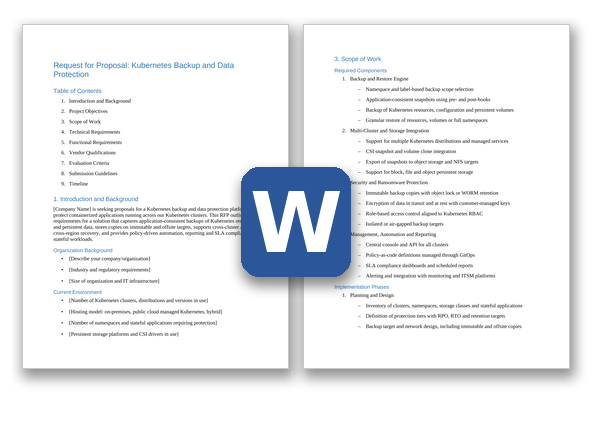
How to run a Kubernetes Backup RFP
A Kubernetes backup evaluation involves platform engineering, storage, security and the teams that own stateful applications. The proof of concept matters more than the written answers, because a restore either works on your clusters or it doesn't. The example schedule in this template runs about 10 weeks from kickoff to contract award; allow longer if you need to prove restores across several clouds or regions.
- Take inventory and set protection tiers (weeks 1-2). List your clusters, distributions and Kubernetes versions, the namespaces and stateful applications to protect, the storage classes and CSI drivers behind them, and the volume of persistent data. Group applications into tiers with RPO, RTO and retention targets, and write down the recovery scenarios you must prove: a deleted namespace, a lost cluster, a region outage and a ransomware attack.
- Assemble the buying team. Include platform engineering or SRE, the backup and storage team, security, the owners of your most important stateful applications (often the database team), and procurement and legal. Decide early who will own backup policies, a central team or the application teams themselves, because that shapes the RBAC and self-service requirements.
- Decide whether you need an RFI first (weeks 2-3). If you haven't decided between extending your current backup platform and adopting a Kubernetes-native product, or your long list has more than five vendors, send a short RFI. Ask which distributions, Kubernetes versions and CSI drivers each vendor supports, whether the management plane is self-hosted or vendor-hosted, and how licensing is counted, then shortlist three or four vendors.
- Tailor and issue the RFP (weeks 3-6). Delete requirements that don't apply, adjust priorities, and add your clusters, storage platforms and backup targets to Section 1. If you run several Kubernetes distributions or managed Kubernetes services, list each one with its version, so vendors confirm support for every one rather than in general. Give vendors three weeks to respond, with a written question-and-answer window in the first week.
- Score the responses (weeks 6-7). Have each evaluator score independently against the rubric before comparing notes, and set aside any vendor that misses a Must-have. Check every 'yes' against the vendor's published support matrix, and note whether each feature is generally available today or still on the roadmap.
- Run a proof of concept with two vendors (weeks 7-9). Use a non-production cluster and your real stateful applications. Delete a namespace and restore it, restore an application into a new cluster with a different storage class, try to delete backups using cluster-admin credentials, and time backups and restores at realistic data volumes. Check the resource footprint of the in-cluster components, and call a reference customer of similar size.
- Negotiate and award (weeks 9-10). Use the pricing table to compare like for like, including how licenses are counted as clusters autoscale and for standby disaster recovery clusters. Settle the renewal cap, and exit terms that keep your backups restorable, before you sign.
Kubernetes Backup RFP requirements
Each line is written to paste straight into your RFP. Must-have means a vendor that cannot meet it is out; Nice-to-have earns extra points. Change the priorities to fit your situation, and delete what doesn't apply.
Functional
| ID |
Requirement |
Priority |
| F1 |
Backup of each application's namespace-scoped resources (deployments, stateful sets, services, config maps, secrets, service accounts, persistent volume claims and custom resources) together with its persistent volume data, as one restorable unit. |
Must-have |
| F2 |
Capture of the cluster-scoped resources an application depends on, such as custom resource definitions, storage classes and cluster roles, so the application can be restored into a new, empty cluster. |
Must-have |
| F3 |
Backup scope defined by cluster, namespace, label selector or application grouping, with automatic protection of new namespaces and workloads that match a policy. |
Must-have |
| F4 |
Application-consistent backups using pre- and post-snapshot hooks or reusable templates that quiesce, flush or dump databases and other stateful services. List the databases that have prebuilt templates. |
Must-have |
| F5 |
Persistent volume protection through the Kubernetes CSI snapshot API, with snapshot data exported to a separate backup target rather than kept only as snapshots on the primary storage. |
Must-have |
| F6 |
A file-system-level backup method for volumes whose CSI driver does not support snapshots. State the performance and privilege trade-offs. |
Must-have |
| F7 |
Crash-consistent snapshots of all of an application's volumes at the same moment, using Kubernetes volume group snapshots where the CSI driver supports them. |
Nice-to-have |
| F8 |
Backup schedules and retention per policy (hourly, daily, weekly, monthly and yearly), with several backup targets per policy and separate retention for each target. |
Must-have |
| F9 |
Restore of a whole namespace, a single application, individual Kubernetes resources or a single persistent volume, to the original namespace or a new one. |
Must-have |
| F10 |
File-level restore from a persistent volume backup without restoring the whole volume. |
Nice-to-have |
| F11 |
Restore to a different cluster, region, cloud or Kubernetes distribution, with built-in transformations during restore (for example, changing the namespace, storage class, image registry, labels or ingress hostnames). |
Must-have |
| F12 |
Migration of applications between clusters, distributions and clouds (for example, for Kubernetes upgrades or cloud moves) using the same backup and restore workflow. |
Must-have |
| F13 |
Disaster recovery plans that restore a defined set of applications to a standby cluster in a set order, with pre- and post-restore steps, and that can be run on demand as a test or as a failover. |
Must-have |
| F14 |
Scheduled restores into a standby or isolated test cluster, for warm-standby disaster recovery and automated recovery testing, with a pass or fail report for each run. |
Nice-to-have |
| F15 |
Self-service backup and restore for application teams within their own namespaces, inside limits set by platform administrators. |
Must-have |
| F16 |
Protection of virtual machines that run on Kubernetes through a Kubernetes-native virtualization layer, if they are in scope. |
Nice-to-have |
Technical and architecture
| ID |
Requirement |
Priority |
| T1 |
Kubernetes-native deployment by Helm chart or operator, with configuration held as Kubernetes custom resources. List each in-cluster component and its CPU, memory and storage requirements. |
Must-have |
| T2 |
In-cluster components that run with the minimum permissions they need. Identify any component that needs privileged or host-level access, and explain why. |
Must-have |
| T3 |
Support for [list Kubernetes distributions and managed Kubernetes services in use], and for the current Kubernetes minor release plus at least two prior minor releases. State how soon new upstream releases are supported. |
Must-have |
| T4 |
One console and API to manage backup policies, jobs and restores across all our clusters (on-premises, cloud and edge). State whether the management plane is self-hosted, vendor-hosted, or available as both. |
Must-have |
| T5 |
Support for [number] clusters, [number] namespaces, [number] persistent volumes and [capacity] of protected data, with parallel backup and restore and documented throughput limits. |
Must-have |
| T6 |
Incremental backups after the first full copy, with deduplication and compression of exported data. State whether incremental backups use changed block tracking from the storage system or CSI driver. |
Must-have |
| T7 |
Recovery of the backup platform itself: if the cluster hosting the backup software is lost, we can install it in a new cluster and reconnect to existing backups and their catalog. |
Must-have |
| T8 |
Installation and operation in air-gapped environments, using our private container registry. |
Nice-to-have |
Integration
| ID |
Requirement |
Priority |
| I1 |
Single sign-on to the console and API via OIDC or SAML 2.0 with our identity provider, mapping identity-provider groups to roles. |
Must-have |
| I2 |
Validated snapshot and restore support for [list CSI drivers and storage platforms in use], with a published support matrix. |
Must-have |
| I3 |
Backup targets including S3-compatible object storage, public cloud object storage and NFS [list the targets you use]. |
Must-have |
| I4 |
Backup policies, schedules and restore definitions expressed as Kubernetes custom resources or declarative files that we can keep in Git and apply through our GitOps and CI/CD tooling. |
Must-have |
| I5 |
A documented REST API and command-line interface covering every function available in the console. |
Must-have |
| I6 |
Metrics in a Prometheus-compatible format, and alerts for failed, missed or late jobs and unprotected workloads by email, webhook and our ticketing (ITSM) and incident tools. |
Must-have |
| I7 |
Streaming of job, audit and security event logs to our SIEM in a documented format. |
Must-have |
| I8 |
Infrastructure-as-code support (for example, a Terraform provider) for platform configuration and cluster onboarding. |
Nice-to-have |
Security and compliance
| ID |
Requirement |
Priority |
| S1 |
Role-based access aligned with Kubernetes namespaces and RBAC, so users can only see, back up and restore what they are authorized for. Include a read-only role for auditors. |
Must-have |
| S2 |
Immutable backup copies using object lock (WORM) on supported targets. Explain how the platform's retention settings interact with the storage-level lock. |
Must-have |
| S3 |
At least one isolated copy of each backup, held in a separate account or logically air-gapped target with separate credentials, so compromised cluster or Kubernetes administrator credentials cannot delete it. |
Must-have |
| S4 |
Multi-factor or multi-person approval for destructive actions such as deleting backups, shortening retention or disabling policies. |
Nice-to-have |
| S5 |
Encryption of backup data in transit (TLS 1.2 or higher) and at rest, with customer-managed keys held in our key management system (via KMIP or a cloud key management service). Kubernetes Secrets captured in backups must stay encrypted. |
Must-have |
| S6 |
An audit log of every backup, restore, policy and administrative action with user attribution, exportable and retained for [period]. |
Must-have |
| S7 |
Detection of anomalies in backup data or activity, such as unusual change rates, mass deletion or newly encrypted content, with affected restore points flagged so we can find the last clean copy. |
Nice-to-have |
| S8 |
For any vendor-hosted components: a current SOC 2 Type II report and ISO/IEC 27001 certification, a data processing agreement, a list of sub-processors, a choice of region for stored metadata, and a contractual time limit for notifying us of security incidents. |
Must-have |
| S9 |
Use of FIPS 140-validated cryptographic modules. Make this Must-have if you are a public-sector or regulated buyer that requires it. |
Nice-to-have |
Implementation and support
| ID |
Requirement |
Priority |
| M1 |
An implementation plan covering an inventory of clusters, namespaces, storage classes and stateful applications; protection tiers with RPO, RTO and retention; and a phased rollout from non-production to production clusters. |
Must-have |
| M2 |
A migration approach from our current backup tooling that keeps existing backups restorable until their retention expires. |
Must-have |
| M3 |
Identification of who delivers the implementation (vendor, partner or both) and the Kubernetes experience of the named team. |
Must-have |
| M4 |
A tested restore of [named critical applications] into a different cluster before production sign-off, with recovery times recorded. |
Must-have |
| M5 |
A published supported-version policy and upgrade path for the software and its in-cluster components, with backups taken by earlier releases remaining restorable. |
Must-have |
| M6 |
24×7 support for critical issues, with response-time targets by severity. For vendor-hosted components, an availability SLA with service credits and a public status page. |
Must-have |
| M7 |
Training and documentation for platform administrators and application teams, including recovery runbook templates. |
Nice-to-have |
Commercial and pricing
| ID |
Requirement |
Priority |
| C1 |
Pricing broken down by component, metric (for example, per node, per cluster, per application or per terabyte protected) and term, showing list price, discount and net price. |
Must-have |
| C2 |
An explanation of how usage is counted for clusters that autoscale, short-lived clusters, non-production clusters and standby disaster recovery clusters. |
Must-have |
| C3 |
Any costs beyond the license that the proposed design creates, such as a separately priced management plane, vendor-hosted storage, or data transfer between regions or clouds. |
Must-have |
| C4 |
A cap on price increases at renewal. State the cap. |
Must-have |
| C5 |
A proof of concept at no charge, with the vendor's engineering support. |
Nice-to-have |
| C6 |
Exit terms that keep our backups restorable after the contract ends (for example, read-only access for the remaining retention period, or a documented backup format), plus transition assistance. |
Must-have |
Questions to ask Kubernetes Backup vendors
These questions are designed to separate vendors, not to collect brochure answers. Ask for evidence: a demo, a document or a reference.
- Demonstrate a backup of a stateful application (a database with its secrets, config maps and persistent volume claims) and its restore into a new, empty cluster. What, if anything, had to be recreated by hand?
- How do you make databases consistent at backup time? Which databases have prebuilt hooks or templates, and what do you recommend for one that doesn't?
- Which CSI drivers and storage platforms have you validated for both snapshot and restore? How do you back up volumes whose driver can't take snapshots, and what privileges does that need?
- How soon after a new upstream Kubernetes minor release do you support it on each distribution we run? Give the support dates for the last three releases.
- How do you restore an application that an operator or a GitOps controller manages, without the controller and the restore working against each other?
- What happens during a restore when the target cluster has different storage classes, a different Kubernetes version or a different image registry? Which transformations are built in, and which need scripting?
- If the cluster running your software, or your management plane, is lost, how do we get back to our backups? Show us.
- An attacker gains cluster-admin rights on a protected cluster. Which backups can they delete, encrypt or expire early, and what stops them?
- How does your retention setting interact with object lock on the backup target, and what happens when the two conflict?
- Show a disaster recovery plan that brings [number] applications up in a set order on a standby cluster in another region. How do you measure and report the recovery time achieved?
- What do you detect in backup data or backup activity that may signal ransomware or mass deletion, and how do you help us find the last clean restore point?
- Which in-cluster components need privileged or host-level access, and what CPU, memory and storage do they use at our scale?
- How do you count licenses for clusters that autoscale, short-lived clusters, non-production clusters and standby disaster recovery clusters?
- Which features in your proposal are generally available today, and which are in preview or on the roadmap? Give dates for the roadmap items.
- Provide a reference customer with a similar number of clusters that has restored an application to a different cluster or cloud in production.
Scoring rubric
Score each criterion from 1 to 5, multiply by its weight, and add the results. The weights below are a starting point; agree on your own before any proposals arrive so the scoring can't be bent around a favorite.
| Criterion |
Weight |
What a strong response shows |
| Backup and restore coverage |
25% |
Every Must-have met in a generally available release, with application-consistent backup and restore into a new, empty cluster demonstrated on your own stateful applications. |
| Recovery, disaster recovery and mobility |
15% |
Restores across clusters, storage classes and clouds without manual fixes, ordered disaster recovery plans, and recovery times measured in the proof of concept. |
| Ransomware resilience and security |
15% |
Immutable, isolated copies that cluster-admin credentials can't delete, customer-managed encryption keys, and access scoped to Kubernetes namespaces and RBAC. |
| Platform coverage and scale |
15% |
Support for every distribution, Kubernetes version and CSI driver you run, a small and well-documented in-cluster footprint, and evidence at your scale. |
| Automation and integration |
10% |
Policies as code that fit your GitOps workflow, a complete API and CLI, and metrics, alerts and logs flowing into your monitoring, SIEM and ticketing tools. |
| Implementation and support |
10% |
A credible phased plan, an experienced named team, a clear supported-version policy, and support targets that match your recovery objectives. |
| Commercials and total cost |
10% |
A licensing metric that stays predictable as clusters autoscale, a renewal cap, and exit terms that keep backups restorable, over a three-year view. |
| Total |
100% |
|
Scoring scale
- 5 Exceeds: meets every Must-have and most Nice-to-haves, shown in a demo or proof of concept, with a matching reference customer.
- 4 Strong: meets every Must-have and some Nice-to-haves, with clear evidence.
- 3 Adequate: meets most Must-haves; gaps have a credible workaround or a dated roadmap commitment.
- 2 Weak: misses one or more Must-haves, or the answer is vague.
- 1 Poor: does not meet the requirement, or no answer.
Frequently asked questions
What should a Kubernetes backup RFP include?
Your environment (clusters, distributions, storage platforms, CSI drivers and stateful applications) and protection tiers with RPO, RTO and retention targets; requirements for application-consistent backup, CSI snapshots, restore granularity, cross-cluster restore and migration, immutability, encryption, RBAC and policy-as-code, each marked Must-have or Nice-to-have; questions that make vendors demonstrate restores; support and pricing terms; and the rubric you'll score with. This template includes all of them.
Do you need Kubernetes backup if you use GitOps?
Yes, for anything stateful. Git holds the desired state of your manifests, but not the data in persistent volumes, secrets you keep out of Git, or resources that operators and controllers create at runtime. Rebuilding from Git also doesn't give you a point-in-time copy to roll back to after data corruption or ransomware. The two work together: keep your backup policies in Git as well, and use backups to recover data and whole applications.
Is a CSI volume snapshot a backup?
Not on its own. A CSI snapshot usually stays with the storage system or cloud account that holds the original volume, so it can be lost or compromised along with them. It's a fast way to capture a consistent point in time; a backup platform should then copy that data to a separate, preferably immutable target, together with the Kubernetes resources needed to restore the application.
Can existing backup software protect Kubernetes, or do you need a dedicated tool?
Either can work. Some general-purpose backup platforms include Kubernetes protection, and some products are built only for Kubernetes. Send this RFP to both kinds and score them against the same requirements, paying particular attention to application consistency, restore into a new cluster, support for your distributions and CSI drivers, and how policies fit your GitOps workflow.
How long does a Kubernetes backup RFP take?
The example schedule in this template runs about 10 weeks from kickoff to contract award, including three weeks for vendor responses and about three weeks for a proof of concept. Allow more time if a short RFI comes first, or if you need to prove restores across several clouds or regions.
Further reading
Related RFP templates