Proof of Concept Template (Free, Word): Software POC Plan
A free, vendor-neutral POC template for testing finalists' software with your own data before you choose, with success criteria, test scenarios, data…
Word · FreeDownload Template →
A free, vendor-neutral scorecard template for rating an existing supplier's performance every quarter, with KPIs and targets, a defined 1-to-5 scale, weights, rating bands and a corrective action log.
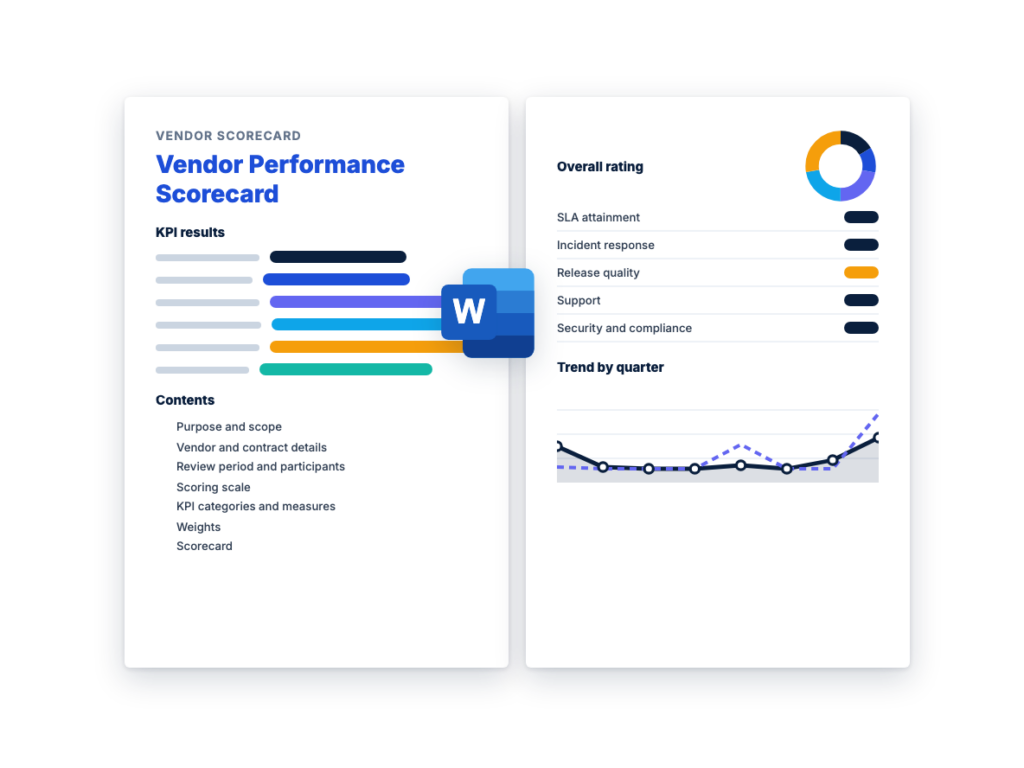
See the structure before you download. The Word file has every section listed below, ready to fill in.
The sections in the document, in order.
Use this vendor scorecard template to rate how a supplier you already use is performing against its contract, and to review the results with the vendor each quarter. It works for any supplier, and it includes a ready-made set of KPIs for software, SaaS and IT services vendors: SLA attainment, incident response, release quality, support responsiveness, and security and compliance.
It's written for whoever owns the vendor relationship after the contract is signed, such as a vendor manager, procurement lead or IT manager. Every score from 1 to 5 has a defined meaning, and the thresholds and weights are agreed with the vendor before the period starts. The vendor knows how it will be judged, and the scores still stand up a year later, when it's time to decide on renewal.
The Word file is a complete supplier scorecard template you can use as it stands. It covers scope, the scoring scale, a KPI library that explains how to measure each KPI, weights, the scorecard itself, rating bands with the action each one triggers, a corrective action log, vendor comments, sign-off and a review schedule. Scoring proposals from several bidders is a different job: for that, follow the RFP process, step by step.
Download the editable Microsoft Word version below. The full text is on this page, so you can read it before you download.
A vendor scorecard is only as fair as its rules, so agree them with the vendor before the first quarter starts. Set the document up once, then repeat the last two steps every review period.
Both use a 1-to-5 scale with defined scores and weights agreed in advance, so they’re easy to confuse. RFP scoring, sometimes laid out as a vendor evaluation matrix, compares several bidders once, before there’s a contract, on what each one proposes. A vendor scorecard rates one vendor after the contract is signed, on what it actually delivers, and you repeat it every review period.
If you’re choosing between bidders, use proposal scoring. The RFP process, step by step explains how to set the criteria and weights before proposals arrive and how to score them independently.
The two connect. Write the service levels, the KPIs and your plan for quarterly reviews into the RFP (see how to write an RFP), so bidders price them and agree to them before they win. The commitments in the winning proposal and the statement of work then become the targets on the scorecard.
The main differences:
A scorecard changes a vendor’s behavior only when the vendor accepts the scores as fair. Otherwise each review turns into an argument about the data instead of a discussion about fixing problems.
Agree the KPIs, targets, thresholds and data sources with the vendor before the first period starts, and check each KPI against these tests:
The scorecard is preparation for the review meeting, and the meeting is where problems get an owner and a date. This cycle keeps each quarter’s review short and useful:
This is the complete text of the Word document. Fill in the [bracketed] placeholders and delete the italic guidance before you send it.
Buyer instructions: replace every [bracketed placeholder], delete
anything that doesn’t apply, and delete all italic guidance before you
share this scorecard with the vendor. Set up Sections 1, 2, 4 to 6, 8
and 12, and the KPI rows in Section 7, once. Agree them with the vendor
and keep them fixed until the annual review. Each review period, save a
copy and complete Sections 3, 7, 9, 10 and 11.
This scorecard records how [Vendor name] (“the vendor”) performed
against the contract named in Section 2 during the review period in
Section 3. [Organization name] (“we”, “us”) uses it to:
In scope: [The products and services this scorecard
covers, e.g. the [product] subscription, implementation services under
SOW [number], and support.]
Out of scope: [Anything not covered, e.g. services
bought under a separate contract.]
This scorecard measures performance. It does not change the contract.
Where the contract sets service levels, service credits or other
remedies, the contract terms apply.
Public bodies may have their own rules for recording a
contractor’s performance and for using it in later awards. Check with
your procurement office before you rely on this format.
| Item | Details |
|---|---|
| Vendor legal name | [Legal name] |
| Products or services in scope | [Description] |
| Contract reference | [Contract number, order form or SOW number] |
| Contract start and end dates | [Start date to end date] |
| Renewal or notice date | [Date by which we must give notice of non-renewal, if any] |
| Service level schedule | [SLA document or contract schedule, and version] |
| Annual contract value | [Amount, optional] |
| Vendor tier | [Strategic / Important / Routine] |
| Vendor account manager | [Name, title, email] |
| Our vendor manager (owns this scorecard) | [Name, title, email] |
| Our business owner | [Name, title, email] |
The vendor tier sets how often you review the vendor. See Section
12.
| Item | Details |
|---|---|
| Review period | [Quarter and year: start date to end date] |
| Scorecard status | [Draft / Final], [date] |
| Data due from the vendor | [Date] |
| Draft scorecard sent to the vendor | [Date] |
| Review meeting | [Date, time, location or meeting link] |
| Previous overall score | [Score from the last period, or “First review”] |
| Name | Organization | Role in this review |
|---|---|---|
| [Name] | [Organization name] | Vendor manager: consolidates the scores and chairs the review |
| [Name] | [Organization name] | Business owner: scores [categories] |
| [Name] | [Organization name] | [IT / security / finance]: scores [categories] |
| [Name] | [Vendor name] | Account manager |
| [Name] | [Vendor name] | [Service delivery manager / support lead] |
Each evaluator scores only the KPIs they have evidence for. Score
independently first, then agree a single score for each KPI before the
draft goes to the vendor.
Every KPI is scored from 1 to 5 using the definitions below. For KPIs
with a measured result, Section 5.3 sets the results that earn each
score. Use whole numbers.
| Score | Rating | Meaning |
|---|---|---|
| 5 | Excellent | Well above target throughout the period, as defined in Section 5.3. No issues needed our involvement. |
| 4 | Good | Above target for the period. Any problems were minor, and the vendor fixed them without our involvement. |
| 3 | Meets target | Met the target for the period. Any problems were fixed within the agreed time. |
| 2 | Below target | Missed the target, or met it only because we intervened. Corrective action required (Section 9). |
| 1 | Unacceptable | Well below target, as defined in Section 5.3, or a serious failure such as [a priority 1 incident handled outside the SLA, or a security notification made late]. Corrective action required (Section 9), and escalation if it’s a critical KPI (Section 8). |
If there was nothing to measure for a KPI in the period, for example
no releases, mark it N/A and leave it out of the overall score (see
Section 7.2).
Qualitative KPIs, such as communication, use the same
definitions. Support every score of 1, 2 or 5 with a dated example in
the comments, so the vendor can see what it’s being scored on.
Choose two or three KPIs per category and delete the rest. Every
target should come from the contract, the SLA or the statement of work.
Agree the targets, thresholds and data sources with the vendor before
the first review period starts.
| Category | Example KPIs | How to measure |
|---|---|---|
| Quality | Defect or rejection rate; rework required | Items or deliverables rejected or reworked ÷ total delivered in the period |
| Delivery | On-time delivery; complete and accurate orders | Orders, deliverables or milestones delivered by the agreed date ÷ total due |
| Cost and commercial | Invoice accuracy; prices match the contract | Invoices paid without correction ÷ invoices received; any charge above the contract price |
| Service and support | Responsiveness; time to resolve issues | Time to acknowledge and to resolve requests, against the times in the contract |
| Compliance and risk | Contract obligations met; required documents current | Obligations met on time (reports, insurance certificates, audits) ÷ obligations due |
| Relationship | Communication; account management; improvement ideas | Evaluator rating against the scale in Section 4, with dated examples |
Use these for a SaaS, software or managed IT services vendor,
alongside any from Section 5.1. Section 6 shows which category each one
counts toward. Replace every target with the figure in your
contract.
| KPI | How to measure | Data source | Target |
|---|---|---|---|
| SLA attainment (availability) | Monthly availability, calculated exactly as the SLA defines it, including its exclusions. Count the months the target was met. |
Vendor’s SLA report, checked against our own monitoring | [SLA target]% in [every month of the period] |
| Project and change delivery | Milestones and change requests accepted by the agreed date ÷ total due |
SOW plan and acceptance records | [X]% on time |
| Release quality | Production defects found after each release, by severity; rollbacks and emergency fixes; release notice given as the contract requires |
Our defect log and change records; vendor release notes | No more than [X] severity 1 or 2 defects per release; notice [X] days before release |
| Incident response and resolution | Incidents responded to and resolved, or worked around, within the SLA times for their priority ÷ total incidents; root cause reports on time, where the contract requires them |
Our service desk records and the vendor’s incident reports | [X]% within SLA for priority 1 and 2; root cause report within [X] business days |
| Support responsiveness | Time to first response and to resolution for tickets that aren’t incidents; tickets open longer than [X] days |
Support portal ticket report | First response within [X] business hours; [X]% resolved within [X] business days |
| Security and compliance | Security incidents affecting our data notified within the contract time; critical vulnerabilities fixed within the agreed time; required audit reports or certifications, such as a SOC 2 report or ISO/IEC 27001 certificate, kept current |
Vendor notifications and audit reports; our security team’s review |
All notifications within [X] hours; critical fixes within [X] days; reports current |
For each measured KPI, set the results that earn each score
before the period starts. Put the contract target at score 3. For KPIs
where lower is better, such as defects, reverse the direction. The first
row shows the format only.
| KPI | 1 | 2 | 3 | 4 | 5 |
|---|---|---|---|---|---|
| [e.g. Incidents resolved within SLA] | [Below A%] | [A% to below B%] | [B% (target) to below C%] | [C% to below D%] | [D% or more] |
| [KPI] | [Result] | [Result] | [Result] | [Result] | [Result] |
| [KPI] | [Result] | [Result] | [Result] | [Result] | [Result] |
Weights show what matters most in this contract, and they must
add up to 100. The figures below are an example only. Set your own
before the first review period, and change them only at the annual
review.
| Category | Weight | KPIs in this category (from Section 5) |
|---|---|---|
| Quality | [20] | [e.g. Release quality] |
| Delivery | [25] | [e.g. SLA attainment; project and change delivery] |
| Service and support | [20] | [e.g. Incident response and resolution; support responsiveness] |
| Cost and commercial | [10] | [e.g. Invoice accuracy] |
| Compliance and risk | [15] | [e.g. Security and compliance] |
| Relationship | [10] | [e.g. Communication and account management] |
| Total | 100 |
Split each category’s weight across its KPIs, equally unless one
matters more, and enter the KPI weights in Section 7.2.
Complete one row per KPI. The example rows use KPIs from Sections
5.1 and 5.2; replace them with your own. Attach or link the data behind
each result.
| KPI | Target | Actual this period | Score (1 to 5) | Evidence and comments |
|---|---|---|---|---|
| SLA attainment (availability) | [Target] | [Result] | [Months met; SLA exclusions applied] | |
| Project and change delivery | [Target] | [Result] | ||
| Release quality | [Target] | [Result] | ||
| Incident response and resolution | [Target] | [Result] | ||
| Support responsiveness | [Target] | [Result] | ||
| Invoice accuracy | [Target] | [Result] | ||
| Security and compliance | [Target] | [Result] | ||
| Communication and account management | [e.g. Monthly service report on time; escalations acknowledged within [X] hours] |
[Result] | [Dated examples] |
Weighted score = score × KPI weight ÷ 100. For example, a score
of 4 on a KPI weighted 15 gives a weighted score of 0.6. The overall
score is the total of the weighted scores, out of 5. If a KPI is N/A
this period, divide the total weighted score by the total of the weights
you used, then multiply by 100.
| KPI | Category | Score | KPI weight | Weighted score |
|---|---|---|---|---|
| SLA attainment (availability) | Delivery | [15] | ||
| Project and change delivery | Delivery | [10] | ||
| Release quality | Quality | [20] | ||
| Incident response and resolution | Service and support | [12] | ||
| Support responsiveness | Service and support | [8] | ||
| Invoice accuracy | Cost and commercial | [10] | ||
| Security and compliance | Compliance and risk | [15] | ||
| Communication and account management | Relationship | [10] | ||
| Total | 100 | [Overall score out of 5] |
| Item | This period | Last period |
|---|---|---|
| Overall score (out of 5) | ||
| Rating band (Section 8) | ||
| KPIs scored 1 or 2 | [List] | [List] |
| Critical KPIs scored 1 or 2 (Section 8) | [List, or “None”] | [List, or “None”] |
| Open corrective actions (Section 9) | [Number] | [Number] |
Summary of the period: [Two or three sentences: what
went well, what didn’t, and the main action agreed.]
Set the bands and actions before the first review period, and
check that each action is one the contract allows. Service credits,
formal notices and termination rights come from the contract, not from
this scorecard, so involve procurement or legal before you rely on
one.
| Overall score | Rating | Action |
|---|---|---|
| [4.5] to 5.0 | Excellent | Thank the vendor in writing. Consider it for [renewal on current terms / expanded scope]. |
| [3.5] to below [4.5] | Good | Continue. Track any KPI scored 1 or 2 in Section 9. |
| [3.0] to below [3.5] | Meets target | Continue. Agree improvement actions for every KPI scored 1 or 2. |
| [2.0] to below [3.0] | Needs improvement | The vendor sends a corrective action plan within [10] business days. Review progress [monthly] until the overall score is back to [3.0] or above. [Apply service credits where the contract provides them.] |
| Below [2.0] | Unacceptable | Escalate to [our executive sponsor] and the vendor’s [executive contact] within [5] business days. [Give formal notice under clause [X] of the contract.] Review the options the contract allows, such as [reducing scope, re-sourcing or not renewing]. |
These rules apply whatever the overall score:
Log every issue behind a score of 1 or 2, and any other problem
raised at the review. Include actions on our side, such as approvals or
data the vendor is waiting for. Carry open items forward into the next
period’s scorecard.
| Ref | Issue and KPI | Corrective action | Owner | Due date | Status |
|---|---|---|---|---|---|
| [CA-01] | [e.g. Priority 1 incidents resolved outside the SLA (incident response and resolution)] |
[e.g. Vendor sends a root cause analysis and an updated escalation process] |
[Name, vendor] | [Date] | [Open / In progress / Closed on [date]] |
| [CA-02] | [e.g. Test data for the next release not provided (release quality)] |
[e.g. We provide the test data set] | [Name, our organization] | [Date] | [Status] |
| [Ref] | [Issue and KPI] | [Action] | [Name, organization] | [Date] | [Status] |
The vendor completes this section before the review meeting. Keep
the vendor’s comments in the final version, even where we disagree with
them.
| Item | Vendor response |
|---|---|
| Comments on the scores and the data | |
| Factors outside the vendor’s control that affected the results | |
| Actions the vendor is already taking | |
| What the vendor needs from us | |
| Planned changes next period, such as releases, staffing or roadmap |
By signing, both parties confirm that this scorecard was reviewed at
the meeting on [date] and that the actions in Section 9 were agreed.
Signing doesn’t mean the vendor accepts every score. Its views are
recorded in Section 10.
| Role | Name | Signature | Date |
|---|---|---|---|
| Vendor manager, [Organization name] | |||
| Business owner, [Organization name] | |||
| Account manager, [Vendor name] | |||
| [Executive sponsor, if the review was escalated] |
Match the frequency to the vendor tier in Section 2. For example:
quarterly for strategic and important vendors, once a year for routine
ones, and monthly while a corrective action plan is open.
| Review | Period covered | Vendor data due | Draft scorecard to vendor | Review meeting |
|---|---|---|---|---|
| [Quarter 1] | [Start date to end date] | [Date] | [Date] | [Date] |
| [Quarter 2] | [Start date to end date] | [Date] | [Date] | [Date] |
| [Quarter 3] | [Start date to end date] | [Date] | [Date] | [Date] |
| [Quarter 4] and annual review | [Start date to end date] | [Date] | [Date] | [Date] |
At the annual review, also:
Save each period’s final scorecard to [location], so the full history
is available at renewal.
A vendor scorecard is a regular report card for a supplier you already use. It rates the vendor’s performance over a set period, such as a quarter, against KPIs and targets taken from the contract, combines the scores using agreed weights, and records the actions that follow. A supplier scorecard and a vendor performance scorecard are the same thing.
The vendor and contract it covers, the review period, a scoring scale with a defined meaning for each score, and the KPIs with their targets, weights and how each one is measured. It also needs the results for the period, an overall rating and the action that rating triggers, a log of issues and corrective actions, the vendor’s comments and sign-off. This template includes all of them.
Score each KPI from 1 to 5 using thresholds agreed before the period starts. Multiply each score by the KPI’s weight and divide by 100, then add the results to get an overall score out of 5. For example, a KPI scored 4 with a weight of 15 adds 0.6 to the total. Compare the overall score with your rating bands to see what action follows.
Quarterly is a sensible default for vendors your operations depend on: often enough to catch problems before they grow, with enough data in each period to mean something. Review monthly while a corrective action plan is open, and once a year for routine, low-risk vendors. Revisit the KPIs and weights themselves once a year, ahead of the renewal decision.
A vendor evaluation matrix compares several bidders side by side during selection, scoring their proposals, demos and references against weighted criteria. A vendor scorecard rates one vendor you’ve already hired against its contract targets, every review period. You use the matrix once, to choose a vendor, and the scorecard for the life of the contract.
A free, vendor-neutral POC template for testing finalists' software with your own data before you choose, with success criteria, test scenarios, data…
A free, vendor-neutral RFP cover letter template for the one-page letter that goes on top of a proposal, with two filled-in examples…
A free, vendor-neutral RFP response template for suppliers answering a request for proposal, with an executive summary outline, a requirements compliance matrix,…
Please provide your feedback below.
"*" indicates required fields