Proof of Concept Template (Free, Word): Software POC Plan
A free, vendor-neutral POC template for testing finalists' software with your own data before you choose, with success criteria, test scenarios, data…
Word · FreeDownload Template →
A fill-in-the-blanks SOW for software implementation, IT services and consulting, with scope, deliverables, a RACI table, acceptance criteria, change control and pricing options.
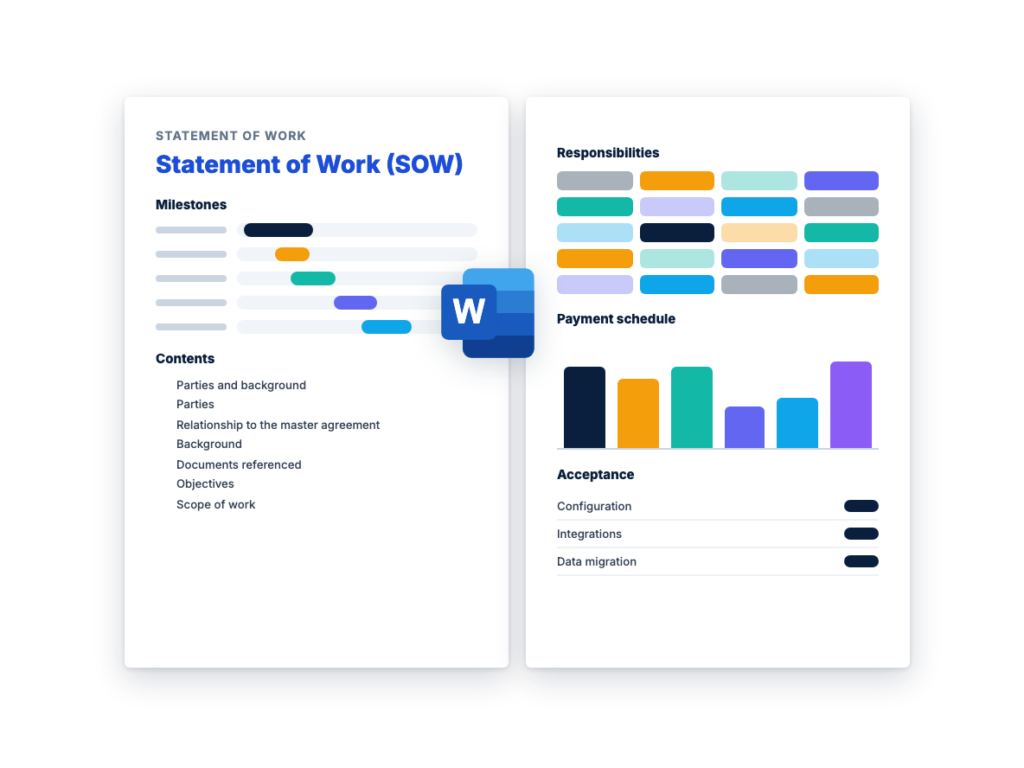
See the structure before you download. The Word file has every section listed below, ready to fill in.
The sections in the document, in order.
Use this statement of work template once you've chosen a supplier and need to pin down exactly what it will deliver. It's written for technology and professional services work: software implementation, IT services and consulting. The buyer's project lead, procurement and the supplier can work through it together.
The SOW describes the work. Legal terms such as liability, intellectual property and confidentiality belong in the master services agreement (MSA), or the supplier's services agreement, that the SOW sits under. Have your legal counsel review both before anyone signs.
Every section has fill-in placeholders, and many include example entries for a CRM implementation, so you can see what a finished statement of work looks like before you write your own. Delete what doesn't apply and pick fixed-fee or time-and-materials pricing.
Download the editable Microsoft Word version below. The full text is on this page, so you can read it before you download.
Start from the RFP you issued and the winning proposal. Much of the scope, the volumes and the schedule should already be in them. Then work through the template in this order.
The three documents do different jobs at different points in a purchase. An RFP goes out before you choose a supplier and asks each one how it would meet your need and at what price. The contract sets the legal terms of the relationship. The SOW sits under the contract and describes one piece of work: the tasks, deliverables, schedule, each side’s responsibilities and how each deliverable will be accepted.
In technology buying, the contract is often a master services agreement, or a subscription or license agreement for the product. It holds the terms that apply to all the work, such as liability, intellectual property, confidentiality, data protection and termination. Each SOW refers to it and adds the project detail, so a second project with the same supplier can often run on a new SOW under the existing agreement.
The documents connect. If you attach a draft SOW, or at least a clear scope of work, to your RFP, every supplier prices the same work. After selection, you negotiate the final SOW with the winning supplier. For a software purchase, the subscription agreement covers the product and the SOW covers services such as implementation, data migration and training, so negotiate them at the same time. Software RFP templates such as the ERP RFP template and the CRM RFP template show the RFP side. For how all the buying documents fit together, see RFP vs RFQ vs RFI, and for where the SOW comes in during a selection, see the RFP process, step by step.
Under a fixed-price SOW, the supplier agrees to deliver a defined scope for a set fee, paid in installments as milestones are accepted. The supplier carries the risk that the work takes longer than estimated, so the scope, assumptions and acceptance criteria have to be tight. Anything outside them becomes a change request with its own price. Where the scope has unknowns, expect the fixed fee to include some contingency.
Under a time-and-materials (T&M) SOW, you pay for the hours or days worked at agreed rates, plus approved expenses. It suits work you can’t fully define yet, such as discovery, ongoing enhancements or adding specialists to your own team. You carry the risk of overruns, so control it with a not-to-exceed amount, a rate card by role, approved timesheets and regular reports of hours used against the estimate.
You can combine them. One option is a short T&M discovery phase that produces a design, followed by a fixed fee for building what the design describes. The template includes both options and a note on combining them.
Acceptance criteria decide when a deliverable is finished and when the supplier can invoice for it. Vague criteria lead to arguments near go-live, when both sides are under the most pressure. Write them before you sign, for every deliverable that triggers a payment.
A criterion holds up when someone who wasn’t in the room could test it and reach the same answer. Name the test, the data, the environment and the pass mark. Then set out the process: how long you have to review, how you report failures, how many fix-and-retest rounds are allowed, and what happens if a deliverable still fails. Some examples, using placeholders for your own numbers:
This is the complete text of the Word document. Fill in the [bracketed] placeholders and delete the italic guidance before you send it.
About this template: This statement of work (SOW) is for a
technology or professional services engagement, such as a software
implementation, IT services or consulting. It is designed to sit under a
master services agreement (MSA) or a similar contract between the
parties. Legal terms such as liability, indemnities, intellectual
property, confidentiality, warranties, governing law and dispute
resolution belong in that agreement, not in this SOW. Text in [square
brackets] is for you to fill in, and the example entries show the level
of detail to aim for. Instructions in italics are for the people
drafting the SOW: delete them before you send it. Have your legal
counsel review the completed SOW and the master agreement together
before anyone signs.
| Item | Detail |
|---|---|
| SOW number | [SOW-0001] |
| SOW title | [Project name, e.g. CRM implementation, phase 1] |
| Master agreement | [Master Services Agreement] dated [date] |
| Version and date | [v1.0, date] |
| Customer purchase order | [PO number, if your process requires one] |
| Detail | Customer | Vendor |
|---|---|---|
| Legal name | [Customer legal name] | [Vendor legal name] |
| Address | [Registered address] | [Registered address] |
| Project sponsor | [Name, title] | [Name, title] |
| Project manager | [Name, title, email, phone] | [Name, title, email, phone] |
| Invoicing contact | [Name, email] | [Name, email] |
This SOW is issued under the [Master Services Agreement] dated [date]
between [Customer legal name] (“Customer”) and [Vendor legal name]
(“Vendor”) (the “Agreement”). The terms of the Agreement apply to this
SOW. Capitalized terms that are not defined here have the meanings given
in the Agreement.
If this SOW conflicts with the Agreement, [the Agreement controls,
unless this SOW expressly states that a named provision of the Agreement
is changed for this SOW only].
Check whether the Agreement already says which document controls
when they conflict, and have counsel confirm this wording. If there is
no master agreement, ask counsel how the legal terms will be covered
before you use this SOW.
[Describe the Customer’s situation in two or three short paragraphs:
the business, the problem this project solves, the systems involved
today and why the work is happening now.]
Example: Customer’s sales teams track accounts in spreadsheets
and a legacy contact database that does not connect to the ERP. Customer
selected [product] through a competitive RFP issued on [date] and
subscribes to it under a separate subscription agreement. This SOW
covers Vendor’s implementation services.
| Document | Date or version | Status |
|---|---|---|
| Customer’s RFP | [RFP number, date] | [Reference only / Part of this SOW] |
| Vendor’s proposal | [Date, version] | [Reference only / Part of this SOW] |
| [Other document] | [Date] | [Status] |
Decide with counsel whether these documents form part of the
contract, and say so here. If a commitment in the proposal matters to
you, write it into this SOW.
List the business outcomes the project supports. Objectives
explain why the work matters. They are not acceptance criteria unless
Section 8 says so.
| No. | Objective | How it will be measured | Target |
|---|---|---|---|
| O1 | [Example: Replace the legacy contact database with [product] for all sales teams] |
[Example: Legacy database switched to read-only] | [Date] |
| O2 | [Example: Give sales managers one pipeline view across all regions] |
[Example: Pipeline dashboard used in the weekly forecast meeting] |
[Date] |
| O3 | [Objective] | [Measure] | [Target] |
Vendor will perform the following services (the “Services”).
Organize the scope by workstream. Be specific about quantities:
the number of workshops, integrations, data objects, environments,
reports and training sessions.
Record the figures the Vendor priced against. If an actual figure
turns out to be significantly different, either party can raise a change
request under Section 9.
| Item | Quantity or detail |
|---|---|
| Named users | [number] |
| Business units, regions or sites | [number and list] |
| Environments | [e.g. development, test, production] |
| Systems to integrate | [list] |
| Data objects to migrate | [e.g. accounts, contacts, open opportunities, [number] years of activity history] |
| Approximate record volumes | [number per object] |
| Languages and currencies | [list] |
| Reports and dashboards | [number] |
The following are not part of this SOW. Any of them can be added
through change control under Section 9.
List everything Vendor will hand over. Every deliverable that
triggers a payment needs acceptance criteria in Section 8.
| ID | Deliverable | Description | Format | Due | Acceptance method |
|---|---|---|---|---|---|
| D1 | Project plan | Schedule, resources and RAID log (risks, assumptions, issues, dependencies) |
[Format] | [M1] | Review and approval |
| D2 | Solution design document | Configuration, integrations, data mapping, security roles | [Document] | [M2] | Review and approval |
| D3 | Configured system | [Product] configured as described in D2 | Test environment | [M3] | Testing under Section 8 |
| D4 | Integrations | [Number] integrations listed in Section 3.1 | Test environment | [M3] | Testing under Section 8 |
| D5 | Data migration | Trial loads, production load and reconciliation reports | Loaded data and reports | [M4] | Testing under Section 8 |
| D6 | Training materials | Administrator and train-the-trainer guides | [Editable format] | [M4] | Review and approval |
| D7 | Production go-live | System live for all in-scope users | Production | [M5] | Go-live checklist |
| D8 | Handover documentation | Configuration, integration and admin documentation | [Documents] | [M6] | Review and approval |
| [D9] | [Deliverable] | [Description] | [Format] | [Due] | [Method] |
The timings below are an example schedule for a mid-sized
implementation, counted in weeks from kickoff. Replace them with the
dates in your agreed project plan.
| ID | Milestone | Completion event | Example timing | Target date | Payment milestone |
|---|---|---|---|---|---|
| M1 | Kickoff | Kickoff meeting held and project plan (D1) approved | Week 2 | [Date] | [Yes / No] |
| M2 | Design approved | D2 accepted | Week 6 | [Date] | [Yes / No] |
| M3 | Build complete | D3 and D4 pass system testing and UAT starts | Week 14 | [Date] | [Yes / No] |
| M4 | UAT complete | UAT exit criteria met, D5 and D6 accepted | Week 18 | [Date] | [Yes / No] |
| M5 | Go-live | D7 accepted | Week 20 | [Date] | [Yes / No] |
| M6 | Final acceptance | Hypercare ended and Section 8.4 met | Week 24 | [Date] | [Yes / No] |
The target dates assume that Customer meets its responsibilities in
Section 6 and that the dependencies in Section 7 are met on time. If
either party expects a milestone to slip, it will tell the other party’s
project manager in writing within [number] business days of becoming
aware of it, with a proposed recovery plan. Date changes that affect
scope or price go through change control under Section 9.
Vendor will:
Customer will:
R = responsible (does the work), A = accountable (owns the
outcome and makes the final call), C = consulted, I = informed. Give
each activity exactly one A. The allocation below is an example starting
point: change it to fit your engagement.
| Activity | Vendor | Customer |
|---|---|---|
| Project plan and status reporting | A, R | C |
| Business requirements and process decisions | C | A, R |
| Solution design document | R | A |
| Configuration and integration build | A, R | I |
| Interface changes in Customer’s other systems | C | A, R |
| Source data extraction and cleansing | C | A, R |
| Data mapping, transformation and loading | A, R | C |
| System and integration testing | A, R | I |
| UAT scripts and test execution | C | A, R |
| Defect fixes | A, R | I |
| End-user training | C | A, R |
| Go/no-go decision | C | A, R |
| Hypercare support | A, R | C |
| System administration after handover | I | A, R |
| [Activity] | [ ] | [ ] |
The price and schedule in this SOW are based on the assumptions
below. If an assumption proves wrong, either party may raise a change
request under Section 9.
| ID | Dependency | Owner | Needed by |
|---|---|---|---|
| DP1 | Test environment provisioned and [product] subscription active | Customer | [M1] |
| DP2 | ERP test environment and API credentials available | Customer and [ERP support provider] | [M2] |
| DP3 | Single sign-on set up in [identity provider] | Customer | [M3] |
| DP4 | [Dependency] | [Owner] | [Date or milestone] |
The owner of a dependency will tell the other party as soon as it
knows the dependency will be late. Where a late dependency affects the
schedule, scope or price, the parties will handle it through change
control under Section 9.
Write criteria that someone outside the project could test and
reach the same answer. Name the test, the data, the environment and the
pass mark.
| Deliverable | Acceptance criteria | Test method | Accepted by |
|---|---|---|---|
| D2 Solution design | [Example: Addresses every in-scope requirement in the requirements list; every open design question is closed or logged with an owner and date] |
Document review | [Customer project manager and process owners] |
| D3, D4 Configuration and integrations | [Example: All [number] agreed test scripts pass in the test environment; no open Severity 1 or 2 defects; no more than [number] open Severity 3 defects, each with an agreed fix date] |
System test and UAT scripts | [Customer project manager] |
| D5 Data migration | [Example: Record counts reconcile with the source extract for every object; a sample of [number] records chosen by Customer matches the source field by field] |
Reconciliation report and sample check | [Customer data owner] |
| D7 Go-live | [Example: Go-live checklist complete; in-scope users can sign in and complete [key transactions] in production] |
Go-live checklist | [Customer sponsor] |
| [Deliverable] | [Criteria] | [Method] | [Name or role] |
Deemed acceptance: [Option A: If Customer neither accepts nor rejects
a deliverable within the review period, Vendor may send a reminder. If
Customer does not respond within [number] business days of the reminder,
the deliverable is treated as accepted.] [Option B: A deliverable is
accepted only when Customer accepts it in writing.]
Use in production: Customer’s use of a deliverable in production
[does / does not] by itself count as acceptance.
Choose the options that fit, delete the others, and have counsel
review them. If you agree to Option A, make sure the review periods are
realistic for your team.
| Severity | Definition | Blocks acceptance? |
|---|---|---|
| 1: Critical | The system or a key business process is unavailable, or data is lost or corrupted, and there is no workaround |
Yes |
| 2: High | A key function fails or gives wrong results, and any workaround is difficult or temporary |
Yes |
| 3: Medium | A function fails, but a reasonable workaround exists | [Yes, if more than [number] are open] |
| 4: Low | A cosmetic issue or minor inconvenience | No |
Final acceptance occurs when [all deliverables in Section 4 have been
accepted, the hypercare period has ended and no Severity 1 or 2 defects
are open]. [Any amounts held back under Section 12.1 become payable on
final acceptance.]
A change to the scope, deliverables, schedule, price or key personnel
takes effect only when both parties sign a change order. Vendor will not
start work on a change before the change order is signed.
| Authority to sign change orders | Customer | Vendor |
|---|---|---|
| Changes up to [amount] | [Name, title] | [Name, title] |
| Changes above [amount] | [Name, title] | [Name, title] |
Each party’s project manager, named in Section 1.1, is the day-to-day
contact for this SOW.
| Meeting | Frequency | Attendees | Purpose |
|---|---|---|---|
| Project status | [Weekly] | Both project managers and workstream leads | Progress, next steps, risks, issues and decisions needed |
| Steering committee | [Monthly] | Sponsors and project managers | Milestones, budget, escalations and change requests above [amount] |
| Design and test reviews | [As scheduled] | [Attendees] | Review of deliverables and decisions |
Vendor will send a written status report [weekly] covering:
| Level | Customer | Vendor | Escalate to the next level if not resolved within |
|---|---|---|---|
| 1 | Project manager | Project manager | [number] business days |
| 2 | [Project sponsor] | [Delivery director] | [number] business days |
| 3 | [Executive sponsor] | [Executive] | Then dispute resolution under the Agreement |
Use this section if the SOW includes hypercare, managed services
or ongoing support. Delete it for project-only work. Put service credits
and other remedies in the Agreement or a separate service level
agreement, and refer to them here.
Severity levels are as defined in Section 8.3.
| Severity | Response target | Update frequency | Resolution or workaround target |
|---|---|---|---|
| 1: Critical | [time] | [every [number] hours] | [time] |
| 2: High | [time] | [frequency] | [time] |
| 3: Medium | [time] | [frequency] | [time] |
| 4: Low | [time] | [frequency] | [time or next release] |
Vendor will report performance against these targets [monthly].
[Remedies for missed targets, such as service credits, are set out in
[the Agreement / the service level agreement dated [date]].]
Choose Option A or Option B, or combine them, for example time
and materials for a discovery phase and a fixed fee for the build.
Delete what you don’t use. Software subscription or license fees are not
part of this SOW unless you add them here.
The fixed fee for the Services is [currency and amount], excluding
taxes. It covers all work needed to complete the scope in Section 3 and
the deliverables in Section 4. Vendor will invoice the fixed fee in
installments as each payment milestone is accepted.
The percentages below are an example split. Agree your
own.
| Payment milestone | Trigger | Percentage | Amount |
|---|---|---|---|
| M1 Kickoff | Project plan (D1) approved | [10]% | [amount] |
| M2 Design approved | D2 accepted | [20]% | [amount] |
| M3 Build complete | D3 and D4 pass system testing | [20]% | [amount] |
| M4 UAT complete | UAT exit criteria met | [20]% | [amount] |
| M5 Go-live | D7 accepted | [20]% | [amount] |
| M6 Final acceptance | Section 8.4 met | [10]% | [amount] |
| Total | 100% | [amount] |
[Optional holdback: Customer will hold back [number]% of each
milestone payment and pay the held-back amounts on final
acceptance.]
Vendor will charge for time worked at the rates below. The rates are
fixed for [the term of this SOW / [number] months].
| Role | Rate per [hour / day] | Estimated [hours / days] | Estimated cost |
|---|---|---|---|
| Project manager | [rate] | [number] | [amount] |
| Solution architect | [rate] | [number] | [amount] |
| Consultant or developer | [rate] | [number] | [amount] |
| Data migration specialist | [rate] | [number] | [amount] |
| Trainer | [rate] | [number] | [amount] |
| Total estimate | [amount] |
[Option 1: All expenses are included in the fees.]
[Option 2: Customer will reimburse reasonable travel and other
expenses that are approved in writing in advance, incurred under
Customer’s travel policy [reference], and billed at cost with receipts,
up to [amount] in total.]
Taxes are handled as set out in the Agreement.
| Role | Name | Expected allocation | Main responsibilities |
|---|---|---|---|
| Delivery lead | [Name] | [e.g. 2 days per week] | [Responsibilities] |
| Project manager | [Name] | [Allocation] | [Responsibilities] |
| Solution architect | [Name] | [Allocation] | [Responsibilities] |
| [Role] | [Name] | [Allocation] | [Responsibilities] |
The Agreement and any data processing agreement set the legal
obligations for data protection. Use this section for the practical
rules on this project, and have your security and privacy teams review
it.
Termination rights, payment on termination and the effects of
termination are legal terms. Keep them in the Agreement, use this
section to point to them and list the practical steps, and have counsel
review any SOW-specific additions.
By signing below, each party agrees to this SOW under the terms of
the Agreement.
| Customer | Vendor | |
|---|---|---|
| Signature | ||
| Name | [Name] | [Name] |
| Title | [Title] | [Title] |
| Date | [Date] | [Date] |
Confirm that each person signing has authority to do so under
their organization’s approval rules.
| Field | Detail |
|---|---|
| Change request number | [CR-001] |
| SOW number | [SOW-0001] |
| Requested by and date | [Name, party, date] |
| Description of the change | [What should change] |
| Reason for the change | [e.g. new requirement, an assumption proved wrong, a regulatory change] |
| Effect on scope and deliverables | [Vendor to complete] |
| Effect on schedule and milestones | [Vendor to complete] |
| Effect on price | [Fixed amount, or estimated hours by role] |
| Effect on resources, risks and other work | [Vendor to complete] |
| Decision | [Approved / Rejected / Deferred] |
| Approved for Customer | [Name, title, signature, date] |
| Approved for Vendor | [Name, title, signature, date] |
| Field | Detail |
|---|---|
| SOW number | [SOW-0001] |
| Deliverable or milestone | [ID and name] |
| Date submitted for review | [Date] |
| Result | [Accepted / Accepted with the open items listed below] |
| Open items and agreed fix dates | [Item, severity, fix date] |
| Accepted for Customer | [Name, title, signature, date] |
| Acknowledged for Vendor | [Name, title, signature, date] |
A statement of work is a document that defines the work a supplier will do for a customer: the scope, deliverables, schedule, each side’s responsibilities, how deliverables will be accepted and what the work will cost. In technology and professional services, it often sits under a master services agreement that holds the legal terms. Once signed, the SOW forms part of the contract or is attached to it.
An RFP is a request you send to suppliers before you choose one, asking each to propose how it would meet your need and at what price. An SOW defines the work the chosen supplier will deliver and forms part of the contract. You can attach a draft SOW to your RFP so every supplier prices the same scope.
Either side can. A buyer that drafts the SOW, or attaches one to the RFP, keeps control of the scope and the acceptance criteria. If the vendor drafts it after selection, check it line by line against your RFP and the vendor’s proposal, and add anything that’s missing.
It depends on how it’s signed and what the governing agreement says. A signed SOW issued under a master agreement is normally intended to form part of that contract, so treat it as binding and have counsel review it before you sign. This isn’t legal advice.
A scope of work describes the tasks and boundaries of the work: what’s included and what isn’t. A statement of work is the fuller document that contains the scope plus deliverables, schedule, responsibilities, acceptance, pricing and governance. People sometimes use the two terms interchangeably, so check what a document actually contains.
A free, vendor-neutral POC template for testing finalists' software with your own data before you choose, with success criteria, test scenarios, data…
A free, vendor-neutral RFP cover letter template for the one-page letter that goes on top of a proposal, with two filled-in examples…
A free, vendor-neutral RFP response template for suppliers answering a request for proposal, with an executive summary outline, a requirements compliance matrix,…
Please provide your feedback below.
"*" indicates required fields