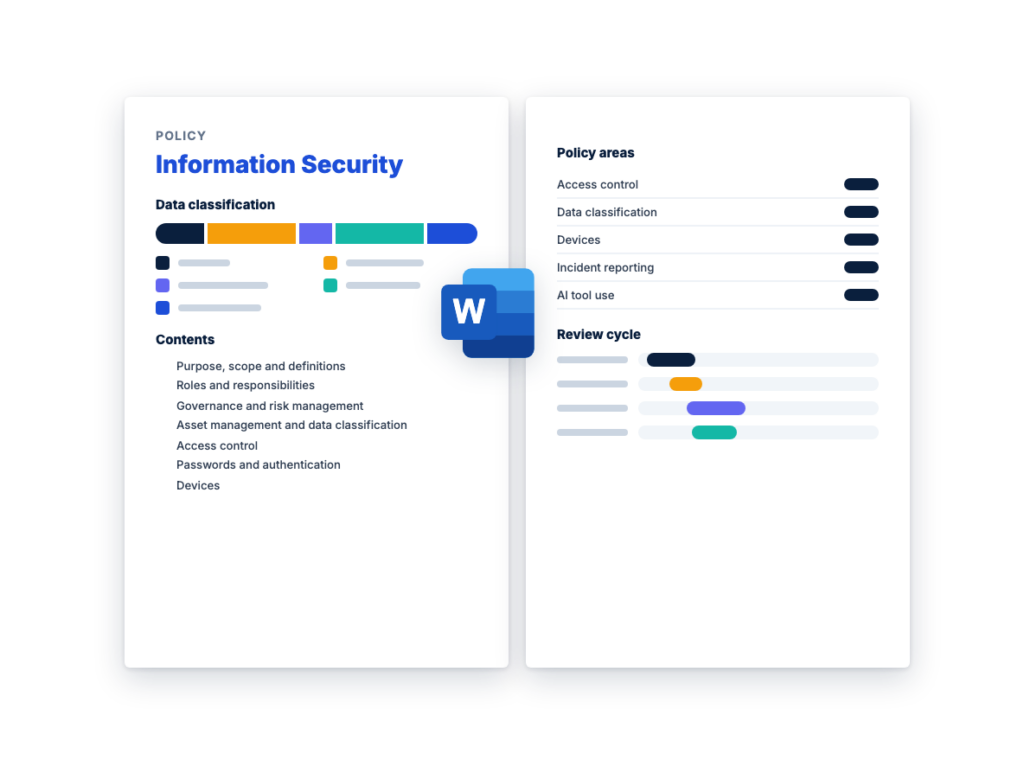
Fill in the placeholders with IT and the people who own your main systems, have legal counsel review the draft, and have leadership approve it. Delete the italic guidance before you publish the policy to staff.
An information security policy states the rules and who owns them. Leadership approves it, it changes rarely, and every employee should be able to read it. The detail that changes with your technology belongs underneath it, in standards and procedures that IT can update without a new policy approval, as long as they don’t weaken the policy.
An information security policy covers the whole security program: governance and risk, data classification, access, devices, networks, encryption, patching, logging, backups, incidents and vendors. Much of it is written for IT and the people who own systems. An acceptable use policy is the short, staff-facing part: what each person may and may not do with company email, internet, devices, data, social media and AI tools, and what the organization monitors.
This template keeps the two together, with the acceptable use policy as Appendix A, so they can’t drift apart, and staff sign one acknowledgment that covers both. If you’d rather publish the acceptable use policy on its own, for example in an employee handbook, keep the master policy as the source, update both at each review, and have legal counsel confirm the monitoring notice for every place your staff work.
This is the complete text of the Word document. Fill in the [bracketed] placeholders and delete the italic guidance before you use or send it.
Setting up this policy: replace each [bracketed placeholder], set
every [interval], [time], [period] and [length] with IT, and delete what
doesn’t apply and all italic guidance before adoption. It’s written for
a small or mid-sized private company or nonprofit. It isn’t legal
advice: have legal counsel review it, including the monitoring notice in
Appendix A. Stricter security rules set by law, a regulator or a
contract take priority.
| Item |
Details |
| Organization |
[Organization legal name] |
| Policy owner |
[Role, such as security lead or IT manager] |
| Approved by and date |
[Board / Chief executive / Leadership team], [date] |
| Effective date and version |
[Date], [version number] |
| Next review due |
[Date] |
| Related documents |
Appendix A, Acceptable Use Policy; [incident response plan];
[disaster recovery plan]; [third-party risk management policy] |
1. Purpose, scope and
definitions
1.1 Purpose
This policy sets the rules [Organization name] (“the organization”)
follows to protect the confidentiality, integrity and availability of
its information and systems: who is responsible, how security risks are
decided, and the controls everyone works within. It’s the master
security policy. Standards and procedures that add detail, such as [a
laptop setup standard], follow it and can’t weaken it.
1.2 Scope
It applies to people (employees, contractors,
temporary staff, [volunteers and board members] and anyone else with an
account); devices (company-owned, and personal devices
used for work); data in any form, including paper;
systems (networks, servers, cloud and SaaS services,
and software the organization builds); vendors that
hold its data or connect to its systems, through the [third-party risk
management policy]; and remote work, wherever it
happens.
1.3 Definitions
| Term |
Meaning in this policy |
| System owner |
The person accountable for a system or data set: its classification,
who has access and its risks. Also called the data owner. |
| Multi-factor authentication (MFA) |
A sign-in that needs two or more different factors: something you
know, such as a password; something you have, such as a phone or
security key; or something you are, such as a fingerprint. |
| Privileged access |
Administrator or other rights that can change systems, security
settings or other people’s access. |
| Security incident |
Anything that actually or imminently puts at risk the
confidentiality, integrity or availability of the organization’s
information or systems, or that breaks or threatens to break a security
policy such as this one, as the [incident response plan] defines
it. |
2. Roles and responsibilities
One person can hold several roles in a small organization. CISA’s
cyber
guidance for small businesses suggests naming one person to run the
security program, and notes that this person doesn’t need to be a
security expert or even an IT professional. If an outside IT provider
runs your systems, keep the security lead inside the
organization.
| Role |
Responsibilities |
| Executive risk owner |
[Role, such as chief executive]. Approves this policy, sets how much
risk the organization accepts, funds the controls and accepts high-rated
risks. Can also be the incident response plan’s executive sponsor. |
| Security lead (policy owner) |
[Role]. Runs the security program, the risk and exception registers,
training and reporting. Receives incident reports and leads the
investigation under the [incident response plan]. |
| IT |
Runs accounts, MFA, devices, patching, backups, logging, networks
and encryption to this policy, and keeps the asset inventory. [An
outside IT provider does this under the oversight of [role].] |
| System owners |
Classify their data, approve and review access, and own the risks in
their area. |
| Managers |
Request access for their team by role, report joiners, movers and
leavers in time, and make sure their team is trained. |
| All staff |
Follow this policy and Appendix A, protect their accounts and
devices, handle data by classification, and report suspected incidents
at once. |
| HR |
Tells IT about every joiner, mover and leaver before the change,
keeps signed acknowledgments (Section 21), and handles breaches under
[disciplinary policy]. |
| Legal and privacy |
[Legal counsel / privacy lead]. Advise on the laws and contracts
that apply, confirm the Appendix A monitoring notice, and decide whether
an incident must be reported outside the organization. |
| Vendors and contractors |
Follow this policy and Appendix A when they use the organization’s
systems or data, as their contracts require, under the [third-party risk
management policy]. |
3. Governance and risk
management
3.1 Risk assessment
The security lead assesses security risks every [interval], and after
a significant change such as a new critical system or vendor, a serious
incident or a new legal or contract requirement. Starting from the asset
inventory, the assessment identifies what could go wrong, such as
ransomware, a stolen laptop, a compromised account, payment fraud or a
vendor breach, and rates each risk high, medium or low from its
likelihood and impact, using the same ratings as the [third-party risk
management policy].
3.2 Risk register
The security lead keeps the register in [system or spreadsheet]. Each
risk is treated in one of four ways: reduce it with a
control, avoid it by stopping the activity,
transfer or share part of the impact through a contract
or insurance (the organization still owns the risk), or
accept it under Section 3.3.
| ID |
Risk |
Asset or process |
Likelihood and impact |
Rating |
Treatment |
Owner |
Due date |
Status |
| [ID] |
[Example: a lost laptop exposes customer files] |
[Sales laptops] |
[Likelihood medium, impact high] |
[High] |
[Reduce: turn on full-disk encryption] |
[Name] |
[Date] |
[Open / in progress / closed / accepted] |
|
|
|
|
|
|
|
|
|
3.3 Risk acceptance and
reporting
A risk is accepted only in writing, with the reason, any compensating
controls and a review date no more than [period] away, by the role
below. It lapses on that date unless renewed.
| Rating |
Who can accept the risk |
| Low |
System owner |
| Medium |
System owner and security lead |
| High |
Executive risk owner, after review by the security lead |
The security lead reports to [leadership / the board] every
[interval] on open high-rated risks, incidents, patching against Section
10, access reviews, training and exceptions.
4. Asset management
and data classification
4.1 Asset inventory
IT keeps an inventory in [system] of hardware, software and SaaS,
cloud accounts and main data stores, each with an owner and a
classification. New software, including free tools that will hold
company data, is requested through [the software request form] before
use. Every [interval], IT checks the inventory against purchasing and
card records, sign-in logs and device management.
RFPhub’s free Software
Request Form Template is one starting point for requests.
4.2 Classification levels
Rename the levels if you like, but keep them few. The names are
placeholders.
| Level |
Meaning |
Examples |
| [Public] |
Approved for anyone. Disclosure does no harm. |
Marketing material, the public website |
| [Internal] |
For staff and approved contractors. Disclosure would cause minor
harm. |
Internal procedures, the staff directory |
| [Confidential] |
For named groups with a business need. Disclosure could harm the
organization, customers or staff. |
Contracts, pricing, customer lists, most personal data |
| [Restricted] |
For named individuals. Disclosure could cause serious harm or breach
a law or contract. |
Payment card data, health records, government identification
numbers, bank details, passwords and keys |
4.3 Handling rules
| Rule |
[Public] |
[Internal] |
[Confidential] |
[Restricted] |
| Store in |
Anywhere approved |
Company systems |
Company systems, limited to groups that need it |
[Systems approved for Restricted data] only |
| Share outside the organization |
Freely |
With approved third parties |
Under a signed agreement, with system owner approval |
Under a contract, with system owner and security lead approval |
| Send by email |
No limit |
Company email |
Encrypted when it leaves the organization |
[Approved secure method] only, never a plain attachment |
| Personal devices (Section 7.2) |
Allowed |
Approved apps |
Approved apps, no downloads |
Not allowed |
| AI tools (Section 16) |
Any |
Approved AI tools |
[AI tools approved for Confidential data] |
[Not allowed / tools approved for Restricted data] |
| Paper and disposal |
No limit |
Recycle |
Locked away; shredded |
[Not printed]; cross-cut shredded or securely deleted, with a
record |
Unlabeled data is treated as [Internal], and combined data takes the
highest level. Data is kept as the [records retention schedule] sets.
Devices and storage media are wiped with [approved method] or destroyed
before reuse or disposal, and IT keeps the record.
5. Access control
5.1 Principles
- Least privilege. People and systems get only the
access their role needs, approved by the system owner.
- Named accounts. Everyone signs in with their own
account. A shared account is allowed only where a system can’t support
named ones, is listed in [system], and has its password in [the approved
password manager].
- MFA. Required for email, remote access, every
administrator account, every cloud and SaaS service holding [Internal]
data or above, and [every other system that supports it]. IT enforces it
with technical settings and checks every [interval] for accounts without
it.
CISA’s small business guidance says any form of MFA is better
than none, and asks for it on all administrator accounts. Under NIST SP
800-63B-4, a code typed in by hand, such as a text message or app code,
isn’t phishing-resistant, so consider phishing-resistant MFA first for
administrators and email.
5.2 Joiners, movers and
leavers
| Event |
What happens |
Who |
When |
| Joiner |
Manager requests access by role; IT creates accounts with MFA once
the Section 21 acknowledgment is signed |
HR, manager, IT |
Before the start date |
| Mover |
New access granted; access the new role doesn’t need removed |
Manager, IT |
Within [time] |
| Leaver |
Accounts disabled and signed out, devices and badges returned,
shared passwords the person knew changed |
HR, IT, manager |
By [time] on the last day |
| Urgent leaver |
As for a leaver, while the person is told |
HR, IT |
At notice |
| Contractor or vendor |
As for a leaver, under the [third-party risk management policy] |
Vendor owner, IT |
When the work ends |
5.3 Privileged access and
reviews
- Administrators use a separate account for admin work, never for
email or browsing. Every privileged account uses MFA and is listed in
[system], and the security lead approves new privileged access.
- Staff don’t have administrator rights on their laptops for daily
work. CISA’s small business guidance recommends this: a user without
them can’t install the malicious software an attacker tricks them into
running.
- Emergency (“break-glass”) account credentials are held in
[location], and every use is reviewed.
- System owners review access every [interval], and privileged access
every [interval], and remove what isn’t needed.
6. Passwords and
authentication
NIST SP
800-63B-4, Digital Identity Guidelines: Authentication and Authenticator
Management, published in July 2025, is written for US government
systems, and a private organization can adopt its password rules. It
requires a password used as the only factor to be at least 15
characters, and allows one used only as part of MFA to be shorter, but
at least eight characters. Systems should accept at least 64 characters,
and must not impose other composition rules, such as a required mix of
character types, or require periodic changes, but must force a change on
evidence of compromise. It also requires a blocklist check, support for
password managers and autofill, limits on failed attempts, and no hints
or security questions.
- Passwords are at least [length] characters where the password is the
only factor, and at least [length] where it’s always used with MFA.
Systems accept at least [length] characters, including spaces, and don’t
require a mix of character types.
- New passwords are rejected if they’re on a list of commonly used,
expected or compromised passwords.
- Passwords aren’t changed on a schedule. They’re changed at once on
any sign of exposure, such as a phishing click.
- There are no password hints or security questions. Staff keep
passwords in [the approved password manager], and systems allow paste
and autofill.
- A work password is used for one account only and never shared. IT
never asks for it.
- Failed sign-ins are limited under [the account lockout standard],
and default passwords are changed before use.
- Service account passwords and API keys are kept in [secrets vault],
never in code, documents or chat, and replaced when someone who knew
them leaves.
7. Devices
7.1 Company devices
IT enrolls each company laptop, desktop, phone and tablet in [device
management] before it’s issued, with full-disk encryption on and the
recovery key held by IT; a screen lock after [time]; automatic updates,
with phone and tablet updates installed within [time] of release;
[endpoint protection] and the firewall on laptops and desktops; only
approved software; and remote lock and wipe if it’s lost. CISA’s
small business guidance asks for disk encryption on laptops, since many
must be configured to encrypt.
7.2 Personal devices
Choose one option and delete the other.
- Option A: personal devices may be used for [email,
calendar, chat and approved apps] if they run a supported operating
system with current updates, have a screen lock, and are enrolled in
[app protection or a work profile] that lets IT remove company data, but
not personal data.
- Option B: personal devices aren’t used for work,
apart from [MFA apps].
Only software on [the approved software list], or approved through
[the software request form], is used for work, including browser
extensions and free tools. Software its maker no longer supports with
security updates is replaced, or isolated under an exception. Removable
media is [blocked / allowed only if encrypted and issued by IT].
8. Network security and
remote access
- Firewalls at every internet connection block inbound traffic unless
a documented rule allows it, and rules are reviewed every
[interval].
- Guest Wi-Fi is separate from the business network, and [servers,
payment systems and connected devices such as printers] are on their own
segments. A shared Wi-Fi passphrase is changed when someone who knows it
leaves.
- Staff reach internal systems from outside the office only through
[approved remote access method], with MFA. Admin interfaces, remote
desktop and file sharing aren’t exposed directly to the internet.
- Vendor remote access is approved by the system owner, limited to the
systems and time the work needs, uses named accounts and MFA, and is
logged.
- IT sets each cloud and SaaS service’s security settings, such as
MFA, sharing limits, audit logging and admin roles, to [the
organization’s baseline], and checks them every [interval]. The provider
secures its service; the organization is responsible for the settings,
accounts and data it controls.
9. Encryption
- In transit. Data classified [Internal] and above is
encrypted when it crosses a network the organization doesn’t control,
using the protocols in [encryption standard].
- At rest. Laptops, phones, tablets and removable
media are encrypted, and so is [Confidential] and [Restricted] data on
servers, in cloud storage and in backups.
- Keys. Keys and certificates are managed in [key
management system], with access limited to named people. A key that may
have been exposed is replaced at once, and certificates are tracked by
expiry date.
- Methods. Only established methods listed in
[encryption standard] are used. No one designs their own.
10. Patching and
vulnerability management
IT keeps every system on a version its maker still supports, with
automatic updates on wherever possible. Fixes are applied, or the risk
mitigated, within these times from release or from when the organization
learns of the problem:
| Severity |
Meaning |
Fix or mitigate within |
| Known exploited |
In CISA’s Known Exploited Vulnerabilities catalog, or seen being
exploited |
[time] |
| Critical |
Could let an attacker take control of a system or reach data
remotely without signing in |
[time] |
| High |
Serious, but harder to exploit or more limited in reach |
[time] |
| Medium or low |
Limited impact, or needs unusual conditions |
[time], or the next routine update |
Use the maker’s severity rating or [the organization’s method].
CISA says organizations should use its Known
Exploited Vulnerabilities catalog as an input to how they prioritize
vulnerabilities.
IT scans internet-facing systems every [interval] and internal
systems every [interval]. A fix that can’t be applied in time gets a
mitigation, such as turning off the affected feature, and an exception
under Section 19.
11. Logging and monitoring
- Systems log sign-ins and failures, MFA and password changes,
administrator actions, changes to access and security settings, access
to [Restricted] data, remote access and security alerts. Cloud and SaaS
audit logs are on.
- Clocks are synchronized, and logs are protected from change,
readable only by [named roles] and kept for [period].
- [IT / a managed detection and response provider] triages alerts
within [time] and hands a likely security incident to the security lead
under the [incident response plan].
- Logs holding personal data are handled as [Confidential]. Monitoring
of staff use is described in Appendix A.
12. Backup and recovery
- Systems and data are backed up often enough to meet the recovery
point objective (RPO) the [disaster recovery plan] sets for each.
- At least one copy is offline or immutable, and separate from the
main sign-in system, so ransomware or a stolen administrator account
can’t delete it. Backups are encrypted, and backup systems have their
own administrator accounts with MFA.
- For each SaaS service, IT checks what the provider’s backups cover,
and backs up [critical SaaS data] where they don’t meet the RPO.
- Restores are tested every [interval], including a full restore of
each critical system, and the results are logged in the disaster
recovery plan.
CISA’s small business guidance stresses testing partial and full
restores, not only scheduling backups. RFPhub’s free Disaster
Recovery Plan Template holds the recovery tiers, RTO and RPO, and
the restore test log.
13. Incident reporting
Staff report anything that might be a security incident, even when
unsure, such as:
- a click on a suspicious link or attachment, or a password entered on
a page that looked wrong;
- an MFA prompt they didn’t start, or a lost or stolen device, badge
or paper file;
- a ransom message, or files that suddenly won’t open;
- data sent to the wrong person;
- a request to change bank details or pay urgently, even from someone
they know.
How to report. Staff report at once to [security
contact: phone, email and chat channel], or [after-hours number], and by
phone if their account may be compromised. Staff don’t investigate,
delete evidence, or turn off or wipe a device unless told to, and don’t
contact the attacker, customers, the media or regulators.
Reporting is never punished, including false alarms
and reports of one’s own mistake. Hiding an incident, or deliberately
breaking this policy, is handled under Section 19.
The response. The security lead receives each
report. Under the [incident response plan], the incident lead declares
an incident, sets its severity and runs the response, and legal counsel
decides whether the organization must notify regulators, customers,
partners, its insurer or law enforcement.
RFPhub’s free Incident
Response Plan Template covers the roles, severity levels, playbooks
and notification decisions.
14. Third-party security
- Every third party that will hold the organization’s data, connect to
its systems or support a critical process is tiered and reviewed under
the [third-party risk management policy] before it gets data or access,
using [the organization’s questionnaire / RFPhub’s free Vendor
Security Questionnaire Template].
- Third-party accounts follow Section 5: named accounts, MFA, least
privilege, time-limited remote access, and removal when the work
ends.
- Vendors and contractors who use the organization’s systems sign the
Section 21 acknowledgment or agree to equivalent terms in their
contract.
- An incident at a third party that affects the organization is
handled under the incident response plan.
No third-party policy yet: RFPhub’s free Third-Party
Risk Management Policy Template shares this policy’s executive risk
owner and its high, medium and low risk ratings.
15. Secure development
(optional)
Keep this section if the organization builds or customizes
software, websites or integrations, including through
contractors.
- Developers follow [secure coding standard], and someone other than
the author reviews each change before release.
- Secrets are never stored in code or repositories.
- Development, test and production are separate, and real
[Confidential] or [Restricted] data isn’t used in testing without
security lead approval.
- Third-party libraries are tracked and kept up to date, with fixes on
the Section 10 timelines.
- Internet-facing applications are security tested before first
release and after major changes, and [a contact for reporting
vulnerabilities] is published.
- Only AI tools on [the approved AI tool list] are used for work. New
AI tools, and new AI features in existing software, are reviewed by IT,
security and [privacy] before use.
- Approved tools are used through company accounts, under terms that
stop the provider using the organization’s data to train models that
serve other customers.
- [Confidential] and [Restricted] data never goes into an AI tool not
approved for that level (Section 4.3), including personal accounts and
free versions of approved tools.
- A person reviews AI output before it’s used, checking facts, sources
and code, and whoever uses it is responsible for it.
- AI tools don’t make or recommend decisions about people, such as
hiring or discipline, without approval from [HR and legal counsel].
- An AI tool that can act, such as by sending email or changing
records, is approved for those actions specifically, with logging.
17. Security awareness
training
Everyone with an account completes security training within [period]
of starting, then a refresher every [interval]. It covers this policy
and Appendix A, phishing and payment fraud, passwords and MFA, data
handling, devices, AI tools and reporting incidents. Administrators,
developers and [staff who make payments] get extra training for their
roles. The security lead keeps the records.
18. Physical security
- Offices are locked outside working hours, with entry by [keys,
badges or codes] issued and recovered by [role]. Visitors sign in and
are escorted outside public areas.
- Server rooms and network cabinets are locked, with access limited to
named people, and protected from power loss, heat and water where
practical.
- Screens are locked when unattended, and [Confidential] and
[Restricted] papers are locked away at the end of the day, including at
home.
19. Exceptions,
enforcement and review
Exceptions. Anyone who can’t meet a rule asks the
security lead in writing first. An exception covers one system or
situation for no more than [period], with compensating controls where
possible, and can’t set aside a law, a regulation or a contract. The
security lead approves exceptions where the risk is rated low or medium,
and the executive risk owner where it’s high. No one approves their own
request, and the security lead keeps the exception register.
| Item |
Details |
| Requester and date |
|
The rule (section), the system or situation, and why the rule can’t
be met |
|
| Risk rating, compensating controls and period covered |
|
| Decision |
☐ Approved ☐ Approved with conditions ☐ Not approved |
| Decided by, role and date |
|
Enforcement. Suspected breaches are reported to the
security lead. [Role], with HR, decides what follows, which can include
training, removal of access and action under [disciplinary policy], up
to ending employment or a contract, as the law allows.
Review. [Role] reviews this policy every [interval],
and after a serious incident, a significant change in systems or the
organization, a new legal or contract requirement, an audit finding, or
repeated exceptions to one rule. Changes are approved by [board /
leadership team], recorded below and explained to staff, and significant
changes are acknowledged again under Section 21.
| Version |
Date |
Changes |
Approved by |
| [Version number] |
[Date] |
[Summary of changes] |
[Name and role] |
20. Mapping
to the NIST Cybersecurity Framework 2.0
A general mapping, not an official NIST crosswalk. The NIST
Cybersecurity Framework (CSF) 2.0 organizes security outcomes into
six functions: Govern, Identify, Protect, Detect, Respond and Recover.
NIST describes it as usable by any organization, whatever its size, and
it doesn’t prescribe how to achieve the outcomes. Category names are as
CSF 2.0 gives them. ISO/IEC 27001, the international standard for
information security management systems, asks for a full management
system, so this policy is a starting point toward it rather than the
whole of it.
| Policy section |
CSF 2.0 function |
Related CSF 2.0 categories |
| 1, 2, 3 and 19: scope, roles, risk, exceptions and review |
Govern |
Policy; Roles, Responsibilities, and Authorities; Risk Management
Strategy; Oversight |
| 14 and 16: third parties and AI tools |
Govern |
Cybersecurity Supply Chain Risk Management; Policy |
| 3 and 10: risk assessment and vulnerabilities |
Identify |
Risk Assessment |
| 4: assets and data classification |
Identify |
Asset Management |
| 5, 6 and 18: access, passwords, MFA and physical access |
Protect |
Identity Management, Authentication, and Access Control |
| 7, 10 and 15: devices, patching and secure development |
Protect |
Platform Security |
| 4, 9 and 12: data handling, encryption and backups |
Protect |
Data Security |
8 and 18: networks, and protecting equipment from power loss, heat
and water |
Protect |
Technology Infrastructure Resilience |
| 17: training |
Protect |
Awareness and Training |
| 11: logging and monitoring |
Detect |
Continuous Monitoring; Adverse Event Analysis |
| 13: incident reporting |
Respond |
Incident Management; Incident Response Reporting and
Communication |
| 12: backup and recovery |
Recover |
Incident Recovery Plan Execution |
21. Employee acknowledgment
HR collects this before accounts are created, and again after
significant changes. An electronic acknowledgment in [system] can
replace it.
By signing, the employee or contractor confirms that they have read
and understood the [Organization name] Information Security Policy,
including Appendix A, version [version number]; that they will follow
it; that the organization monitors its systems as Appendix A describes;
and that breaking the policy can lead to action under [disciplinary
policy].
| Name |
Role and team |
Policy version |
Signature |
Date |
Received by (HR) and date |
|
|
|
|
|
|
Appendix A: Acceptable Use
Policy
Give this to every new starter with the Section 21
acknowledgment. If it and the policy above differ, the policy
applies.
These rules cover your use of [Organization name]’s systems,
accounts, devices and data, wherever you work.
Email and internet
- Use company email and [chat tool] for work, and don’t forward work
email to a personal account.
- Be careful with unexpected links, attachments, sign-in pages and
urgent requests, even from people you know. Check a request to pay or
change bank details by calling the person on a number you already
have.
- [Brief, lawful personal use is allowed if it doesn’t affect your
work.]
Devices
- Lock your device when you step away, keep it with you when you
travel, and don’t let anyone else use it.
- Don’t turn off encryption, updates, security software or the screen
lock.
- Report a lost or stolen device to [security contact] at once.
Data
- Handle data by its classification (Section 4). If you’re not sure,
treat it as [Confidential] and ask.
- Keep work files in [approved company storage], not personal accounts
or USB drives, and share them only with people who need them.
- When you leave, return every company device and file, and keep no
company data.
- Don’t post non-public information, photos of screens or badges, or
details of the organization’s systems.
- Only [communications role] speaks for the organization. If you
mention your work, say the views are your own.
- Report messages asking about your role, systems or colleagues. They
can be the start of a scam.
Use only [approved AI tools] with your company account, never put
[Confidential], [Restricted] or personal data into a tool that isn’t
approved for it, and check AI output before you use it. You’re
responsible for what you send or publish.
Monitoring notice
Legal counsel confirms this notice for the law in every place
where staff work before it’s published. Monitoring, notice and consent
rules differ by country, state and province, and some places require
consulting staff representatives first. List only what the organization
actually monitors.
To protect its systems and data, [Organization name] monitors and
logs the use of its systems, networks, accounts and devices, including
[sign-ins, email and file activity, web traffic, security alerts, and
the location of a device reported lost]. Authorized [IT and security
staff] review these records to keep systems secure, investigate
incidents and suspected policy breaches, and meet legal obligations.
[Personal use of company systems is recorded in the same way, so don’t
expect it to be private, to the extent the law allows.]
Prohibited uses
Don’t use the organization’s systems, accounts, devices or data
to:
- break the law, or harass, threaten or discriminate against
anyone;
- view, store or share offensive, sexually explicit or illegal
material;
- share your password or MFA codes, use someone else’s account, or
approve an MFA prompt you didn’t start;
- get around security controls, or scan or test systems, without the
security lead’s written approval;
- look at data or systems you don’t need for your work;
- install unapproved or unlicensed software, or connect unapproved
devices to the network;
- send company data to personal accounts or unapproved services,
including AI tools.
Questions and reporting
Ask [security contact] when you’re unsure, and report anything that
might be a security incident at once, by [phone, email or chat].
Reporting is never punished, even when it’s your own mistake. Breaking
this policy can lead to action under [disciplinary policy].
Its purpose and scope, the roles involved, and how security risks are assessed, recorded and accepted. Then the rules for asset management and data classification, access control and passwords, devices, networks and remote access, encryption, patching, logging, backups, incident reporting, vendors, AI tools, training and physical security. It ends with exceptions, enforcement, a review cycle and a version history, and this template adds an acceptable use policy for staff as an appendix.
Leadership approves it, such as the chief executive, the board or a leadership team, and the policy records who did and when. A security lead or IT manager owns it day to day, keeping it current, running the risk register and exceptions, and reporting to leadership. Legal counsel should review it before adoption, especially any notice about monitoring staff.
On a cycle the policy sets, and also after a serious incident, a significant change to your systems or organization, a new legal or contract requirement, an audit finding, or repeated exceptions to the same rule. The NIST Cybersecurity Framework 2.0 includes reviewing and updating security policy to reflect changes in requirements, threats, technology and the organization’s mission. Record each review in the version history, even when nothing changes.
An IT security policy, also called an information security policy, sets the rules for the whole security program, including controls IT runs such as patching, backups, logging and access reviews. An acceptable use policy is the short part written for every employee: how they may use company email, internet, devices, data, social media and AI tools, what’s prohibited and what the organization monitors. This template includes both, with the acceptable use policy as an appendix.
If it holds customer, employee or payment data, or depends on email and cloud services to operate, a written policy lets it decide its security rules once and apply them the same way every time. Customers, partners and cyber insurers may ask for one in security questionnaires, and laws, regulations or contracts may set security requirements of their own, so ask legal counsel which apply. Keep it short enough that staff will read it, and start with the controls you can enforce now.