Information Security Policy Template for IT (Free, Word)
A free, editable information security policy for small and mid-sized organizations, with data classification, access and password rules, AI tool use and…
Word · FreeDownload Template →
A free, vendor-neutral business continuity plan template in Word, with a BIA worksheet, process priorities, continuity strategies, crisis management, communications and an exercise log.
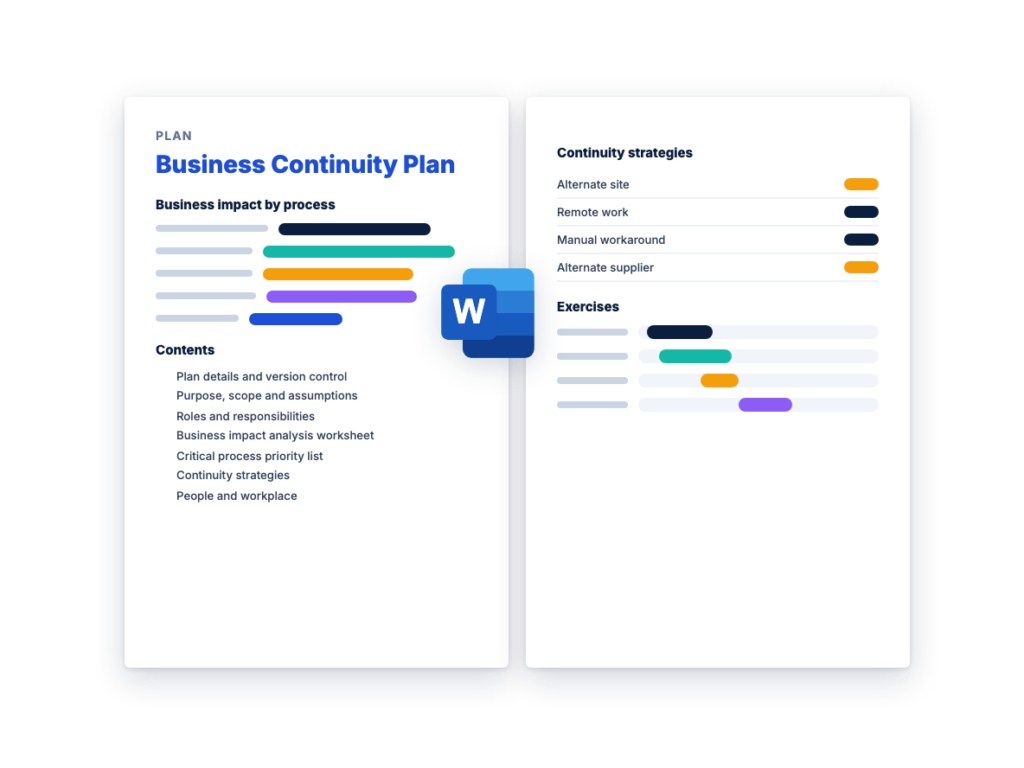
See the structure before you download. The Word file has every section listed below, ready to fill in.
The sections in the document, in order.
Use this business continuity plan template to write down how your organization keeps its most important work going through a disruption: which processes come back first, how each one runs while a building, supplier, system or team is unavailable, who decides, and how staff are kept safe and informed. It covers people, sites, processes and suppliers as well as IT, and it's written for the operations, risk or IT leader who owns continuity, with sections for process owners and the crisis management team to fill in.
It starts with a business impact analysis (BIA) worksheet, which sets a maximum tolerable downtime (MTD) and a recovery time objective (RTO) for each process and lists what each one depends on. The IT systems on that list are recovered under a separate plan, so this BCP template hands them off to the free disaster recovery plan template, which uses the same MTD, RTO and RPO definitions and the same tiers. If you're also buying recovery services, the disaster recovery RFP guide covers how to put the targets from your BIA in front of providers.
The Word file follows the plan outline in ready.gov's business continuity planning resources and its business impact analysis method, with definitions from NIST SP 800-34 Rev. 1, and it's written for any private organization. ISO 22301 is the international standard for business continuity management systems. A management system covers the whole program around a plan like this one, so if you're seeking certification, work from the standard itself. The template isn't legal advice: have legal counsel review the plan before it's approved, and if you're in a regulated sector, such as banking or health care, check your regulator's guidance first.
Download the editable Microsoft Word version below. The full text is on this page, so you can read it before you download.
Write one plan for the organization, with a copy of Section 11 for each critical process. Run the business impact analysis in Section 4 first, because every later section uses its priorities and recovery times.
A business impact analysis (BIA) predicts the consequences of a disruption to each business process and gathers the information you need to choose recovery strategies. It’s the step every other part of a business continuity plan depends on, because it decides which processes come back first and how fast. Scale it to your organization, but keep the steps in this order:
This is the complete text of the Word document. Fill in the [bracketed] placeholders and delete the italic guidance before you use or send it.
Instructions: replace every [bracketed placeholder] and example
row, delete what doesn’t apply, and delete the italic guidance when
you’re done. Complete the business impact analysis (BIA) in Section 4
first, because the rest of the plan uses its priorities and recovery
times. Then copy Section 11 once for each critical process.
This plan covers people, sites, processes and suppliers. IT
systems are recovered under the IT disaster recovery plan (Section 12),
which uses the same definitions of MTD, RTO and RPO. Ready.gov explains
the method on its business
continuity planning and business
impact analysis pages.
This template isn’t legal advice. Have legal counsel review the
plan before it’s approved. If you’re in a regulated sector, such as
banking or health care, check your regulator’s guidance first: it may
set continuity requirements of its own.
| Item | Details |
|---|---|
| Organization | [Legal name] |
| Plan owner (business continuity coordinator) | [Name and title] |
| Executive sponsor | [Name and title] |
| Approved by | [Name, title and date] |
| Version and effective date | [Version], [date] |
| Next full review due | [Date] |
| BIA completed and approved | [Date, approved by] |
| Related plans | [IT disaster recovery, incident response, emergency response and crisis communications plans: owners and locations] |
| Version | Date | Changed by | What changed | Approved by |
|---|---|---|---|---|
| [Version] | [Date] | [Name] | [First issue, or the sections changed and why] | [Name] |
Keep copies the team can reach when your offices and network are
down: printed, on an encrypted drive, and on a secure site that doesn’t
depend on your own servers. Staff contact details are personal
information, so mark the plan confidential and replace old copies at
every update.
| Copy holder | Format | Where it’s kept | Version held |
|---|---|---|---|
| [Business continuity coordinator] | [Print / offline electronic] | [Location] | [Version] |
| [Crisis management team members] | |||
| [Alternate site or crisis meeting room] |
This plan sets out how [Organization] keeps its critical business
processes running, or restores them within their recovery time
objectives, after a disruption such as the loss of a building, a key
supplier, a critical system or many staff at once. It names who decides
and who does what, and sets the recovery priorities and a strategy and
procedure for each critical process.
| Item | Details |
|---|---|
| Sites and business units in scope | [Locations, departments, subsidiaries] |
| Out of scope | [What this plan doesn’t cover, and which plan does] |
| Disruptions planned for | [e.g. loss of a building or access to it, failure of a key supplier, a critical IT outage, a utility outage, many staff unavailable] |
| Term | Meaning |
|---|---|
| Critical process | A business process that causes serious harm if it isn’t back within its maximum tolerable downtime, such as paying staff or serving customers |
| Maximum tolerable downtime (MTD) | The total time a business process can be disrupted before the organization suffers significant harm |
| Recovery time objective (RTO) | For a system, the longest it can stay down after a disruption before the outage does unacceptable harm to the work that depends on it. For a process, the target time to have it running again at its minimum level, set shorter than its MTD |
| Recovery point objective (RPO) | How much data you can afford to lose, measured as time back from the disruption to the last usable copy |
| Minimum level of service | The reduced output a process must reach while recovery is under way, e.g. [urgent orders only] |
Name a primary and an alternate for every role. In a small
organization one person can hold several roles, but no one should be the
only person who can do a critical step.
| Role | Responsibilities | Primary: name and phone | Alternate: name and phone |
|---|---|---|---|
| Executive sponsor | Approves the plan and its budget, activates the plan and stands it down |
||
| Business continuity coordinator | Owns this plan, runs the BIA and exercises, keeps contacts current, supports the crisis management team |
||
| Crisis management team lead | Leads the crisis management team, sets priorities, approves major decisions and spending |
||
| Crisis management team members | Decide for their areas: [operations, HR, facilities, finance, legal, communications, IT, security] |
||
| Process owners | Complete the BIA for their processes, and maintain and run their recovery procedures (Section 11) |
||
| IT recovery lead | Runs the IT disaster recovery plan and reports system status to the crisis management team |
||
| HR lead | Accounts for staff, and handles welfare, pay and remote work (Section 7) |
||
| Facilities lead | Building safety and access, alternate workspace, equipment | ||
| Communications lead | Messages in Section 10, with the approved spokesperson | ||
| Supplier liaison | Contacts key suppliers and brings in alternates (Section 8) | ||
| Scribe | Keeps the decision and action log (Section 9.4) |
| Authority | Held by | First successor | Second successor | Limits |
|---|---|---|---|---|
| Activate the plan and stand it down | [Executive sponsor] | |||
| Approve emergency spending | [Up to [amount] without further approval] | |||
| Approve public statements |
| Organization | Why you’d call | Contact | Emergency phone | Account or policy number |
|---|---|---|---|---|
| Insurer or broker | Report a loss, start a claim | |||
| Landlord or building management | Access, damage, repairs | |||
| Local emergency management office | Area closures, regaining access, joint exercises |
The BIA predicts the consequences of disrupting each business
process and gathers the information needed to choose recovery
strategies. Send each process owner a questionnaire, then go through the
answers with them. Agree the time periods and ratings first, so every
department uses the same scale.
| Impact type | Low | Medium | High |
|---|---|---|---|
| Operational | [Work slows; the backlog clears within [time]] | [Some customers or services affected] | [The process stops; customers or other processes can’t be served] |
| Financial | [Small extra costs] | [Delayed revenue, overtime or outsourcing costs up to [amount]] | [Losses above [amount], contractual penalties, cash flow at risk] |
| Legal or regulatory | [No obligation missed] | [A deadline or contract term at risk] | [An obligation missed; fines or penalties possible] |
| Reputational | [Noticed internally only] | [Some customers or partners complain] | [Customers leave, or the media or regulators take an interest] |
For each process, rate the four impact types after each time
period, then set its MTD where the impact becomes unacceptable. Set the
RTO shorter than the MTD, to leave time to check work and clear the
backlog. Note peak periods, such as month end or a seasonal rush, when
the same outage costs more.
| Process | Owner | Impact if disrupted for [time] | Impact if disrupted for [time] | Impact if disrupted for [time] | Maximum tolerable downtime | Recovery time objective | Peak periods |
|---|---|---|---|---|---|---|---|
| [Example: order processing] | [Name] | Operational: medium. Financial: low. Legal or regulatory: low. Reputational: low |
[Rate each type] | [Rate each type] | [time] | [time] | [Month end, seasonal peaks] |
| [Example: payroll] | [Name] | [time] | [time] | [Pay dates] |
Copy this table for each critical and important process. List
what it needs to run at its minimum level, and flag any single point of
failure: one person, supplier, site or system it can’t run
without.
Process: [Process name]
| Dependency | What the process needs | Minimum needed | Single point of failure | Backup or alternative | Covered in |
|---|---|---|---|---|---|
| People and skills | [Roles and skills] | [Number of people] | [Yes / No] | [Cross-trained staff, contractors] | Section 7 |
| IT systems | [e.g. finance system, email, phones] | [Manual workaround] | Section 12 | ||
| Data | [Data and where it’s held. Data loss the process can tolerate: [time]] |
[Re-create from source documents] | Section 12 | ||
| Suppliers | [Suppliers and what they provide] | [Alternate supplier, stock] | Section 8 | ||
| Sites | [Buildings, rooms, warehouses] | [Alternate site, remote work] | Section 7 | ||
| Equipment | [Machinery, vehicles, specialist tools] | [Spares, rental] | Section 6 | ||
| Vital records | [Contracts, signed forms, licenses: documents the process can’t run or meet its obligations without] |
[Copies held at [location]] | Section 6 | ||
| Other processes | [Processes this one relies on] | Section 5 |
Rank the processes from the BIA. Ready.gov advises restoring
first the processes with the greatest operational and financial impacts.
The tiers match the IT disaster recovery plan: critical processes cause
serious harm if they aren’t back within their MTD, important ones can
run on workarounds for a while, and deferrable ones can wait.
| Priority | Process | Tier | MTD | RTO | Minimum level of service | Strategy (Section 6) |
|---|---|---|---|---|---|---|
| [First] | [Process] | Critical | [time] | [time] | [e.g. urgent orders only] | [Strategy] |
| [Second] | Critical | |||||
| [Next] | Important | |||||
| [Last] | Deferrable |
For each critical and important process, choose how it keeps
going, or comes back, within its RTO. Compare each strategy’s cost with
the impact it avoids. A strategy that needs a contract, equipment or
trained people only works if they exist before the disruption.
| Strategy | When it fits | Set up in advance |
|---|---|---|
| Alternate site | The building is lost or can’t be reached | [Another office, a reciprocal arrangement with another organization, or a contracted workspace] |
| Remote work | The work needs only a laptop, phone and network access | Devices, remote access, phone forwarding, staff who have worked remotely before |
| Manual workaround | A system is down and the work can run on paper or by phone | Printed forms, offline reference data, and a way to enter the work afterwards |
| Cross-training | Too few people can do the work | Trained alternates, written procedures, regular practice |
| Alternate supplier | A supplier fails or can’t deliver | A qualified alternate, agreed terms and a contact (Section 8) |
| Stock and spares | Supply is interrupted and output can’t wait | [Reserve stock, spare equipment, rental arrangements] |
| Defer | The process can wait until critical processes are back | The date it must restart, and who checks |
| Process | Strategy chosen | What must be in place | In place now | Gap and action | Owner |
|---|---|---|---|---|---|
| [Process] | [e.g. remote work, then an alternate site] | [Laptops for [number] staff, remote access] | [Yes / Partly / No] | [Action and due date] | [Name] |
Life safety comes first, under the emergency response plan:
evacuation, shelter-in-place and lockdown. This plan takes over once
people are safe.
| Step | Action | Owner |
|---|---|---|
| Assemble | Staff meet at [assembly point], or at [second assembly point] if the first isn’t safe |
[Floor wardens] |
| Account for everyone | Check names against [the sign-in record, visitor log and staff list], and report to one person |
HR lead |
| Check in remotely | Staff who aren’t on site report where they are by [phone line, text reply] |
All staff |
| Missing or injured people | Give emergency services the names and last known locations of anyone not accounted for, and contact their emergency contacts |
HR lead |
| Next steps | Tell staff whether to go home, where to work next, and when the next update comes |
Communications lead |
| Item | Details |
|---|---|
| Who can and can’t work remotely | [Roles or teams] |
| Equipment and access | [Laptops, remote access with multi-factor authentication, phone forwarding] |
| Capacity | [How many people remote access supports at once, and when that was last tested] |
| Security rules | [Approved devices only, no confidential data in personal accounts] |
Plan for losing each site, including losing access to an
undamaged building, for example when the authorities close the
area.
| Site | Processes that run there | Where the work moves | Equipment and records to retrieve or replace | Who to contact to regain access |
|---|---|---|---|---|
| [Site] | [Alternate site or remote work] | [Landlord, insurer, local authorities] |
List every supplier a critical or important process depends on.
RFPhub’s free third-party
risk management policy template sets how suppliers are tiered,
reviewed and given an exit plan, and flags several critical services
that depend on one supplier. For IT and managed services, the service
level agreement template sets the availability and support terms to
compare with your RTOs.
| Supplier | What they provide | Processes that depend on it | Their continuity arrangements, and when last checked | Contract terms that matter in a disruption | Alternate supplier or stock | Emergency contact |
|---|---|---|---|---|---|---|
| [Supplier] | [e.g. a summary of their continuity plan, a second site] | [Service levels, notice of disruption, priority of supply] |
Review insurance with your broker. Ready.gov describes business
interruption cover, which reimburses profits and certain continuing
expenses during a shutdown, and contingent business interruption cover,
for losses caused by a supplier failure.
One person holds the authority to activate the plan, with
successors in the order in Section 3.2. Anyone who learns of a problem
tells the business continuity coordinator. Activate the plan when one or
more of these is met:
| Step | Action | By | Done (time) |
|---|---|---|---|
| Safety | Confirm everyone is safe and accounted for (Section 7.1) | HR lead, facilities lead | |
| Assess | Find out what’s affected, what still works, and how long it may last |
Coordinator | |
| Decide | Activate the plan in full, for named sites or processes only, or monitor and reassess at [time] |
Executive sponsor | |
| Record | Record the time, the criteria met and the decision. Recovery times are measured from here |
Scribe | |
| Convene | Bring the crisis management team together by [bridge call or meeting room] |
Coordinator | |
| Assign | Hand each affected critical process to its owner, with its procedure (Section 11) |
Crisis management team lead | |
| Link plans | Tell the IT recovery lead which systems are needed first, and check which other plans are active |
Coordinator | |
| Communicate | Send the first message to staff, and agree when customers and suppliers are told |
Communications lead |
The crisis management team meets at activation, then every
[interval] while the situation is changing and every [interval] once
recovery is steady, with the same agenda: safety and staff; what has
changed; each critical process against its RTO; decisions needed,
including spending; communications; actions, owners and the next meeting
time.
| Time | Decision or action | By | Owner | Status |
|---|---|---|---|---|
The executive sponsor stands the plan down when critical
processes are back at normal levels, backlogs are under control and the
IT disaster recovery plan has stood down. Tell everyone in Section 10,
and hold the after-action review (Section 13.3) within [time].
| Audience | What they need | Who tells them | Channel and timing |
|---|---|---|---|
| Staff | Whether it’s safe to come in, where to work, what’s affected, when the next update comes |
Communications lead, HR lead | [Text alerts, phone line, intranet], at activation and every [interval] |
| Customers | What’s affected, what to expect, when the next update comes | Communications lead, account managers | [Status page, email, phone] |
| Suppliers and partners | Changes to orders, deliveries, shared processes and contacts | Supplier liaison | [Phone, email] |
| Media | Approved statements only | [Approved spokesperson] | |
| Regulators and others legal counsel names | Notices required by law or contract | [Legal counsel] | [As required] |
Draft the first notice, the update and the all-clear in advance,
with blanks to fill in, and keep them where the team can reach them when
your systems are down: [location]. Each message says what happened,
what’s affected, what’s being done, what the reader should do and when
the next update will come. Use more than one channel. Only the approved
spokesperson speaks to the media. Legal counsel decides which notices
laws or contracts require, and by when, and reviews public statements.
This plan isn’t legal advice.
Copy Section 11.1 for each critical process, in priority order.
Write each step so that an alternate who has never done the work could
follow it.
| Item | Details |
|---|---|
| Process owner and alternate | [Names] |
| Tier, MTD and RTO | [Tier], [time], [time] |
| Minimum level of service | [What must be delivered first] |
| Strategy and where the work happens | [From Section 6.2] |
| Depends on | [From Section 4.3] |
| Last exercised | [Date and result] |
| Step | Action | By | Expected time | Done (time) |
|---|---|---|---|---|
| Staff | Confirm who is available, and call in alternates | [Name] | [time] | |
| Workplace | Move the work to [alternate site, remote work or another team] | [Name] | [time] | |
| Systems | Ask the IT recovery lead which systems are down and when each is expected back |
[Name] | [time] | |
| Workaround | Start the manual workaround or alternate supplier, using [forms, instructions, contacts] |
[Name] | [time] | |
| Minimum level | Reach the minimum level of service and report the time: this is the actual recovery time to compare with the RTO |
[Process owner] | ||
| Catch up | When systems are back, enter the work done on the workaround and check it’s complete |
[Name] | [time] | |
| Return | Clear the backlog, return to normal operations, and record lessons for the after-action review |
[Process owner] | [time] |
If a step runs [time] past its expected time, or fails, the
process owner tells the crisis management team lead at once.
This plan doesn’t recover IT systems. The IT disaster recovery
plan does, using each system’s tier, RTO and RPO; RFPhub’s free disaster
recovery plan template is one to start from. Give the IT recovery
lead each process’s RTO and data loss limit, and check the system
targets against them. Ready.gov advises that an IT system’s recovery
time should match the RTO of the process that depends on it. Each
system’s RTO must also be shorter than that process’s MTD, with room to
check data and re-enter lost work.
| Process | Systems it depends on | Process RTO | System RTO in the DR plan | Data loss the process can tolerate | System RPO in the DR plan | Gap |
|---|---|---|---|---|---|---|
| [Process] | [System] | [time] | [time] | [time] | [time] | [Yes / No: action in Section 14.2] |
Where a system can’t meet a process’s needs yet, record the gap
in Section 14.2, keep the manual workaround ready, and have the process
owner accept the risk in the meantime.
Exercise the plan every [interval] and after significant changes.
Some regulations, standards and contracts set a minimum for the
organizations they cover, so check which apply to you. Agree the
objectives before each exercise, and record the results.
| Exercise | What it involves | Frequency | Next date | Owner |
|---|---|---|---|---|
| Walkthrough | The team reads through the plan together and confirms roles and contacts |
When people join, and every [interval] | ||
| Contact test | Run the staff alert and the crisis management team call, out of hours if you can |
Every [interval] | ||
| Tabletop exercise | A facilitator walks the team through a scenario, such as losing a building or a key supplier. Discussion only |
Every [interval] | ||
| Functional exercise | Teams carry out parts of the plan, such as working from the alternate site or running a manual workaround |
Every [interval] | ||
| Joint exercise with IT | A scenario that also runs the IT disaster recovery plan | Every [interval] |
Full-scale exercises are run by public agencies, often with local
businesses taking part: ask your local emergency management office.
Ready.gov publishes Business
Continuity Plan Test materials: a situation manual, exercise planner
instructions, and a facilitator and evaluator handbook. CISA publishes
tabletop
exercise packages on scenarios from natural disasters to
ransomware.
| Date and exercise | Scope | Objectives | RTO: target and actual | Result | Findings | Actions, owners and dates |
|---|---|---|---|---|---|---|
| [Met / Partly met / Not met] |
After every exercise and real activation, hold a short debrief
while it’s fresh, then write an after-action report with what worked,
what didn’t and the actions to fix it. Track each action in Section 14.2
until it’s closed.
Review the whole plan every [interval] and after any trigger
below, and check contact details more often. Repeat the BIA every
[interval] and after major changes to the business. Record every change
in Section 1.1, and replace the copies in Section 1.2.
| Trigger | What to update | Owner |
|---|---|---|
| A process, product or business unit is added or ends | The BIA, and Sections 5, 6 and 11 | Process owner, coordinator |
| A site opens, closes or moves | Sections 2.2, 6 and 7.3 | Facilities lead |
| A key supplier is added, changed or lost | Sections 4.3 and 8 | Supplier liaison |
| Someone in a named role joins, leaves or changes role | Sections 1.2 and 3 | Coordinator, HR lead |
| An IT system or the IT disaster recovery plan changes | Section 12 | IT recovery lead |
| An exercise or a real event finds a problem | The sections affected | Coordinator |
| Gap or finding | Source (BIA, exercise or event) | Action | Owner | Due date | Status | Risk accepted by |
|---|---|---|---|---|---|---|
This business continuity plan keeps business processes going during
and after a disruption, such as paying staff or serving customers, and
covers people, sites, suppliers and manual workarounds. The IT disaster
recovery plan restores the IT systems and data those processes depend
on, with priorities and recovery times from this plan’s BIA. An incident
response plan deals with cyber attacks, from detection to
containment and recovery, and can trigger either of the other plans. An
emergency response plan protects people in the first minutes of an
emergency, before this plan takes over. Build and exercise the plans
together, so their contacts, priorities and recovery times agree.
It should name who decides and who does what, with an alternate for every role, and include a business impact analysis that sets each process’s maximum tolerable downtime, recovery time objective and dependencies. From that come a priority list, a continuity strategy and recovery procedure for each critical process, and plans for staff safety, workplaces and suppliers. It also covers activation, communications, the hand-off to the IT disaster recovery plan, exercises and how the plan is kept current.
A business continuity plan keeps business processes running during and after a disruption, including people, workplaces, suppliers and manual workarounds. A disaster recovery plan restores the IT systems and data those processes depend on. Both draw on the same business impact analysis, which sets the priorities and recovery times, so build and test them together.
A business impact analysis (BIA) predicts the consequences of disrupting each business process and gathers the information needed to choose recovery strategies. For each process it rates the operational, financial, legal and reputational impact as an outage goes on, sets the maximum tolerable downtime and recovery time objective, and lists what the process depends on. The results rank the processes, so the ones with the greatest impact are restored first.
Set the frequency yourself, exercise critical processes more often than the rest, and use a mix of walkthroughs, tabletop exercises and functional exercises. Review the plan after every exercise or real activation and after significant changes, such as a new site, process or key supplier, and check contact details more often than that. Some regulations, standards and contracts set a minimum for the organizations they cover, so check which apply to you.
Give the plan one owner, such as a business continuity coordinator in operations or risk, who keeps it current, runs the business impact analysis and the exercises, and supports the crisis management team during an event. A senior executive sponsors and approves it and holds the authority to activate it, with named successors. Process owners own the analysis and recovery procedures for their processes, and the IT recovery lead owns the IT disaster recovery plan.
A free, editable information security policy for small and mid-sized organizations, with data classification, access and password rules, AI tool use and…
A free, vendor-neutral incident response plan template in Word, with roles, a severity matrix, out-of-band contacts, containment approvals, playbooks, evidence and notification…
A free, editable third-party risk management (TPRM) policy for private organizations: roles, a vendor inventory, risk tiers, due diligence, contract terms and…
Please provide your feedback below.
"*" indicates required fields