Capability Statement Template (Free, Word)
A free, one-page capability statement template for IT and security firms selling to government, with company data, past performance, a tailoring checklist…
Word · FreeDownload Template →
A free, vendor-neutral vendor risk assessment template for IT suppliers: inherent risk tiering, due diligence by tier, a risk register, contract controls, monitoring, sign-off and offboarding.
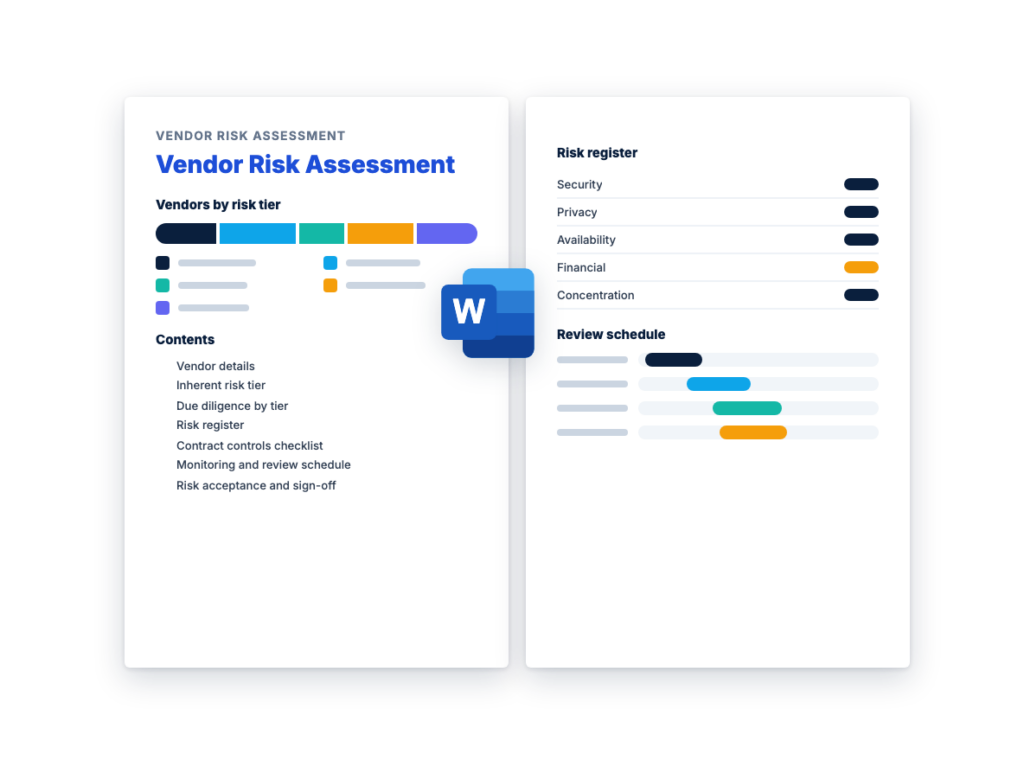
See the structure before you download. The Word file has every section listed below, ready to fill in.
The sections in the document, in order.
Use this vendor risk assessment template to decide how much risk a supplier brings before it gets your data or access, and to keep that record current until the relationship ends. It follows the lifecycle in the vendor risk management guide: record the vendor, tier it by risk, run due diligence scaled to the tier, log each risk with an owner, write controls into the contract, monitor it, and then renew or exit.
It's written for whoever owns vendor risk, often in procurement, security or IT risk, working with the business owner who requested the vendor. It works as a third-party risk assessment for any technology supplier, from SaaS and cloud services to managed service providers and installed software. The security questions themselves belong in the free vendor security questionnaire template. This assessment records what you decided from the answers.
The Word file is an internal record, one copy per vendor. Four factors scored from 1 to 3 set the vendor's tier, and a likelihood and impact grid rates each risk in the register. Both are examples to adjust to your own policy. Service performance is a separate job: once the contract is signed, rate it with the vendor scorecard template.
Download the editable Microsoft Word version below. The full text is on this page, so you can read it before you download.
Complete Sections 1 to 3 when a new vendor is requested, before it gets any data or access. Finish Sections 4 and 5 before the contract is signed, and get Section 7 signed before go-live. Sections 6 and 8 cover the rest of the relationship.
Inherent risk is the risk a vendor brings before any controls are taken into account: the data it will hold, what it can reach in your systems and how much you depend on it. Section 2 of the template scores it, and the tier it produces decides how much due diligence, contract protection and monitoring the vendor gets.
Residual risk is what remains after controls are applied, both the vendor’s own and the ones you add, such as keeping one type of data out of the service. The risk register rates each risk against the evidence you have and records the control that will reduce it. Whatever is left after that, the business owner accepts in writing, with a date to look at it again.
Two rules keep the two apart:
The two are easy to confuse, partly because a vendor security questionnaire is also called a third-party risk assessment questionnaire. They do different jobs, and a high-risk vendor needs both.
How they differ:
This is the complete text of the Word document. Fill in the [bracketed] placeholders and delete the italic guidance before you use or send it.
Instructions: complete one copy for each vendor. Start when the
vendor is requested, before it gets any data or access. This is an
internal record: send the vendor only the checklist or questionnaire and
your evidence requests, not this document. Replace every [bracketed
placeholder], delete what doesn’t apply, and delete the italic guidance
when you’re done. The scales, tiers and schedules are examples. Adjust
them to your own policy, then apply them the same way to every
vendor.
| Item | Details |
|---|---|
| Vendor legal name | [Vendor legal name] |
| Service or product | [What the vendor provides, e.g. SaaS application, cloud service, managed service, installed software] |
| Business owner | [Name, title and team of the person who requested the vendor and owns the relationship] |
| Assessment owner | [Name and title, e.g. in procurement, security or IT risk] |
| Assessment type | [New vendor / Renewal / Review after a trigger: [trigger]] |
| Assessment date | [Date] |
| Contract reference | [Contract or order number] |
| Contract start and end dates | [Start date] to [end date] |
| Renewal | [Renews automatically unless notice is given / Ends on the end date] |
| Notice deadline | [Last date to give notice to cancel or renegotiate] |
| Annual spend | [Amount] |
| Item | Details |
|---|---|
| Data the vendor will store, process or see | [e.g. customer records, employee records, financial data, internal documents] |
| Personal data | [No / Yes: whose data, and which categories] |
| Where the data is stored and processed | [Countries or regions, including backups] |
| Accounts and access to your systems | [None / user accounts through single sign-on / administrator rights / remote access / an agent installed on devices] |
| Integrations and API connections | [Each system connected, what the connection can read or change, and who holds the key or token] |
| Sub-processors and key suppliers (fourth parties) | [The hosting provider and other companies that handle the data for the vendor] |
| AI features that use the data | [None / the feature, whether it can be switched off, and whether the data trains models for other customers] |
| Users | [Teams and number of users] |
Copy the business owner, service, data and access, contract end
and notice dates, and the tier from Section 2 into your vendor
inventory.
Score what the vendor will hold and reach, and how much you’ll
depend on it, before you look at its controls. A vendor with strong
controls that holds sensitive data is still high tier, because the tier
decides how closely you check those controls. Nothing new gets data or
access until it has a tier. Re-tier the vendor whenever its data or
access changes.
| Factor | 1: Low | 2: Medium | 3: High |
|---|---|---|---|
| Data sensitivity | No business data, or public information only | Internal business data, such as documents and project data, with little personal data beyond staff names and work contact details |
Personal data about customers, employees or patients; financial, health or payment data; credentials; or any data a law, regulation or contract requires you to protect |
| System access | No connection to your systems. Users sign in to the vendor’s service, with or without single sign-on |
A limited integration or API connection, such as read-only access to one system, or user-level accounts on some systems |
Administrator rights, remote access to your network, an agent or software installed on your devices, or API access that can change data in core systems |
| Criticality | You could work without it for [period] with little effect | An outage slows one team or process, and a workaround exists | A core process stops, customers are affected, or you’d miss a legal or contractual obligation, with no practical workaround |
| Replaceability | Alternatives are easy to find, and switching takes little effort |
Switching needs a planned project, and your data can be exported in a usable format |
Few or no alternatives, deep integration, or a data format only this vendor reads, so leaving means a major migration |
| Factor | Score (1 to 3) | Reason |
|---|---|---|
| Data sensitivity | [Score] | [What data, and why this level] |
| System access | [Score] | [What access] |
| Criticality | [Score] | [What stops if the service fails] |
| Replaceability | [Score] | [Alternatives, data export, integrations] |
| Total | [Total] |
| Total | Tier (example) |
|---|---|
| 10 to 12 | High |
| 7 to 9 | Medium |
| 4 to 6 | Low |
Two rules override the total:
| Item | Details |
|---|---|
| Tier from the total | [High / Medium / Low] |
| Override rule applied | [None / which rule] |
| Final tier | [High / Medium / Low] |
| Tiered by | [Name, date] |
| Agreed by the business owner | [Name, date] |
Examples only, to show how the scale and the override rules work.
Delete this table from your copy.
| Vendor | Data | Access | Criticality | Replaceability | Total | Tier |
|---|---|---|---|---|---|---|
| Payroll SaaS connected to the HR system | 3 | 2 | 3 | 3 | 11 | High |
| Managed service provider with administrator access to the network |
3 | 3 | 3 | 2 | 11 | High |
| Online survey tool used for an employee health questionnaire | 3 | 1 | 1 | 1 | 6 | High (data scored 3) |
| Project tool holding internal documents | 2 | 1 | 2 | 2 | 7 | Medium |
| Stock image subscription with no access and no business data | 1 | 1 | 1 | 1 | 4 | Low |
Do this before the contract is signed and before the vendor gets
data or access. For the security questions and evidence, use RFPhub’s
free Vendor Security Questionnaire Template: the full questionnaire for
high-tier vendors, and the sections that matter for medium-tier vendors.
Low-tier vendors answer the checklist in Section 3.2.
| Check | Low | Medium | High |
|---|---|---|---|
| Security questions | The checklist in Section 3.2 | Short security questionnaire | Full security questionnaire |
| Independent evidence | Not required | Independent evidence covering the service, such as a SOC 2 Type II report or ISO/IEC 27001 certificate |
A SOC 2 Type II report, or an ISO/IEC 27001 certificate with its statement of applicability, covering the service |
| Penetration test summary | Not required | Not required | From an independent tester: the date, what was tested, and whether serious findings were fixed and retested |
| Sub-processor list | Not required | If personal data is involved | Yes, with how you’ll hear about changes |
| References you choose | Not required | Recommended | Yes, including at least one you find yourself |
| Financial information | Not required | If you’ll depend on the vendor | Yes: an audited annual report, statements under a nondisclosure agreement, or a business credit report |
| Insurance certificate | If the contract requires insurance | For the coverage the contract requires | For the coverage the contract requires |
| Architecture and integration review by IT | Not required | For each connection to your systems | Yes |
| Exit plan | Not required | If replaceability scored 3 | Yes |
At any tier, if the vendor will process personal data for you,
put a data processing agreement in place. Privacy laws that apply to you
may require one, so ask your privacy or legal team.
| ID | Question for the vendor | Vendor answer | Acceptable? |
|---|---|---|---|
| L1 | Where is the data stored, by country or region? | [Yes / No] | |
| L2 | Can users sign in through single sign-on, or with multi-factor authentication? |
||
| L3 | How, and within what time, will you report a security incident affecting the data? |
||
| L4 | How can the data be exported, and how will you confirm its deletion when the contract ends? |
||
| L5 | Does any AI feature use the data to train models that serve other customers, and can it be switched off? |
Read the evidence rather than filing it. Check that an audit
report or certificate covers the service you’re buying and a recent
period, read any exceptions, and give an owner to each control the
report expects you to run yourself, such as removing access when your
staff leave.
| Item | Required at this tier? | Received (date) | Reviewed by | Result and notes | Register ID |
|---|---|---|---|---|---|
| Security checklist or questionnaire | [Yes / No] | ||||
| SOC 2 report: type, scope, period, exceptions, subservice organizations |
|||||
| ISO/IEC 27001 certificate: scope, validity, issuer, statement of applicability |
|||||
| Penetration test summary | |||||
| Data processing agreement | |||||
| Sub-processor list | |||||
| References | |||||
| Financial information | |||||
| Insurance certificate: coverage, limits, expiration date | |||||
| Architecture and integration review | |||||
| Exit plan |
Log every finding from Section 3, and anything else you know
about the vendor. Rate each risk as it stands with the controls the
vendor has evidenced. Then choose a treatment and write it in the
control or mitigation column:
Decide every finding before go-live, and follow each one to
closure. If the vendor has an incident later, log it here too and
re-rate the risks it affects.
Likelihood:
Impact:
| Likelihood | Low impact | Medium impact | High impact |
|---|---|---|---|
| High | Medium | High | High |
| Medium | Low | Medium | High |
| Low | Low | Low | Medium |
One row per risk. The bracketed descriptions and controls are
examples: replace them with what you found, and add rows as needed.
Write “None identified” for a risk type only after you’ve checked
it.
| Risk | Description | Likelihood | Impact | Rating | Control or mitigation | Owner | Due date | Status |
|---|---|---|---|---|---|---|---|---|
| R1 Security | [e.g. The vendor’s remote access tool reaches your servers through shared accounts without multi-factor authentication] |
[High / Medium / Low] | [High / Medium / Low] | [High / Medium / Low] | [e.g. Fix before signing: named accounts with multi-factor authentication and least-privilege access] |
[Name] | [Date] | [Open / In progress / Closed / Accepted] |
| R2 Privacy and data protection | [e.g. Support tickets containing personal data are stored in another country, or used to train AI models] |
[e.g. Data processing agreement, stated data locations, limits on use of the data] |
||||||
| R3 Operational and availability | [e.g. An outage at the vendor stops your service desk] | [e.g. Service levels with credits, the vendor’s tested continuity plan, your own workaround] |
||||||
| R4 Financial | [e.g. A small vendor you depend on runs out of money, or is acquired and drops the product] |
[e.g. Financial review at onboarding and renewal, data export rights, source code escrow for installed software] |
||||||
| R5 Compliance and regulatory | [e.g. The service can’t meet a retention or accessibility rule that applies to you] |
[e.g. The requirement in the RFP, evidence before award, a contract commitment] |
||||||
| R6 Concentration and lock-in | [e.g. Several critical services already run on this provider, or the data is in a format only this vendor reads] |
[e.g. Concentration tracked in the vendor inventory, export in a documented format, an exit plan] |
||||||
| R7 Fourth-party | [e.g. The vendor’s analytics sub-processor is breached while holding the data] |
[e.g. A current sub-processor list, notice of changes, security terms passed down] |
||||||
| [R8] | [Other risk] |
Put these clauses in the RFP so bidders price and accept them
before award, then check that each one made it into the signed contract.
The IDs in brackets point to the related requirements in RFPhub’s free
RFP template: replace them with the IDs in your own RFP. Have counsel
review the wording. In regulated sectors such as banking or health care,
regulators may set their own vendor oversight requirements, so check
with your compliance team.
| Clause | What to require | Tiers (example) | RFP ID | Contract clause | Agreed? | Notes |
|---|---|---|---|---|---|---|
| Security requirements | Controls the vendor keeps for the whole term, including a current independent audit report or certification covering the service, and copies of new reports as they’re issued |
Medium and high | [S1] | [Clause] | [Yes / No / Partly] | |
| Audit rights | The right to receive audit reports, ask follow-up questions and, where it matters, assess the vendor. Decide in advance whether you’ll accept independent reports instead of your own audit |
High | ||||
| Incident notification | Notice within [time] of [confirming / becoming aware of] an incident affecting the data, what the notice must contain, and how the vendor will cooperate. Set the time with your own legal deadlines in mind |
All | [S5] | |||
| Sub-processor changes | [Period] of notice before a new sub-processor handles the data, and a right to object or leave |
Medium and high | ||||
| Service levels | How availability and support response are measured, the credits for a miss, and a right to terminate after repeated failures |
Where the service is critical | [M4, M5] | |||
| Data return and deletion | The format and timeline for returning the data, and written confirmation of its deletion, including backups |
All | [C4] | |||
| Termination assistance | Help moving to a new provider, with the service continued through the transition |
High | ||||
| Data processing agreement | How the vendor may process personal data for you, its sub-processors, and where the data is held |
Any tier with personal data | [S5] | |||
| Limits on data use | Stated data locations, and no use of the data to train AI models that serve other customers without your agreement |
Medium and high | ||||
| [Other control from the register] | [e.g. Source code escrow for installed software] |
Set the intervals in your policy and book the reviews, with
high-tier vendors reviewed most often. Performance against the contract,
such as service levels, is a separate record: rate it with a vendor
scorecard.
| Activity | High | Medium | Low |
|---|---|---|---|
| Full reassessment (Sections 2 to 5) | Every [interval] | Every [interval] | Every [interval], or at renewal |
| New audit report or certificate: read the scope, period and exceptions |
As each is issued, and at least every [interval] | As each is issued | Not required |
| Access review: vendor accounts, API keys and tokens, integrations, and data beyond what the tier assumed |
Every [interval] | Every [interval] | At renewal |
| Sub-processor list and terms check | Every [interval] | Every [interval] | At renewal |
| Financial review | At renewal, and every [interval] | At renewal, if you depend on the vendor | Not required |
| Open register items | Every [interval] until closed | Every [interval] until closed | At renewal |
| Renewal review, using the risk and performance records | [Interval] before the notice deadline | [Interval] before the notice deadline | [Interval] before the notice deadline |
Review the vendor as soon as any of these happens, whatever its
tier:
| Date | Scheduled or trigger | Reviewed by | What changed | Tier confirmed or changed | New or updated register IDs | Next review |
|---|---|---|---|---|---|---|
| [Date] | [Scheduled / Trigger: [what happened]] | [Name] | [Summary] | [High / Medium / Low] | [Register IDs] | [Date] |
Add these to your incident response plan.
| Item | Details |
|---|---|
| Vendor security contact | [Name, role, phone, email] |
| How the vendor will notify you | [Channel, and the notice time from the contract] |
| What you’ll need from the vendor | [e.g. the data affected, relevant logs, actions taken and a timeline] |
| Internal owner | [Name] |
The business owner accepts any risk that remains after controls,
with a review date. Your policy may require a more senior approver for a
risk rated high: [role].
| Risk ID | Risk accepted | Why it’s accepted | Compensating controls | Accepted by | Date | Review date |
|---|---|---|---|---|---|---|
| [Register ID] | [Short description] | [Reason] | [Controls in place] | [Business owner name] | [Date] | [Date] |
| Item | Details |
|---|---|
| Final tier | [High / Medium / Low] |
| Open risks rated high | [Register IDs, or none] |
| Decision | [Approved / Approved with conditions / Not approved] |
| Conditions, owners and dates | [Condition, owner, date] |
| Data and access allowed from | [Date, once the conditions are met] |
By signing, each approver confirms that the tier, due diligence and
risk register in this assessment are accurate for their area, and agrees
to the decision in Section 7.2.
| Name | Role | Decision | Signature | Date |
|---|---|---|---|---|
| [Name] | Business owner | [Approve / Approve with conditions / Reject] | ||
| [Name] | Vendor risk program owner | |||
| [Name] | Security | |||
| [Name] | IT | |||
| [Name] | Procurement | |||
| [Name] | Legal and privacy |
If your policy allows, a low-tier vendor may need only the
business owner and the program owner.
Use this when any vendor relationship ends. Start well before the
notice deadline in Section 1.
| Step | Owner | Done (date) | Evidence or notes |
|---|---|---|---|
| Decide whether to renew, renegotiate or leave, using the risk and performance records, and give notice by the deadline |
Business owner, procurement | ||
| Move to the new provider, with the vendor’s termination assistance if the contract includes it |
Business owner, IT | ||
| Get the data back in a usable format, and check that it’s complete |
Business owner, IT | ||
| Revoke the vendor’s accounts, single sign-on access, API keys and remote access, and change any credentials you shared with it |
IT, security | ||
| Remove the vendor’s integrations and agents from your systems | IT | ||
| Get written confirmation that the data has been deleted, including backups, on the timeline the contract sets |
Security, legal and privacy | ||
| Close or hand over open register items, and remove the vendor’s contacts from the incident response plan |
Program owner, security | ||
| Stop billing and close the purchase order | Procurement, finance | ||
| Update the vendor inventory: status, end date and where this record is kept |
Program owner |
| Item | Details |
|---|---|
| Offboarding completed by | [Name] |
| Date | [Date] |
A vendor risk assessment is a review of the risks a supplier brings, such as a data breach, an outage or the vendor failing, and the controls that reduce them. It sets the vendor’s risk tier, records the due diligence and findings, and names who accepted any remaining risk. Do it before the contract is signed, then repeat it on a schedule set by the tier.
Vendor details with the data and access involved, an inherent risk tier, due diligence by tier, a risk register with owners and due dates, contract controls, a monitoring schedule and sign-off. This template also has a short checklist for low-risk vendors and an offboarding checklist for when the relationship ends.
Usually, yes. Third-party risk management is another name for vendor risk management, although some organizations widen it to include partners and resellers. This template is written for technology suppliers, and its structure can be adapted for other third parties.
This template uses two simple scales, as examples to adjust. The vendor’s tier comes from scoring data sensitivity, system access, criticality and replaceability from 1 to 3 and adding the scores, and a score of 3 for data, access or criticality makes the vendor high tier whatever the total. Each risk in the register is then rated high, medium or low by combining its likelihood and impact.
Set an interval for each tier in your policy, with high-risk vendors reviewed most often. Also review a vendor at renewal and after a trigger, such as an incident, an acquisition, a new sub-processor, a new integration or a new AI feature that uses your data.
A free, one-page capability statement template for IT and security firms selling to government, with company data, past performance, a tailoring checklist…
A free sources sought response template for IT and security firms answering federal market research notices, with a notice checklist, cover letter,…
A free, vendor-neutral software request form for IT intake, with the business need, an already-owned check, data and access, cost and renewal…
Please provide your feedback below.
"*" indicates required fields