Capability Statement Template (Free, Word)
A free, one-page capability statement template for IT and security firms selling to government, with company data, past performance, a tailoring checklist…
Word · FreeDownload Template →
A free, vendor-neutral software request form for IT intake, with the business need, an already-owned check, data and access, cost and renewal terms, security review, sourcing route and approvals.
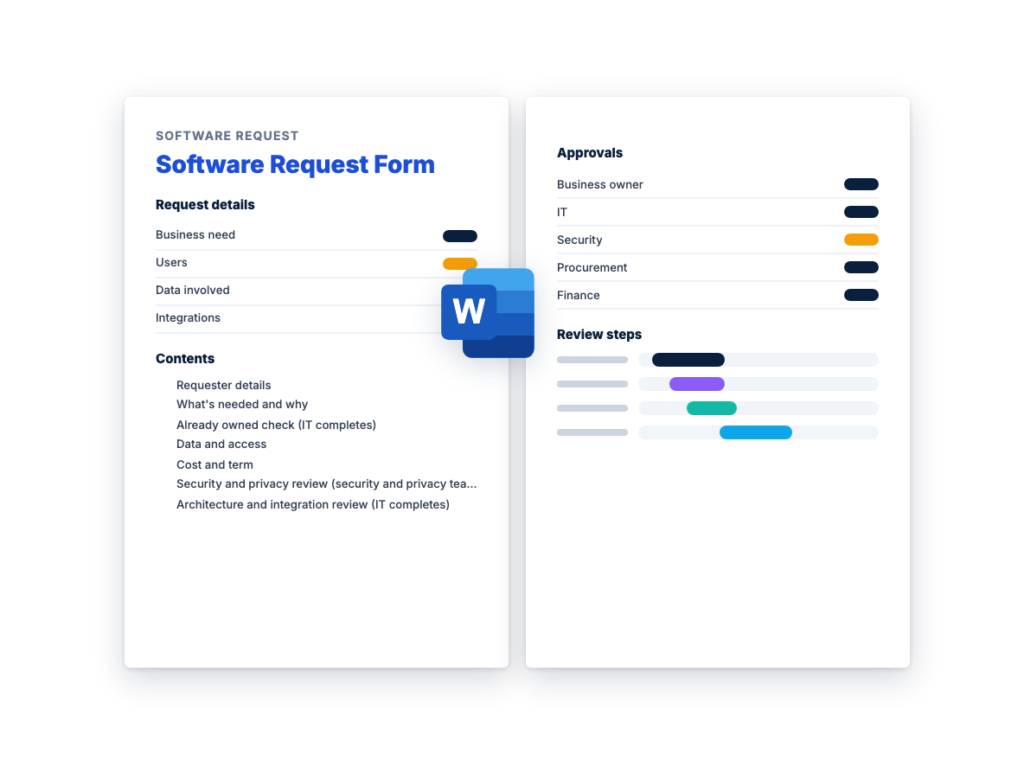
See the structure before you download. The Word file has every section listed below, ready to fill in.
The sections in the document, in order.
Use this software request form when someone in your organization wants new software, a SaaS subscription or a cloud service, or wants to renew or expand one. It's step 1 of the IT procurement process: every purchase starts as a request in one place, saying what's needed, for whom, why, the expected cost and what data it will touch. The rest of the form follows the guide's next steps, so each reviewer adds to the same record.
The requester answers what they know: the business need, the users, the data, the cost and how the tool is being bought today. IT checks whether you already own something that does the job, security and privacy set a risk tier and ask for matching evidence, IT reviews integration, and procurement picks the sourcing route. The approvers sign one table, and the last sections record what your asset records and renewal calendar need.
Use it for tools people are already using, too. SaaS can arrive as a free trial or a credit card purchase that IT only hears about once the tool is in use. By then, clicking "I agree" may have accepted the vendor's terms, and company data may already be in the tool. The form records both, so the tool gets the same review as a new request.
Download the editable Microsoft Word version below. The full text is on this page, so you can read it before you download.
The requester completes Sections 1, 2, 4 and 5. IT, security, privacy, procurement and the approvers complete the rest, and IT fills in Section 10 once the purchase is made. Use one form per product or service.
The names are easy to mix up, and organizations use them differently. Some add the software questions to their purchase requisition, and others keep a separate intake form. Either way, the questions should be answered before anyone commits to a vendor’s terms.
How they differ:
An IT request form only works if people use it instead of a corporate card, so make it the easy route. These habits help:
This is the complete text of the Word document. Fill in the [bracketed] placeholders and delete the italic guidance before you use or send it.
Setting up this form: replace each [bracketed placeholder] with
your organization’s details, adjust the risk tiers and approver roles to
match your policy, then delete this note. Keep or delete the other
italic notes, which guide the reviewers. Blank cells and ☐ boxes are
filled in for each request. The requester completes Sections 1, 2, 4 and
5; IT, security, privacy, procurement and the approvers complete the
rest. Use one form per product or service.
Complete this form before you buy, renew or sign up for any software,
SaaS or cloud service, including free trials and tools paid for on a
card. Send it to [service desk link or email]. If you don’t know an
answer, write “Don’t know” and a reviewer will fill it in.
| Field | Answer |
|---|---|
| Name, job title and team | |
| Email and phone | |
| Business owner, if not you: the person accountable for the tool and its renewal |
|
| Cost center or budget holder | |
| Request type | ☐ New ☐ Renewal ☐ More users, modules or a higher edition ☐ Already in use through a free trial or card purchase |
| Date of request (and request ID, added by IT) |
| Question | Answer |
|---|---|
| Software or service requested, with the edition and vendor or reseller if known |
|
| Business need: what will it be used for? | |
| The problem today: how is this done now, and what’s wrong with it? |
|
| Users: which teams or roles, and how many people? | |
| Must-haves: what it must do, connect to or comply with | |
| Alternatives considered, including tools already in use here | |
| Needed by, and why that date |
For a larger purchase, attach the requirements document.
Search the asset and contract records before anyone contacts a
vendor.
| Check | Result and details |
|---|---|
| Unused licenses of the same product | ☐ Yes ☐ No |
| A tool already owned that does the job | ☐ Yes ☐ No |
| An edition upgrade or add-on that adds the missing feature | ☐ Yes ☐ No |
| The product already in use elsewhere, under a contract this could be added to |
☐ Yes ☐ No |
| Records searched | ☐ Assets ☐ Contracts ☐ Card and expenses ☐ Single sign-on applications |
| Outcome | ☐ Use what’s owned and close the request ☐ Add to an existing contract ☐ Continue |
| Question | Answer |
|---|---|
| What data will the tool store, process or see? | ☐ None, or public only ☐ Internal business data ☐ Confidential, such as finances or contracts ☐ Regulated, such as [health records, payment card data or other types that apply to you] |
| Will it store or process personal data? If so, about whom, and what kind? |
☐ No ☐ Staff ☐ Customers or the public ☐ Don’t know. Details: |
| Where will the data be stored, if known? | |
| Which systems must it connect to, and what data moves between them? |
|
| What access will the tool or the vendor have to company systems? |
☐ None ☐ Read-only ☐ Can change data ☐ Administrator rights ☐ Software installed on company devices ☐ Don’t know |
| Will users sign in through single sign-on? | ☐ Yes ☐ No ☐ Don’t know |
| Does it have AI features that use company data? | ☐ Yes ☐ No ☐ Don’t know |
| Question | Answer |
|---|---|
| Estimated recurring cost, per month or per year | |
| Estimated one-time costs, such as setup, data migration, integration or training |
|
| Billing model | ☐ Subscription per user ☐ Subscription per other unit: ☐ Usage-based ☐ Perpetual license plus maintenance ☐ Free ☐ Don’t know |
| Quantity: users, units or expected usage | |
| Contract term and start date | |
| Does it renew automatically? If so, by what date must notice be given? |
☐ Yes ☐ No ☐ Don’t know. Notice date: |
| How is it being bought today? | ☐ Not yet bought ☐ Free trial ☐ Corporate card or expenses ☐ Purchase order ☐ Existing contract |
| Has anyone accepted the vendor’s online terms, for example by clicking “I agree”? Is company data already in the tool? |
Terms accepted: ☐ Yes ☐ No ☐ Don’t know. Data in the tool: ☐ Yes ☐ No ☐ Don’t know |
| Budget and quote | ☐ In the approved budget ☐ Not budgeted ☐ Quote attached |
Public bodies: route free trials and online sign-ups through
procurement before anyone accepts the terms. They can include terms a
public body may not be allowed to accept, such as open-ended
indemnities.
Start this review before a product is chosen, while a finding can
still change the decision. The tiers are an example: replace them with
the tiers in [your vendor risk policy]. For the questionnaire, use your
own or RFPhub’s free Vendor
Security Questionnaire Template.
| Example tier | What puts a tool here | Evidence to ask for |
|---|---|---|
| High | Sensitive or regulated data, privileged access, or a service the organization can’t run without |
Full security questionnaire; SOC 2 Type II report or ISO/IEC 27001 certificate with its statement of applicability; penetration test summary; data processing agreement; sub-processor list |
| Medium | Internal business data, or a connection to some company systems | Short questionnaire; independent evidence; data processing agreement if personal data is involved |
| Low | No sensitive data, no access to company systems, easy to replace |
A checklist: single sign-on or multi-factor authentication, where data is stored, how to delete it |
| Item | Entry |
|---|---|
| Tier assigned, and why | ☐ High ☐ Medium ☐ Low. Reason: |
| Evidence received, with a scope that covers this service and current dates |
☐ Questionnaire ☐ SOC 2 Type II report ☐ ISO/IEC 27001 certificate and statement of applicability ☐ Penetration test summary ☐ Data processing agreement ☐ Sub-processor list |
| Findings, and what happens to each: fix before signing, fix by a contract date, compensating control, accept the risk (signed by the business owner, with a review date) or reject |
| Check | Result and notes |
|---|---|
| Single sign-on (SAML or OIDC) in the edition being bought | ☐ Yes ☐ No ☐ Not needed |
| User provisioning (SCIM) | ☐ Yes ☐ No ☐ Not needed |
| Where the product is hosted, and in which region | |
| Overlap with systems already in use | |
| Custom work or services the license quote doesn’t include | |
| Who supports it after go-live | ☐ IT ☐ The requesting team ☐ The vendor ☐ A partner |
| System to connect | Data exchanged | Method: native connector, API, middleware or custom | Who builds it and maintains it through upgrades |
|---|---|---|---|
| Route chosen | Use it when |
|---|---|
| ☐ Existing contract or reseller agreement | A current contract already covers the need. Public bodies: a statewide, another agency’s or a cooperative contract, where your rules and the contract’s terms allow it |
| ☐ Quotes, or an RFQ to resellers | The product is chosen, and only price and terms differ |
| ☐ RFI | The market isn’t known yet. Choose the next route from the responses |
| ☐ RFP | Solutions differ, and they’ll be judged on more than price |
| Item | Entry |
|---|---|
| Does [purchasing policy name] require a more formal route at this value? |
☐ Yes ☐ No. Route required: |
| Reason for the route chosen |
For an RFP, score proposals against weights set before they
arrive, and run a proof of concept when a demo can’t prove a requirement
that matters. Public bodies: confirm the route with your procurement
office or counsel, because the rules vary by jurisdiction, agency and
purchase value.
Set in [purchasing policy name] which roles must approve at each
tier or value. Small purchases can combine roles, but a low price
shouldn’t mean skipping security or contract review.
| Role | Name | Decision | Date | Conditions |
|---|---|---|---|---|
| Business owner (the need and the renewal) | ☐ Approved ☐ With conditions ☐ Not approved | |||
| IT (fit, deployment and support) | ☐ Approved ☐ With conditions ☐ Not approved | |||
| Security (tier and evidence) | ☐ Approved ☐ With conditions ☐ Not approved | |||
| Privacy (personal data) | ☐ Approved ☐ With conditions ☐ Not approved ☐ Not required | |||
| Procurement (route, terms and contract record) | ☐ Approved ☐ With conditions ☐ Not approved | |||
| Finance (budget and recurring charges) | ☐ Approved ☐ With conditions ☐ Not approved | |||
| Legal (agreement, data processing terms and online terms) | ☐ Approved ☐ With conditions ☐ Not approved ☐ Not required |
| Field | Entry |
|---|---|
| Product, edition and version, and the vendor or reseller | |
| Business owner | |
| License metric: the unit paid for, and what counts toward it, such as whether inactive users do |
|
| Quantity licensed | |
| Contract or order reference, and where it’s stored | |
| Start date and term | |
| Renewal date, and any renewal price cap | |
| Notice deadline: the last date to give notice | |
| Renewal reminder set for |
Record the notice deadline, not only the renewal date. Set the
reminder early enough to review usage, negotiate or run a
competition.
| Item | Entry |
|---|---|
| Decision | ☐ Approved ☐ Approved with conditions ☐ Not approved ☐ Met by software already owned |
| Decided by and date | |
| Reason, and what the requester should do instead if not approved |
| Next step | Owner and due date |
|---|---|
| ☐ Tell the requester the decision | |
| ☐ Write the approval conditions and security findings into the contract |
|
| ☐ Check the order form against what was negotiated: license metric and true-ups, quantity, price, renewal cap, service levels, data processing agreement, security commitments, data return and exit, auto-renewal and notice period |
|
| ☐ Raise the purchase order | |
| ☐ Move a trial or card subscription onto the contract, or cancel it and get confirmation that company data is deleted |
|
| ☐ Set up single sign-on and user provisioning | |
| ☐ Complete Section 10, add the notice deadline to the renewal calendar and file this form with the contract record |
A software request form is what an employee completes to ask for new software, a SaaS subscription or a cloud service, or to renew or expand one. It records the business need, the users, the data involved and the expected cost, and gives IT, security, procurement and finance a place to review and approve the request. It’s the first step of IT procurement, before anyone commits to a vendor’s terms.
Who is asking and why, the users, the problem today and the alternatives considered. Then the data the tool will touch, the systems it connects to, the cost, the billing model, the term and any auto-renewal notice date. Reviewers add a check of what you already own, security and integration reviews, the sourcing route, approvals and the details your asset records need.
The roles involved are the business owner who needs the tool, IT, security and privacy, procurement, finance and legal, and your purchasing policy sets which of them must approve at each risk tier or value. Small purchases can combine roles, but a low price shouldn’t mean skipping security or contract review. Each approver should record a decision, a date and any conditions.
No. If an existing contract already covers the need, buy through it, and when the product is chosen and only price and terms differ, ask for quotes or send resellers an RFQ. Send an RFI when you don’t know the market, and an RFP when solutions differ and you’ll judge them on more than price. Your policy may also require a more formal route above values it sets.
Treat it as a request. A free trial or card purchase may already hold company data, and clicking “I agree” may have accepted the vendor’s terms. Record both on the form, run the same reviews, and either move the tool onto an approved contract or cancel it and get confirmation that the data is deleted.
A free, one-page capability statement template for IT and security firms selling to government, with company data, past performance, a tailoring checklist…
A free sources sought response template for IT and security firms answering federal market research notices, with a notice checklist, cover letter,…
A free, vendor-neutral vendor risk assessment template for IT suppliers: inherent risk tiering, due diligence by tier, a risk register, contract controls,…
Please provide your feedback below.
"*" indicates required fields