Information Security Policy Template for IT (Free, Word)
A free, editable information security policy for small and mid-sized organizations, with data classification, access and password rules, AI tool use and…
Word · FreeDownload Template →
A free, vendor-neutral DR plan template for IT in Word, with a system inventory, RTO and RPO by tier, a contact tree, step-by-step recovery procedures, failback and a testing log.
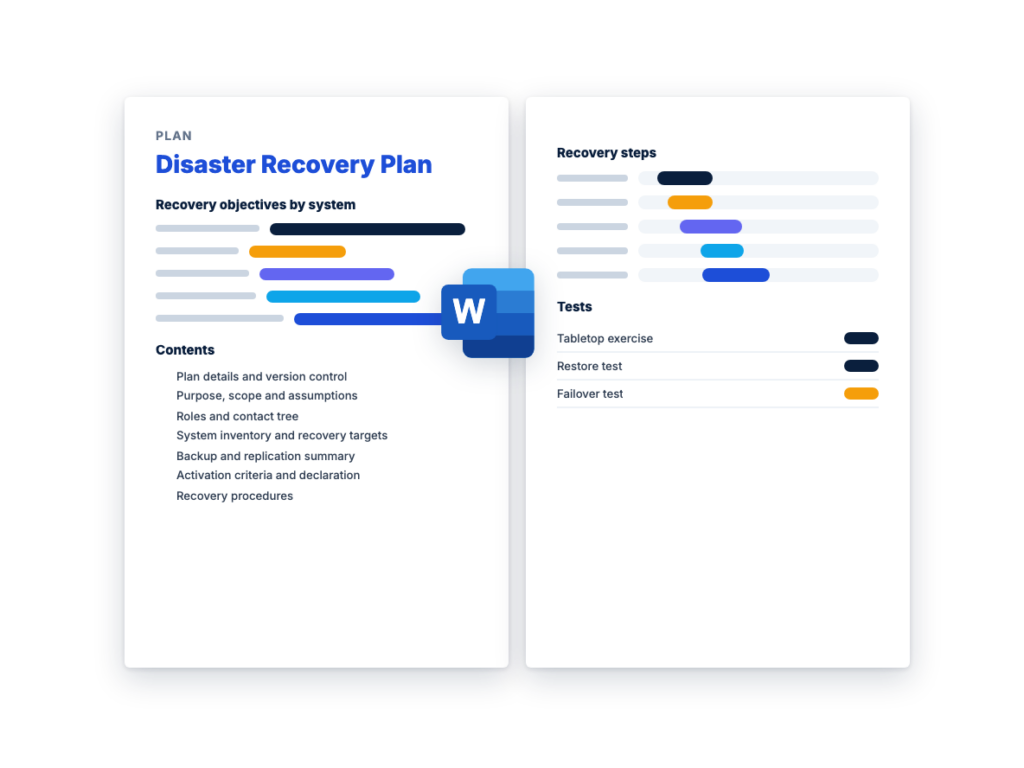
See the structure before you download. The Word file has every section listed below, ready to fill in.
The sections in the document, in order.
Use this disaster recovery plan template to write down how your IT team brings systems and data back after a serious outage: who can declare a disaster, who does what, which systems come back first, how each one is recovered, and how you prove the plan works. It starts from the same groundwork as the disaster recovery RFP guide: a business impact analysis, your systems listed by recovery tier, and a recovery time objective (RTO) and recovery point objective (RPO) for each tier.
It's written for the IT manager or recovery lead who owns the plan, with sections for system owners, technical leads, communications and the service desk to fill in. If you're also buying recovery services, the plan and the RFP feed each other. The inventory and targets in this plan are what providers price in the DRaaS RFP template, and once the contract is signed, the provider's declaration process, testing terms and contacts go back into the plan.
The Word file is a complete IT disaster recovery plan, with a recovery procedure to copy for each system, failback steps, a testing schedule with a results log, and plan maintenance. It follows the three phases in NIST SP 800-34 Rev. 1, the federal contingency planning guide: activation and notification, recovery, and reconstitution, which this template covers under failback. It also follows ready.gov's IT disaster recovery plan guidance, and it's written for any organization, not only federal agencies.
Download the editable Microsoft Word version below. The full text is on this page, so you can read it before you download.
Write one plan for the organization, with a copy of Section 7 for each system. Fill in Sections 1 to 6 first, then the recovery procedures, then test the plan and record the results in Section 11.
The recovery time objective (RTO) is the longest a system can stay down after a disruption before the outage does unacceptable harm to the work that depends on it. The recovery point objective (RPO) is how much data you can afford to lose, measured as time back from the disruption to the last usable copy. NIST SP 800-34 Rev. 1 defines both, along with the maximum tolerable downtime (MTD): the total time a business process can be disrupted before the organization suffers significant harm.
RTO decides how much of the recovery environment has to be running already, and RPO decides how often data is backed up or replicated. Tighter targets cost more, so set them from evidence rather than by feel:
This is the complete text of the Word document. Fill in the [bracketed] placeholders and delete the italic guidance before you use or send it.
Instructions: replace every [bracketed placeholder], replace the
example rows with your own, delete rows that don’t apply, and delete the
italic guidance when you’re done. Fill in Sections 1 to 6 first, copy
Section 7 once for each system in Section 4, and record every test in
Section 11.
Base the recovery targets on a business impact analysis (BIA),
which finds out which business processes depend on each system and how
long each process can tolerate an outage. NIST publishes a free BIA
template with SP 800-34 Rev.
1, Contingency Planning Guide for Federal Information Systems, and
ready.gov explains the method on its business
impact analysis page.
| Item | Details |
|---|---|
| Organization | [Legal name] |
| Plan owner (recovery lead) | [Name and title] |
| Declaring authority | [Name and title. Successors in Section 6.2] |
| Approved by | [Name, title and date] |
| Version and effective date | [Version], [date] |
| Next full review due | [Date] |
| Related plans | [Business continuity plan, incident response plan, crisis communications plan: owners and where they’re kept] |
| Version | Date | Changed by | What changed | Approved by |
|---|---|---|---|---|
| [Version] | [Date] | [Name] | [First issue, or the sections changed and why] | [Name] |
Keep copies the recovery team can reach when your network, email
and file shares are down: printed, offline on an encrypted drive, and at
the recovery site. The plan holds phone numbers and system layouts, so
mark it confidential, control who gets a copy, and swap old copies for
new ones at every update.
| Copy holder | Format | Where it’s kept | Version held |
|---|---|---|---|
| [Name, recovery lead] | [Print / offline electronic] | [Location] | [Version] |
| [Name, declaring authority] | |||
| [Recovery site or provider] |
This plan sets out how [Organization] recovers the IT systems and
data listed in Section 4 after a disruption that normal incident
handling can’t fix within a system’s recovery time objective. It names
who can declare a disaster and who does what, and it sets the order of
recovery, the procedure for each system, communications, failback,
testing and upkeep.
| Item | Details |
|---|---|
| In scope | [Sites, data centers, cloud accounts and regions, SaaS data, networks and end-user services] |
| Out of scope | [What this plan doesn’t cover, and which plan does] |
| Recovery site or provider | [Name and type, e.g. a second data center, a cloud region, a DRaaS provider, a hot site (fully equipped and running), a warm site (partly equipped) or a cold site (power and space, but no equipment)] |
| Disruptions planned for | [e.g. loss of the primary site or cloud region, ransomware, loss of a critical provider, an extended power or network outage] |
List what the plan relies on, so the team knows to adapt when an
assumption proves wrong. Edit these examples.
Name a primary and an alternate for every role. In a small team
one person can hold several roles, but no one should be the only person
who can do a critical step.
| Role | Responsibilities | Primary: name and phone | Alternate: name and phone |
|---|---|---|---|
| Declaring authority | Decides whether to declare a disaster and when to stand down | ||
| Recovery lead | Runs the recovery, sets priorities with system owners, owns this plan between events |
||
| Infrastructure and network lead | Network, DNS, firewalls, connectivity to the recovery site, compute and storage |
||
| Identity and access lead | Directory, single sign-on, break-glass and privileged accounts | ||
| Application and database leads | Recover and test each application and its data, following Section 7 |
||
| Security lead | Works with incident response when the cause may be a cyber attack, approves clean recovery points |
||
| Communications lead | Messages in Section 8, with the approved spokesperson | ||
| System owners | Agree recovery targets, run manual workarounds, confirm each recovered system is usable |
||
| Provider liaison | Declares to the providers in Section 9, tracks their actions and escalates |
||
| Scribe | Records times, decisions and actions in the recovery log (Section 6.4) |
Each person calls the people below them, and the recovery lead
confirms that everyone has been reached. If the cause may be a cyber
attack, treat email and chat as possibly down or watched by the
attacker, and use phone calls or the out-of-band channel in Section
8.2.
| Who calls | Whom | Primary contact | Backup contact | If no answer within [time] |
|---|---|---|---|---|
| Whoever detects the problem | Recovery lead | [Phone] | [Phone or text] | Call the alternate recovery lead |
| Recovery lead | Declaring authority | Call the first successor | ||
| Recovery lead | Technical, security and communications leads | Call each alternate | ||
| Technical leads | Their teams and the system owners | |||
| Provider liaison | The providers in Section 9 | [Number or portal from the contract] | Use the provider’s escalation contact |
Take each system’s tier, RTO and RPO from the BIA, and have the
system owner agree them. The recovery time objective (RTO) is the
longest a system can stay down after a disruption before the outage does
unacceptable harm to the work that depends on it. The recovery point
objective (RPO) is how much data you can afford to lose, measured as
time back from the disruption to the last usable copy. A system can’t
come back before the systems it depends on, so each dependency needs an
RTO at least as short as the systems that rely on it.
| Tier | What it means | RTO | RPO |
|---|---|---|---|
| Critical | [Processes that stop, or cause serious harm, when the system is down beyond the RTO, e.g. taking orders, paying staff] |
[time] | [time] |
| Important | [Processes that can run on manual workarounds for a while] | [time] | [time] |
| Deferrable | [Systems that can wait until critical and important systems are back] |
[time] | [time] |
Recovery methods include failover to a replica at the recovery
site, restoring from backup, rebuilding from a standard image or
infrastructure-as-code template and then restoring the data, recovery by
a provider under contract, and a manual workaround until the system is
back.
| System | Owner | Tier | Supports | RTO | RPO | Depends on | Recovery method |
|---|---|---|---|---|---|---|---|
| [Example: directory and single sign-on] | [Name] | Critical | [Sign-in to every other system] | [time] | [time] | [Network, DNS] | [Failover to the replica at [recovery site]] |
| [Example: finance system] | [Name] | [Tier] | [Invoicing, payments] | [time] | [time] | [Directory, database server] | [Restore from backup at [recovery site]] |
| [Example: SaaS email] | [Name] | [Tier] | [Communication] | [The provider’s commitment] | [Your own backup’s RPO] | [Internet, directory] | [The provider restores the service; restore data from your own backup] |
Shared services such as the network, DNS and identity come back
first. Systems in the same step can be recovered at the same
time.
| Order | Systems | Lead |
|---|---|---|
| First | [Network, connectivity to the recovery site, DNS] | [Infrastructure lead] |
| Second | [Directory, single sign-on, privileged access] | [Identity lead] |
| Third | [Core databases and storage] | [Database lead] |
| Fourth | [Critical applications] | [Application leads] |
| Then | [Important systems, then deferrable systems] |
Compare each system’s backups with its RPO, and its tested
restore time with its RTO. Replication alone isn’t a backup, because it
copies corruption and encrypted files to the replica too.
| System or data | Method and frequency | Retention | Where copies are kept | Offline or immutable copy | Last restore test and result | Meets RPO |
|---|---|---|---|---|---|---|
| [System] | [Backup / replication / snapshot / SaaS backup], every [interval] |
[Period] | [Locations away from the primary site] | [Yes, where / No] | [Date, time taken, age of data restored] | [Yes / No: gap in Section 12.2] |
| Check | Done | Owner | Date |
|---|---|---|---|
| Critical data has an offline, encrypted backup, and recovery tests check that it’s available and intact |
☐ | ||
| At least one copy can’t be changed or deleted before its retention ends, and deleting backups needs more than one person’s approval |
☐ | ||
| Copies are stored far enough from the primary site that the same event is unlikely to affect both |
☐ | ||
| Backup systems and their administrator accounts are separate from production credentials, so an attacker who takes over production can’t delete the backups |
☐ | ||
| Standard images or infrastructure-as-code templates for critical systems are current and kept with the offline backups, along with installation media and license keys |
☐ | ||
| The encryption keys and passwords needed to read the backups can be reached when the primary site and the main password store are down |
☐ | ||
| For each SaaS system, the contract’s restore terms are recorded, and data the provider won’t restore for you is backed up separately |
☐ | ||
| Where a provider runs your backups, the contract requires it to follow these practices |
☐ |
The plan is activated when one or more of these is met. Adjust
them to your systems, and keep them specific enough that the declaring
authority can decide quickly.
One person holds the authority to declare at any time, with
successors in a set order if that person can’t be reached.
| Order | Name and title | Phone | Backup contact |
|---|---|---|---|
| Declaring authority | |||
| First successor | |||
| Second successor |
| Step | Action | By | Done (time) |
|---|---|---|---|
| Detect | Whoever detects the problem tells the recovery lead, using the contact tree |
Service desk, monitoring or a provider | |
| Assess | Within [time], assess the cause, the risk of further damage, the state of the building, power and network, what’s affected, and how long a normal restore would take |
Recovery lead, technical leads | |
| Decide | The declaring authority decides to declare a disaster, to recover named systems only, or to handle it as an incident and reassess at [time] |
Declaring authority | |
| Record | Record the time of the declaration. Recovery times are measured from this point |
Scribe | |
| Notify | Notify the teams through the contact tree, and declare to providers by the method in Section 9, recording each provider’s reference |
Recovery lead, provider liaison | |
| Check for an attack | If a cyber attack is possible, the security lead and incident response team decide which recovery points are clean and where to recover, so nothing is restored where the attacker may still have access |
Security lead | |
| Start | Start recovery in the order in Section 4.3 | Recovery lead |
| Item | Details |
|---|---|
| Problem detected | [Date, time and by whom] |
| Disaster declared | [Date, time, by whom, and the criteria met] |
| Scope | [Systems and sites] |
| Provider declaration references | [Provider, reference and time] |
| Stood down | [Date, time and by whom] |
| Time | Action or decision | By | Notes |
|---|---|---|---|
Copy Section 7.1 for each system in Section 4.2, in the recovery
order. Write each step so that an alternate called in at night could
follow it, and don’t leave out a step because it seems obvious. Restore
the operating system or platform first, then the application, then its
data.
| Item | Details |
|---|---|
| Tier, RTO and RPO | [Tier], [time], [time] |
| Recovery method and location | [Method], [recovery site or provider] |
| Technical lead and alternate | [Names] |
| Must be running first | [Dependencies from Section 4.2] |
| Credentials needed and where they’re held | [e.g. break-glass account in [location]] |
| Manual workaround while it’s down | [What the system owner’s team does in the meantime] |
| Last tested | [Date and result, from Section 11.3] |
| Step | Action | By | Expected time | Done (time) |
|---|---|---|---|---|
| 1 | Confirm the systems this one depends on are running and checked | [Name] | [time] | |
| 2 | Choose the recovery point: the most recent copy that’s complete and, after a cyber attack, confirmed clean by the security lead. Record its date and time |
[Name] | [time] | |
| 3 | Prepare the recovery environment: [compute, storage, network segment] |
[Name] | [time] | |
| 4 | Restore or rebuild the operating system or platform [from image or template] |
[Name] | [time] | |
| 5 | Install or restore the application and its configuration | [Name] | [time] | |
| 6 | Restore the data to the chosen recovery point | [Name] | [time] | |
| 7 | Reconnect: IP addresses, DNS records, certificates, firewall rules and integrations [list them] |
[Name] | [time] | |
| 8 | Test functions, data and security controls: [e.g. record counts match, a test transaction posts, sign-in works with multi-factor authentication, logging is on] |
[Name] | [time] | |
| 9 | The system owner confirms the system is usable. Record the time: this is the actual recovery time to compare with the RTO |
[System owner] | ||
| 10 | Tell users and the service desk (Section 8), and end the manual workaround |
[Communications lead] | ||
| 11 | Start backups of the recovered system and confirm the first one completes |
[Name] | [time] |
Escalation: if a step runs [time] past its expected time, or
fails, the technical lead tells the recovery lead at once. The recovery
lead decides whether to escalate to the provider, bring in more people,
buy or ship equipment, or stay on the workaround, and records the
decision in the log.
| Audience | What they need | Who tells them | Channel and timing |
|---|---|---|---|
| Recovery teams and leadership | Assignments, priorities, expected recovery times, decisions needed |
Recovery lead | Bridge call at declaration, then every [interval] |
| Staff | What’s down, workarounds, when the next update comes | Communications lead | [Text alerts, intranet, phone] |
| Customers | What’s affected and when the next update comes | Communications lead, with the spokesperson | [Status page, email, phone] |
| Suppliers and partners whose systems connect to yours | What’s affected, and changes to connections or data feeds | Provider liaison, technical leads | |
| Regulators and others legal counsel names | Notices required by law or contract | [Legal counsel] | [As required] |
| Media | Approved statements only | [Approved spokesperson] |
| Channel | Use | Details |
|---|---|---|
| Bridge call | Recovery team coordination | [Number and access code, kept offline] |
| Out-of-band channel | When email and chat are down or may be watched by an attacker. Don’t rely on email alone in any case, because you can’t confirm a message has been read |
[e.g. phone calls, text alerts, or a messaging service separate from your main accounts] |
| Status page or hotline | Staff and customer updates | [Address or number] |
Draft the first notice, the update and the all-clear in advance,
and keep them with the plan: [where the templates are kept]. Each
message says what happened, what’s affected, what’s being done, the
expected recovery time if it’s known, what the reader should do, and
when the next update will come. Only the approved spokesperson speaks to
the media. Legal counsel decides which notices laws or contracts
require, such as a data breach notice, and by when. This plan isn’t
legal advice.
List every provider the recovery depends on. If you’re choosing a
recovery provider, RFPhub’s free DRaaS
RFP template and the disaster
recovery RFP guide cover what to require. Once the contract is
signed, copy its terms below so no one has to search for it during an
outage. Where this summary and the contract differ, the contract
governs, and legal counsel reviews contract terms.
| Provider | Service | How to declare or open a priority case | Contract or account ID | Escalation contact | Who on your side may declare |
|---|---|---|---|---|---|
| [DRaaS or recovery site provider] | [Service model: self-service, assisted or managed] | [Phone answered at any hour, or portal] | |||
| [Backup provider] | |||||
| [Cloud or hosting provider] | |||||
| [Internet and network carriers] | |||||
| [SaaS providers for critical systems] | |||||
| [Hardware supplier, offsite media storage, managed service provider] |
| Term | What the contract says | Contract section |
|---|---|---|
| The RTO and RPO committed for each tier, and whether each is a contractual service level with remedies or only a target |
||
| When the recovery clock starts and stops | ||
| How to declare, who may declare, and any declaration fee | ||
| Recovery capacity reserved for you, and what happens if many customers declare at once |
||
| How long you can run at the recovery site, and the rate charged once you declare |
||
| Tests included, the notice to give, and the price of each extra test |
||
| Failback support, and charges for moving data back | ||
| Security incident notification: the time allowed and the contact |
||
| Data return and deletion at the end of the contract | ||
| Service credits: the amount, how to claim and the deadline |
Failback moves systems from the recovery site back to the primary
site, or to a new permanent home, with the changes made during the
outage, once that site is fixed. Plan it as a change at a time the
system owners agree, because a failed failback is a second
outage.
| Step | Action | By | Done (time) |
|---|---|---|---|
| 1 | Confirm the primary site is ready: repaired and tested, the cause fixed and, after a cyber attack, confirmed clean by the security lead |
Infrastructure lead, security lead | |
| 2 | Agree a cutover window with the system owners, tell users, book the provider’s failback support, and set a rollback plan: stay on the recovery site and retry at [time] |
Recovery lead | |
| 3 | Back up the systems at the recovery site | ||
| 4 | Copy the data changed during the outage back to the primary site |
||
| 5 | Check the data is complete and current, e.g. record counts and the latest transactions |
||
| 6 | Test functions, integrations and security controls at the primary site |
||
| 7 | Switch users, DNS records and integrations back. Where it’s practical, run both sites side by side until you’re sure the primary is working correctly |
||
| 8 | The system owners confirm each system is usable | ||
| 9 | Take a full backup of each restored system | ||
| 10 | Release the recovery environment as the contract allows, so charges for the declared disaster stop, and return any backup media to offsite storage |
Provider liaison | |
| 11 | The declaring authority stands down, and everyone in Section 8 is told |
Declaring authority |
Hold the review within [time] of standing down, with everyone who
took part. Compare the actual recovery times and data loss with the
targets, record what worked and what didn’t, and update the
plan.
| Finding | Action | Owner | Due date | Status |
|---|---|---|---|---|
Set the frequency from each system’s tier, test critical systems
more often, and test again after significant changes. Some regulations,
frameworks and contracts set a minimum for the organizations they cover,
so check which apply to you. Agree success criteria in writing before
each test, and test as close to real conditions as you safely
can.
| Test | What it involves | What it proves |
|---|---|---|
| Contact tree test | Run the contact tree, out of hours if you can | People can be reached within [time] |
| Tabletop exercise | A facilitator walks the team through a scenario, such as ransomware or the loss of the primary site. Discussion only: no systems are touched |
Roles and decisions are clear, and gaps show up |
| Restore test | Restore a system or data set from backup into a test environment, then check it |
Backups are readable and complete, and restores fit the RTO and RPO |
| Failover test | Bring systems up at the recovery site with their dependencies, as in a real declaration, then fail back |
The recovery site, procedures and failback work end to end |
CISA publishes free tabletop
exercise packages with ready-made scenarios, including ransomware
and natural disasters.
| Test | Systems or tier | Frequency | Next date | Owner |
|---|---|---|---|---|
| Contact tree test | All roles | Every [interval] | ||
| Tabletop exercise | [Scenario] | Every [interval] | ||
| Restore test | Critical | Every [interval] | ||
| Restore test | Important and deferrable | Every [interval] | ||
| Failover test | [Critical systems and their dependencies] | Every [interval], and after major changes |
Time each test from the declaration, or the simulated one, to the
system owner confirming the system is usable, and record the age of the
data recovered.
| Date and test | Systems | Success criteria | RTO: target and actual | RPO: target and actual | Result | Actions, owners and dates |
|---|---|---|---|---|---|---|
| [Met / Partly met / Not met] | ||||||
Review the whole plan every [interval] and whenever something
significant changes, and check contact details more often than that.
Record every change in Section 1.1, and replace the copies listed in
Section 1.2.
| Trigger | What to update | Owner |
|---|---|---|
| A system is added, replaced or retired | Sections 4, 5 and 7, and the BIA | System owner, recovery lead |
| Architecture, hosting, cloud region or network changes | Sections 4, 5, 7 and 10 | Technical leads |
| Someone joins, leaves or changes role | Sections 1.2, 3 and 6.2 | Recovery lead |
| A provider contract is signed, renewed or changed | Section 9 | Provider liaison |
| A test or a real event finds a problem | The sections affected | Recovery lead |
| Business priorities change, or the BIA is updated | Tiers and targets in Section 4 | System owners |
Where a test shows a target can’t be met yet, record it here with
a plan to close the gap, and have the system owner accept the risk in
the meantime.
| System | Target | What the test showed | Plan to close the gap | Owner | Due date | Risk accepted by |
|---|---|---|---|---|---|---|
A business continuity plan keeps business processes going during and
after a disruption, such as paying staff or serving customers, and
covers people, workplaces and manual workarounds. This disaster recovery
plan restores the IT systems and data those processes depend on.
Ready.gov advises developing the IT disaster recovery plan together with
the business continuity plan, with IT priorities and recovery time
objectives set in the business impact analysis. Keep the two consistent:
a system’s RTO should be short enough that the business process
depending on it is back within the time it can tolerate, with room to
check data and re-enter lost work. An incident response plan, which
deals with cyber attacks, can trigger this plan.
Terms vary. NIST SP 800-34 Rev. 1 uses “disaster recovery plan”
for moving systems to an alternate site after a major disruption, and
“information system contingency plan” for recovering a single system
wherever it runs. This template covers both: Sections 6 and 10 run the
whole recovery, and each procedure in Section 7 recovers one
system.
It should name who can declare a disaster and who does what, with a contact tree and alternates for every role. It needs an inventory of systems with each one’s tier, RTO, RPO, dependencies and recovery method, a summary of backups, and a step-by-step recovery procedure for each system. It also covers communications, provider contacts and contract terms, failback, a testing schedule with results, and how the plan is kept current.
A business continuity plan keeps business processes running during and after a disruption, including people, workplaces and manual workarounds. A disaster recovery plan restores the IT systems and data those processes depend on. Both draw on the same business impact analysis, which sets the priorities and recovery times, so build and test them together.
Set the frequency yourself from each system’s tier, and test critical systems more often than the rest, using a mix of tabletop exercises, restore tests and failover tests. Test again after significant changes, such as a new critical system, a move to a new hosting provider or a new recovery provider. Some regulations, frameworks and contracts set a minimum for the organizations they cover, so check which apply to you.
Give the plan one owner, such as an IT manager or a named recovery lead, who keeps it current, runs the tests and leads a recovery. One senior manager, such as the CIO, holds the authority to declare a disaster, with named successors. System owners agree the recovery targets for their systems, and technical leads write and maintain each system’s recovery procedure.
RTO, the recovery time objective, is the longest a system can stay down after a disruption. RPO, the recovery point objective, is how much data you can afford to lose, measured as time back from the disruption to the last usable copy. RTO drives how much of the recovery environment has to be ready in advance, while RPO drives how often you back up or replicate data.
A free, editable information security policy for small and mid-sized organizations, with data classification, access and password rules, AI tool use and…
A free, vendor-neutral business continuity plan template in Word, with a BIA worksheet, process priorities, continuity strategies, crisis management, communications and an…
A free, vendor-neutral incident response plan template in Word, with roles, a severity matrix, out-of-band contacts, containment approvals, playbooks, evidence and notification…
Please provide your feedback below.
"*" indicates required fields