Information Security Policy Template for IT (Free, Word)
A free, editable information security policy for small and mid-sized organizations, with data classification, access and password rules, AI tool use and…
Word · FreeDownload Template →
A free, original preparation worksheet for vendors asked to complete the HECVAT, with request details, owners, an evidence library, topic-by-topic prep, answer checks, a gap log and submission steps.
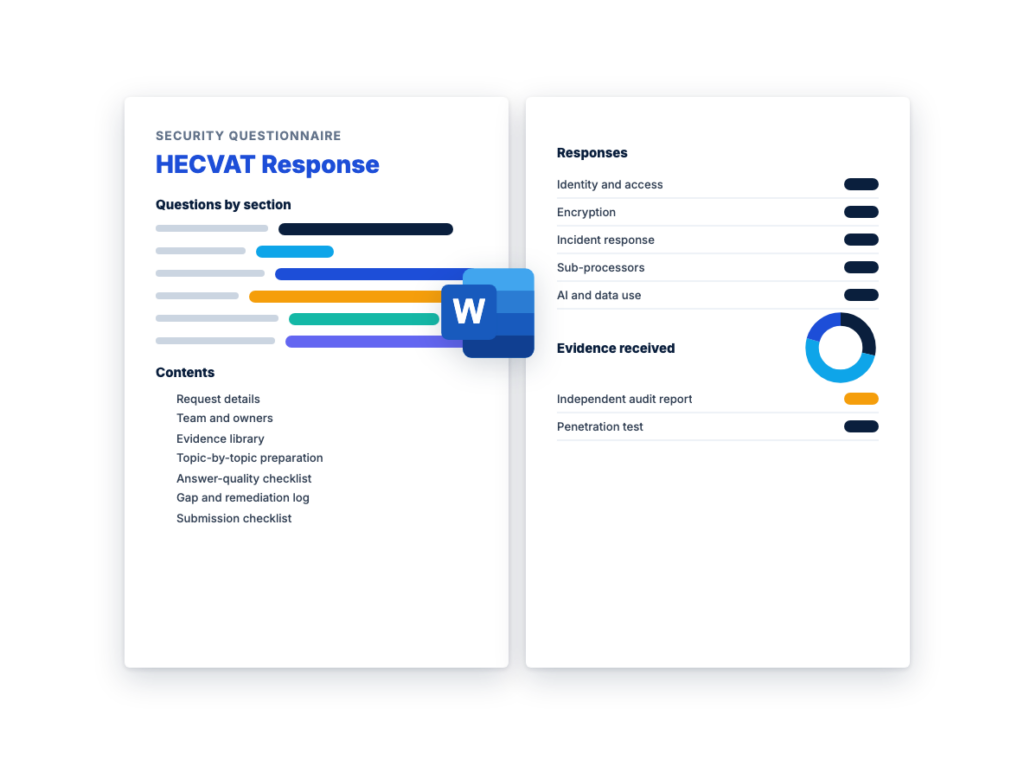
See the structure before you download. The Word file has every section listed below, ready to fill in.
The sections in the document, in order.
The HECVAT, short for Higher Education Community Vendor Assessment Toolkit, is a questionnaire that colleges and universities ask technology vendors to complete so they can assess the vendor's risk before they buy. Higher education leaders created it with EDUCAUSE, Internet2 and REN-ISAC. EDUCAUSE owns its copyright, and vendors can download the official workbook free from the HECVAT page on the EDUCAUSE website. It's a higher education form of vendor security assessment, and it covers much of the same ground as a vendor security questionnaire, with more on privacy and IT accessibility.
This page and its Word file are for the vendor: the SaaS or IT company a college or university has just asked to complete a HECVAT. The worksheet is an original preparation workbook for your team, separate from the HECVAT and containing none of its questions. It covers the request details, who owns which answers, the evidence to gather before anyone opens the workbook, what reviewers look for in each topic area, a check on answer quality, a gap log and a submission checklist. You answer the HECVAT itself in the official file.
The HECVAT name is trademarked, and RFPhub isn't affiliated with EDUCAUSE. EDUCAUSE updates the workbook from time to time, so check its page and the institution's request for the version to use before you start.
Download the editable Microsoft Word version below. The full text is on this page, so you can read it before you download.
Fill in Sections 1 and 2 the day the request arrives, build the evidence library in Section 3 before anyone drafts an answer, and keep the worksheet with the completed HECVAT so the next request starts from it.
HECVAT 4 is the current version. EDUCAUSE launched it in February 2025, and when this page was checked in November 2026, the HECVAT page on the EDUCAUSE website listed version 4.1.6 as current, with an issue tracker that records the changes between versions. Minor updates follow, so check the page before you start.
Earlier versions came as separate files: the HECVAT Full, the HECVAT Lite and the HECVAT On-Premise. HECVAT 4 rolls all three into one file. Its opening questions tell you which parts apply to your product, and EDUCAUSE’s guidance is to answer every question that applies. An institution that wants a lighter review can then evaluate a subset of your answers. There’s no separate HECVAT Lite to fill in, so if a college asks for one, check whether it wants an older version or the current file.
HECVAT 4 also added questions on privacy and on artificial intelligence, gave institutions more flexibility in how they evaluate the answers, and came with new training material for vendors and institutions. Other facts worth knowing before you start:
A HECVAT takes longest when the answers depend on people and documents nobody has lined up. These steps shorten it without cutting corners:
This is the complete text of the Word document. Fill in the [bracketed] placeholders and delete the italic guidance before you use or send it.
Instructions: use this worksheet when a college or university
asks your company to complete a HECVAT (Higher Education Community
Vendor Assessment Toolkit). It’s an internal preparation record for your
team, so don’t send it to the institution. It isn’t the HECVAT and
doesn’t contain any of its questions: you answer those in the official
workbook, which is free to download from the HECVAT
page on the EDUCAUSE website. Replace every [bracketed placeholder],
mark rows that don’t apply “N/A”, and delete the italic guidance when
you’re done.
The HECVAT name is trademarked and EDUCAUSE owns its copyright.
This worksheet is original RFPhub material and isn’t affiliated with or
endorsed by EDUCAUSE. It isn’t legal advice: legal counsel reviews any
commitment in your answers before they’re sent.
Fill this in the day the request arrives. If anything is unclear,
such as which version or which product, ask the institution’s contact
now rather than after the work is done.
| Item | Details |
|---|---|
| Institution | [Name of the college or university, and the department asking] |
| Institution contact | [Name, role, email. If the HECVAT is part of an RFP, use only the contact and channel the RFP names] |
| What the request is for | [New purchase / RFP response / renewal / security review of an existing contract / other] |
| Date received | [Date] |
| Due date | [Date, time and time zone] |
| HECVAT version requested | [The current HECVAT 4 file from EDUCAUSE / a specific version the institution names / a copy the institution has modified] |
| Version you’ll use | [Version number shown on the EDUCAUSE page or in the file the institution sent, and the date checked] |
| Parts requested | [Every question that applies to the product / specific parts the institution names] |
| Other documents requested | [Independent audit report, penetration test summary, accessibility conformance report, data processing agreement, others] |
| Product or service in scope | [Product name, edition, modules and version] |
| How it’s delivered | [Vendor-hosted SaaS / hosted by a third party / installed on the institution’s own systems / a mix] |
| How the institution will use it | [Users, such as students, faculty or staff, and what they’ll do with it] |
| Data involved | [For example student records, employee data, research data, health information, payment card data, or none. Note who told you and when] |
| Access and integrations | [Single sign-on, connections to the institution’s systems, any vendor access to institutional systems] |
| AI features in scope | [None / features and whether they process institutional data] |
| Existing completed HECVAT for this product | [None / version, date completed, who approved it, where it’s stored] |
| Submission method | [Portal, email or procurement system, and the file format asked for] |
| Nondisclosure agreement | [Not needed / requested by you / requested by the institution / signed on [date]] |
| Internal owner of the account | [Sales or account manager] |
| HECVAT coordinator | [Name: owns the file, the deadline and this worksheet] |
Institutions may modify the HECVAT for their own needs, so check
whether the file you were sent is the EDUCAUSE original or the
institution’s own version. Answer in the file the institution asks
for.
One coordinator owns the file and the deadline. Each area below
has one owner who drafts or supplies the answers and one person who
approves them. The HECVAT should be answered by the people who know the
product best, so expect the file to pass between several of
them.
| Area | Owner | Backup | Answers or evidence they own | Approver | Draft due |
|---|---|---|---|---|---|
| Coordinator | [Name] | [Name] | The file, the schedule, questions to the institution, final assembly |
[Name] | |
| Security | [Name] | [Name] | Security program, access, logging, incident response, audit reports, penetration testing |
[Security lead] | [Date] |
| Engineering: application | [Name] | [Name] | Secure development, vulnerability management, product architecture, AI features |
[Engineering lead] | [Date] |
| Engineering: infrastructure and operations | [Name] | [Name] | Hosting, network, backups, monitoring, change management, recovery |
[Engineering lead] | [Date] |
| Privacy | [Name] | [Name] | Personal data, retention and deletion, data processing agreement, individuals’ requests |
[Privacy lead] | [Date] |
| Accessibility | [Name] | [Name] | Accessibility conformance report, standard tested against, known issues and fix plan |
[Product or accessibility lead] | [Date] |
| Legal | [Name] | [Name] | Review of commitments, nondisclosure agreement, contract terms the answers point to |
[Counsel] | [Date] |
| Sales or account manager | [Name] | [Name] | The relationship, the request details, sending the file | [Sales lead] | [Date] |
| Support or customer success | [Name] | [Name] | Support hours and channels, escalation, onboarding and offboarding steps |
[Support lead] | [Date] |
| Executive approver | [Name] | Final sign-off before submission | [Date] |
Work back from the due date, and leave time for legal review and
for questions to the institution.
| Milestone | Target date | Done |
|---|---|---|
| Kickoff: owners confirmed, official file downloaded or received | [Date] | ☐ |
| Questions about scope or version sent to the institution | [Date] | ☐ |
| Evidence library in Section 3 complete | [Date] | ☐ |
| First draft of every applicable answer | [Date] | ☐ |
| Internal review against Section 5 | [Date] | ☐ |
| Legal and executive approval | [Date] | ☐ |
| Submission | [Date, before the deadline] | ☐ |
Gather the evidence before anyone drafts an answer. Answers are
faster to write and easier to defend when each one points to a document.
“Current through” is the end of an audit period, the date of a test or
the last review date of a policy. If something has expired or is
missing, log it in Section 6.
| ID | Item | Have it? | Current through | Owner | Where stored | Shareable under NDA? |
|---|---|---|---|---|---|---|
| E1 | Independent audit report on your controls, such as a SOC 2 Type II report. Note its scope, whether it covers this product, the period and any exceptions |
[Yes / No / In progress] | [End of period] | [Yes / No / Only on request] | ||
| E2 | Certification, such as an ISO/IEC 27001 certificate, with its scope and the statement of applicability |
[Expiry date] | ||||
| E3 | Other audit, assessment or certification reports that apply to the product: [name] |
|||||
| E4 | Penetration test summary or letter from an independent tester: date, what was tested, and whether serious findings were fixed and retested |
[Test date] | ||||
| E5 | Information security policy, with its owner and last review date |
[Review date] | ||||
| E6 | Supporting policies: access control, encryption, secure development, vulnerability management, logging, data retention and deletion, acceptable use |
|||||
| E7 | Data flow diagram for the product: what data comes in, where it’s stored and processed, and where it goes |
|||||
| E8 | High-level architecture or hosting diagram, safe to share outside the company |
|||||
| E9 | Sub-processor list: each company that processes customer data for you, what it does and where |
[Last updated] | ||||
| E10 | Accessibility conformance report for the version in scope, and the technical standard it reports against |
[Report date] | ||||
| E11 | Plan for known accessibility issues, with target dates | |||||
| E12 | Incident response summary: that a plan exists, who runs it, when it was last tested, and how and how quickly customers are told |
[Last test] | ||||
| E13 | Business continuity and disaster recovery summary: backups, recovery time and recovery point objectives, last restore or failover test |
[Last test] | ||||
| E14 | Privacy notice and your standard data processing agreement | |||||
| E15 | Vulnerability disclosure policy or the way outsiders report a security issue |
|||||
| E16 | Staff security summary: security training, and background checks where the law allows |
|||||
| E17 | AI use statement: which features use AI, whether customer data, prompts or outputs train models for other customers, and which outside model providers process data |
|||||
| E18 | Previous completed HECVAT for this product and other recent security questionnaires |
[Date completed] | ||||
| E19 | [Other evidence the institution asked for] |
EDUCAUSE’s guidance for vendors is that HECVAT answers are
self-attested, shouldn’t contain trade secrets or information that would
weaken your security if disclosed, and that such information should be
redacted. Keep sensitive detail in supporting documents, decide in
advance which ones you’ll share only under a nondisclosure agreement,
and say in your answer how the institution can request them.
These areas are RFPhub’s own grouping of what a higher education
security review covers. They don’t match the HECVAT’s sections or
questions one to one, so use them to prepare, then answer every question
in the official file that applies to your product. In “Your evidence”,
list the Section 3 IDs. In “Gaps”, note anything you can’t support today
and log it in Section 6.
| Area | What reviewers look for | Your evidence | Gaps | Owner |
|---|---|---|---|---|
| Company and product | A clear description of the product and the service being bought, how it’s delivered, who in your company is accountable for security, and evidence that covers this product rather than another product or the company in general |
[E1, E8] | ||
| Data handling and storage | What institutional data the product stores, processes or can see; where it’s stored, including backups; encryption in transit and at rest and who manages the keys; how one customer’s data is kept apart from another’s; how the institution gets its data back and how deletion is confirmed |
|||
| Access and authentication | Single sign-on with the institution’s identity provider, multi-factor authentication, roles with least privilege, and how your own staff’s access to customer data is approved, logged, reviewed and removed |
|||
| Application security | How code and open-source components are checked before release, independent testing of the product itself, target times to fix vulnerabilities by severity, and a way for outsiders to report a problem |
|||
| Infrastructure and operations | Where and how the service is hosted, patching and configuration, network protections, logging and monitoring, change control, and the hosting provider’s own evidence. For software the institution runs itself: what it has to install, patch and secure, and how you ship updates |
|||
| Incident response | A documented plan that’s been tested, a named contact, how quickly and how you’ll tell the institution about an incident affecting its data, and what the notice will include |
|||
| Business continuity | Backups and restore tests, recovery time and recovery point objectives and whether you’ll commit to them, what happens if a hosting region or key supplier fails, and when you last tested the plan |
|||
| Privacy and data protection | What personal data you collect and why, whether you use it for anything beyond providing the service, retention and deletion, a data processing agreement, how you handle requests from individuals, and how you support the institution’s legal obligations for the data |
|||
| Accessibility | Documentation of how accessible the product is today for the version being bought, the technical standard you design and test to, how users report accessibility problems and how you fix them, and an honest plan for known gaps |
|||
| Third parties | Your sub-processors and critical suppliers, what each does with institutional data and where, how you check their security, how you’ll give notice of a new one, and whose evidence covers the parts of the service they run |
|||
| AI features and data use | Which features use AI, whether institutional data, prompts or outputs train models that serve other customers, which outside model providers process data and where, how long prompts and outputs are kept, and whether administrators can turn features off |
|||
| Regulated data and compliance | Which laws, standards and certifications apply to the data the product handles, such as payment card data if the product takes payments, and the evidence that you meet them |
If the product will hold student records, check which rules apply
to them. In the US, the regulations under the Family Educational Rights
and Privacy Act (FERPA), at 34 CFR
Part 99, set privacy requirements for educational agencies and
institutions that receive funds under US Department of Education
programs. Ask the institution which laws apply to the data in scope, and
have legal counsel review any commitment you make about them.
Run this check on the full draft before legal and executive
approval.
| ID | Check | Done | Checked by |
|---|---|---|---|
| A1 | Each answer responds to the question as written, including its guidance text. Where a question asks for yes or no, the answer gives one, then explains |
☐ | |
| A2 | Answers describe the product and service in scope, not the whole company or a different product. Any answer that covers only some editions, regions or hosting options says so |
☐ | |
| A3 | Each answer that makes a claim points to evidence: the document, the section and its date, and whether it’s attached or available on request or under a nondisclosure agreement |
☐ | |
| A4 | “Yes” means the control is in place today across the product in scope. A planned control is answered as not yet in place, with what’s planned and when |
☐ | |
| A5 | Where you don’t meet a control as asked, the answer says so, describes the compensating control, and is honest about what it covers and what it doesn’t |
☐ | |
| A6 | No overstatement: no “always”, “never” or “fully” unless it’s true, and no certification, standard or test claimed that you don’t have or that doesn’t cover this product |
☐ | |
| A7 | Answers are consistent with your audit reports, other questionnaires, contract templates, privacy notice, data processing agreement and published security pages: the same retention periods, sub-processors, hosting regions and notification times |
☐ | |
| A8 | Plain language, acronyms defined, and no marketing copy. Sales material can go alongside the HECVAT, but it doesn’t replace security answers |
☐ | |
| A9 | No trade secrets, credentials, internal network details or anything that would weaken your security if disclosed |
☐ | |
| A10 | Every commitment, such as a notification time, data location, deletion period or accessibility plan, is one your company will put in a contract, and legal counsel has reviewed it |
☐ | |
| A11 | Every question that applies to the product is answered, and every “not applicable” says why |
☐ | |
| A12 | Gaps found during drafting are logged in Section 6 with an owner |
☐ |
Log every control you don’t have, every document that’s missing
or out of date, and every answer you can’t support with evidence. Be
careful with dates: a target date in a HECVAT answer can end up in the
contract.
| ID | Area | Gap | What the answer says now, and any compensating control | Fix and target date | Owner | Status |
|---|---|---|---|---|---|---|
| G1 | [Area from Section 4] | [The control or evidence that’s missing] | [Current state as stated in the answer] | [Planned fix, target date] | [Name] | [Open / In progress / Closed] |
| G2 | ||||||
| G3 | ||||||
| G4 | ||||||
| G5 |
| Check | Done | Owner |
|---|---|---|
| The file is the version and copy the institution asked for, and every applicable question is answered |
☐ | Coordinator |
| Company, product and version details in the file match Section 1 |
☐ | Coordinator |
| The parts of the workbook meant for the institution’s own evaluation are left for the institution |
☐ | Coordinator |
| Section 5 is complete, and the security, privacy and legal approvers have signed off |
☐ | Coordinator |
| Executive approval recorded | ☐ | Executive approver |
| The file is kept in its original spreadsheet format (.xlsx), as EDUCAUSE advises. Converting it to another format stops the institution’s evaluation working |
☐ | Coordinator |
| The file is named clearly: [Company]-[Product]-HECVAT-[version]-[date] |
☐ | Coordinator |
| Supporting documents are attached, or listed with how to request them, and any nondisclosure agreement is signed first |
☐ | Sales, legal |
| Sent to the contact and through the channel named in the request, before the deadline |
☐ | Sales |
| Receipt confirmed by the institution | ☐ | Sales |
| An exact copy of what was sent, with the date and institution, saved in [your answer library location] |
☐ | Coordinator |
The institution reviews your answers against its own policies and
appetite for risk, and it may send the file back with notes or
questions. Answer where it asks, keep your original answers unless they
were wrong, and record each change here so your master copy stays
accurate.
| Date received | Question or note from the reviewer | Owner | Response | Date sent | Master answer changed? |
|---|---|---|---|---|---|
| [No / Yes: what changed] | |||||
| Item | Details |
|---|---|
| Outcome | [Approved / Approved with conditions / Not approved / No response yet] |
| Conditions or commitments made | [For example a fix by a date, a contract term, a document to send later] |
| Who tracks each commitment | [Name, and where it’s tracked] |
| Next review | [Date, or the trigger the institution named] |
A completed HECVAT describes the product, not a particular
institution, so the same current file can go to other institutions
without changes. EDUCAUSE advises vendors to update their HECVAT at
least once a year. Update it sooner when something below changes, and
update the matching answers in your other questionnaires at the same
time.
| Trigger | What to update | Owner | Last done |
|---|---|---|---|
| New audit report or certificate | Answers and evidence references that cite it, Section 3 dates | Security | |
| New penetration test | Testing answers, E4 | Security | |
| New or changed sub-processor or hosting region | Data location, third-party and privacy answers, E9 | Privacy, engineering | |
| New AI feature, or a change to how AI uses customer data | AI answers, E17 | Engineering, privacy | |
| Major product release or new edition | Product description and any affected answers | Engineering | |
| Security incident or significant control change | Affected answers, after legal review | Security, legal | |
| Policy review | Policy dates and any answers they change | Policy owners | |
| New HECVAT version from EDUCAUSE | Move your answers into the new file, and check every changed or new question |
Coordinator | |
| Annual refresh | The whole file, reapproved and redated | Coordinator | [Date] |
The Higher Education Community Vendor Assessment Toolkit (HECVAT) is a questionnaire colleges and universities use to assess the risk of a technology vendor before they buy. The vendor completes it for one product, describing its cybersecurity, privacy, IT accessibility and compliance practices in one place. Higher education leaders created it with EDUCAUSE, Internet2 and REN-ISAC. EDUCAUSE owns the copyright, and the workbook is free to download from EDUCAUSE.
A company that sells technology products or services to a college or university completes it when the institution asks for one, for example before a purchase or as part of an RFP. Some institutions will consider other documentation, such as a recent independent audit report, so ask the contact what they’ll accept. Inside the company, the people who know the product best should answer, so the file may pass between several owners, such as security, infrastructure, privacy and accessibility, with one coordinator.
HECVAT 4 combined the separate Full, Lite and On-Premise versions into one file, with opening questions that show which parts apply to your product. It added questions on privacy and artificial intelligence, and gave institutions more ways to tailor their evaluation, including a lighter review of a subset of answers. If you have a HECVAT 3 on file, EDUCAUSE publishes a change log to help you move your answers to version 4.
There’s no standard length. It depends on whether you have a recent completed HECVAT to update, how much of your evidence is current and easy to find, how complex the product is, and how many people have to answer and approve. Features such as AI, card payments or software the institution installs itself can bring more questions into scope. Lining up owners and evidence before you open the workbook saves time.
Yes, as a starting point, as long as each answer still fits the question as worded and is current. Questionnaires cover much of the same ground, such as access control, encryption and incident response, but they ask in different ways, so check every reused answer against the actual question. Keep one library of approved answers so your HECVAT, other questionnaires and audit reports say the same thing.
A free, editable information security policy for small and mid-sized organizations, with data classification, access and password rules, AI tool use and…
A free, vendor-neutral business continuity plan template in Word, with a BIA worksheet, process priorities, continuity strategies, crisis management, communications and an…
A free, vendor-neutral incident response plan template in Word, with roles, a severity matrix, out-of-band contacts, containment approvals, playbooks, evidence and notification…
Please provide your feedback below.
"*" indicates required fields