Information Security Policy Template for IT (Free, Word)
A free, editable information security policy for small and mid-sized organizations, with data classification, access and password rules, AI tool use and…
Word · FreeDownload Template →
A free, vendor-neutral onboarding checklist for new IT, software and SaaS vendors, from the signed contract through tax form, bank checks, access, data, support, license records and go-live.
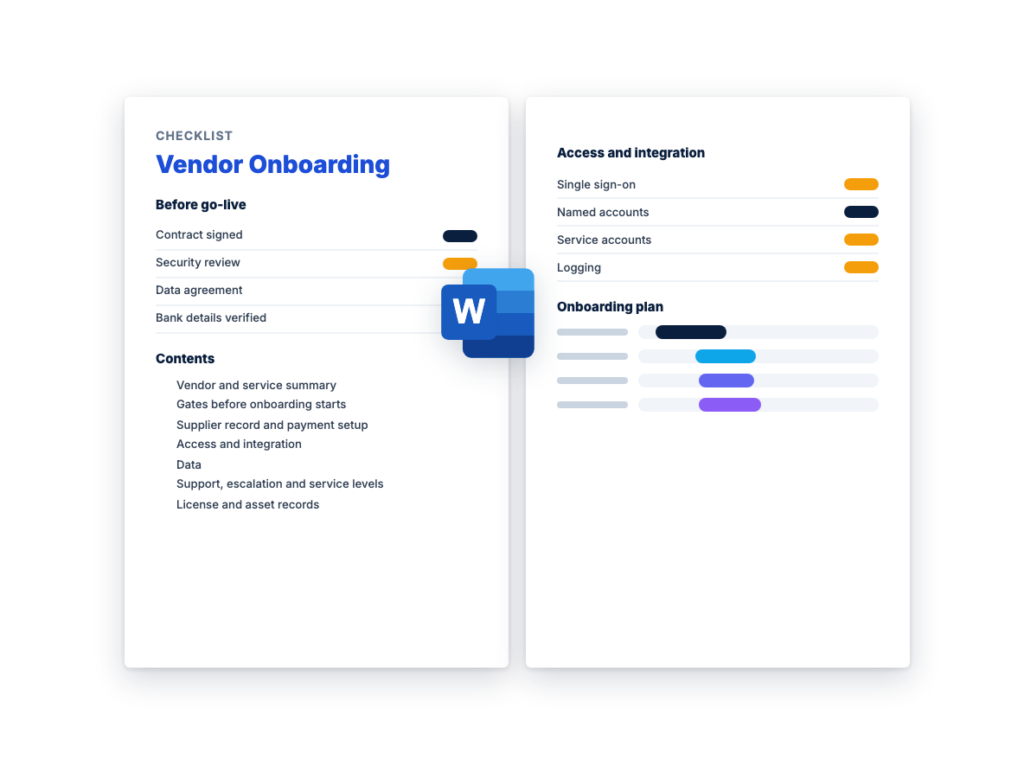
See the structure before you download. The Word file has every section listed below, ready to fill in.
The sections in the document, in order.
Use this vendor onboarding checklist when the contract with a new IT, software or SaaS vendor is signed and the vendor has to be set up before it goes live. It covers the last part of the IT procurement process: step 9, where the contract is signed and the order placed, and step 10, deployment and the asset records. It also holds to the rule in the vendor risk management guide: nothing new gets data or access until it has a risk tier and its due diligence is done.
It's written for whoever runs onboarding, often in procurement or IT, and each check names an owner. Accounts payable sets up the supplier record and payment, IT sets up single sign-on, accounts and integrations, security checks access and logging, privacy confirms the data terms, and the business owner signs off go-live. Some teams call it a supplier onboarding checklist. This one is built for technology vendors, so beside the tax form and bank details it covers access, API keys, data and license records.
The Word file is an internal record, one copy per vendor, with Done, Owner, Date and Evidence columns on its checklists. It starts with the gates that must be passed before onboarding begins, and ends with a go-live sign-off, a 30/60/90-day check and a pointer to offboarding. It isn't legal or tax advice: legal counsel reviews the contract and the data processing agreement, and your tax team decides which tax forms apply.
Download the editable Microsoft Word version below. The full text is on this page, so you can read it before you download.
Complete one copy for each new vendor. Fill in Section 1 when the contract is signed, pass every gate in Section 2 before anything goes live, and give each row in Sections 3 to 7 to the team in its Owner column.
The vendor onboarding process runs from the signed contract to a vendor that’s live, paid correctly and on your records. Several steps can run at the same time, but the gates come first, because nothing new should get data or access before its due diligence is done. For an IT, software or SaaS vendor, the steps in order are:
One kind of payment fraud targets this step. An email that appears to come from the vendor, sometimes from its real but compromised account, sends bank details or asks you to pay a different account, and the payments go to the fraudster. The checks against it are simple, and they only work if accounts payable applies them every time:
This is the complete text of the Word document. Fill in the [bracketed] placeholders and delete the italic guidance before you use or send it.
Instructions: complete one copy for each new IT, software or SaaS
vendor, starting when the contract is signed. It’s an internal record,
so don’t send it to the vendor. Replace every [bracketed placeholder],
change the suggested owners to match your team, mark rows that don’t
apply “N/A”, and delete the italic guidance when you’re done. Tick ☐
when a check is complete, and record the date and where the evidence is
kept, such as a ticket, a file or a screenshot. A low-risk vendor will
have more N/A rows, but every vendor passes the gates in Section 2 and
the bank detail checks in Section 3.2.
This checklist isn’t legal or tax advice. Legal counsel reviews
the contract and the data processing agreement, and your tax or accounts
payable team decides which tax forms apply.
| Item | Details |
|---|---|
| Vendor legal name | [Exactly as on the contract and the tax form] |
| Trading name, if different | [Name] |
| Service or product | [Product or service, edition and modules] |
| Contract and order form | [References, signature dates and where they’re stored] |
| Request and purchase order | [Software request form ID, purchase order number] |
| Contract start date and term | [Start date], [term] |
| Renewal | [Renews automatically unless notice is given / Ends on the end date] |
| Notice deadline | [Last date to give notice to cancel or renegotiate] |
| Business owner | [Name, title and team: owns the relationship and the renewal decision] |
| Onboarding lead | [Name and title: runs this checklist] |
| Risk tier | [High / Medium / Low, from the vendor risk assessment] |
| Data the vendor will hold | [Summary. Details in Section 5] |
| Access to your systems | [None / User accounts / Administrator rights / API or integration access / Software installed on your devices. Details in Section 4] |
| Users | [Teams and number of users] |
| Planned go-live date | [Date] |
Don’t create live accounts, send data, connect systems or pay the
vendor until every gate below is passed. You can prepare the work in
Sections 3 to 7 in the meantime. If a gate can’t be passed, stop and
tell the business owner and procurement.
| ID | Gate | Done | Owner | Date | Evidence |
|---|---|---|---|---|---|
| G1 | The contract is signed by both parties, on your side by someone your policy authorizes to sign |
☐ | Procurement, legal | [Signed contract and where it’s stored] | |
| G2 | The order form is signed and matches what was negotiated: products, edition, quantities, license metric, price, term, renewal terms and notice period |
☐ | Procurement | [Signed order form] | |
| G3 | The purchase is approved under your purchasing policy, and every approver’s conditions are recorded |
☐ | Procurement | [Software request form or approval record] | |
| G4 | The vendor has a risk tier, and the security review that tier needs is complete. Set the tier with RFPhub’s free Vendor Risk Assessment Template and run the review with the Vendor Security Questionnaire Template, or use your own |
☐ | Security | [Risk assessment and security review references] | |
| G5 | Every finding from the security review has a decision: fixed, written into the contract with a date, covered by a compensating control, or accepted in writing by the business owner with a review date. Findings to fix before go-live are listed in Section 8 |
☐ | Security, business owner | [Findings log] | |
| G6 | Where the vendor will process personal data for you, a data processing agreement is signed. ☐ Not needed: no personal data |
☐ | Privacy, legal | [Signed agreement] | |
| G7 | Conditions from the approvals, the contract and the security review are copied into this checklist as rows or open items, each with an owner |
☐ | Onboarding lead |
Privacy laws that apply to you may require a data processing
agreement, so ask your privacy or legal team. If the vendor’s data or
access grows beyond what the security review assumed, re-tier the vendor
and complete the review the new tier needs before you go
further.
Finance or accounts payable usually owns this section. Keep tax
forms and bank details where only the people who need them can see them.
A Form W-9 carries a taxpayer identification number, which for an
individual is generally a social security number.
| Check | Done | Owner | Date | Evidence |
|---|---|---|---|---|
| The vendor isn’t already in the supplier master under another name or number |
☐ | Accounts payable | ||
| The legal name is the same on the contract, the tax form and the supplier record, and any trading name is recorded separately |
☐ | Accounts payable | ||
| US vendor: a completed IRS Form W-9, Request for Taxpayer Identification Number and Certification, signed and dated, on the current revision from the IRS Form W-9 page. The name on line 1 matches the legal name, and the taxpayer identification number (TIN) is filled in. Keep it on file: the vendor gives it to you, not to the IRS |
☐ | Accounts payable | [Where the form is stored] | |
| [Optional: the name and TIN checked with the IRS TIN Matching e-service, if your organization files information returns and uses it] |
☐ | Accounts payable | ||
| Vendor outside the US: Form W-9 isn’t used. Your tax team confirms which form applies, such as a form in the W-8 series, and collects it |
☐ | Tax team | ||
| Remit-to address, billing contact and how invoices are sent | ☐ | Accounts payable | ||
| Certificate of insurance for the coverage the contract requires, with its expiration date added to the reminders in Section 7 |
☐ | Procurement | [Certificate] | |
| [Screening your policy requires, such as sanctions or exclusion lists: [lists]] |
☐ | [Compliance] | ||
| A second person checks and approves the supplier record before it’s activated |
☐ | Accounts payable |
If a US vendor hasn’t returned a completed Form W-9 with its TIN,
ask your tax team before you pay it. Backup withholding can apply to
some payments when the TIN is missing.
One kind of payment fraud starts with an email that appears to
come from the vendor, sometimes from its real but compromised account,
sending new bank details or asking you to pay a different account. A
callback to a number you already hold and a second approver are the
checks against it. Apply both to every later change to bank details or
payment instructions, however urgent or senior the request
looks.
| Check | Done | Owner | Date | Evidence |
|---|---|---|---|---|
| Bank details received in writing through [your supplier portal or another secure channel], not typed into the body of an email |
☐ | Accounts payable | ||
| Bank details confirmed by phone, calling the vendor on a number you already hold, such as one in the signed contract or for a contact you dealt with during the purchase. Never use a phone number, email address or link from the message or document that sent the details |
☐ | Accounts payable | [Who called, who answered, the number used, the date and the details confirmed] |
|
| A second person, not the one who entered them, checks the bank details against the callback record and approves them before the first payment |
☐ | Accounts payable | ||
| Payment terms entered as the contract sets them: [payment terms], currency, payment method and any early-payment discount |
☐ | Accounts payable | ||
| Purchase order raised, and its number sent to the vendor’s billing contact to quote on every invoice |
☐ | Procurement | [PO number] | |
| Invoice matching set up: each invoice is checked against the purchase order and against confirmation that the service was delivered or accepted, before it’s paid |
☐ | Accounts payable | ||
| A named person confirms each recurring or usage-based invoice, and the budget it’s charged to is recorded |
☐ | Finance, business owner |
Give the vendor, its staff and the product only the access the
contract and the work need. Record every account, key and connection in
Section 4.2 as you create it, because that list is what you remove at
offboarding.
| Check | Done | Owner | Date | Evidence |
|---|---|---|---|---|
| Single sign-on (SAML or OIDC) set up for your users, and local passwords turned off where the product allows |
☐ | IT | ||
| Users added and removed through provisioning (SCIM), or through a documented joiner and leaver process if the product doesn’t support it |
☐ | IT | ||
| Multi-factor authentication enforced on every account that doesn’t sign in through single sign-on, including administrator and emergency access accounts |
☐ | IT, security | ||
| Named accounts only, with no shared logins for your staff or the vendor’s |
☐ | IT | ||
| Least privilege: each user role, administrator and integration has only the permissions it needs, and every administrator is listed in Section 4.2 |
☐ | IT | ||
| Vendor staff access to your systems, if any: named accounts with multi-factor authentication, an internal sponsor and an end or review date. Remote access is [approved for each session] and logged |
☐ | Security | ||
| Service accounts and API keys: each has an owner on your side, the least access that works, a record of what it can read or change, and storage in [your approved secrets store], never in email, chat or code. Rotate them every [interval] and when someone who knew them leaves |
☐ | IT, security | ||
| Integrations built and tested, with who maintains each one through upgrades recorded |
☐ | IT | ||
| Logging turned on: sign-in and administrator activity logs enabled in the product, kept for [period], and sent to [your log system] where the product allows |
☐ | Security | ||
| Security settings agreed in the review applied, such as [session timeout, network restrictions or limits on data export] |
☐ | Security |
| Account, key or connection | Type | What it can reach or change | Owner on your side | Where it’s stored | Review or expiry date |
|---|---|---|---|---|---|
| [e.g. Administrator account for [name]] | [User / Administrator / Vendor staff / Service account / API key / Integration] |
[Systems and permissions] | [Name] | [Single sign-on / secrets store] | [Date] |
Record what the vendor actually receives, not only what the
contract allows. If it’s more than the risk tier assumed, re-tier the
vendor before you send it.
| Data set | Classification | Personal data | Where it’s stored and processed | How it’s sent | Retention and deletion terms |
|---|---|---|---|---|---|
| [e.g. Customer records] | [Your classification, e.g. Confidential] | [No / Yes: whose, and which categories] | [Countries or regions, including backups] | [Integration / secure file transfer / entered by users] | [Contract section: kept for [period] after termination, export format, deletion confirmed in writing] |
| Check | Done | Owner | Date | Evidence |
|---|---|---|---|---|
| Each data set classified under [your data classification policy], and the classification fits the risk tier |
☐ | Security, data owner | ||
| Only the data the service needs is sent, and fields it doesn’t need are left out or masked |
☐ | Business owner, IT | ||
| Storage and processing locations, including backups, match the contract and the data processing agreement |
☐ | Privacy | ||
| The sub-processors that will handle the data are on the vendor’s current list, and how you’ll hear about changes is recorded |
☐ | Privacy | ||
| Data sent by [secure method], not by email. Any migration is reconciled, for example by record counts, and signed off by the data owner |
☐ | IT, data owner | ||
| Retention and deletion terms recorded in Section 5.1: how long the vendor keeps the data, how you get it back and in what format, how long it stays available after termination, and how deletion is confirmed, including backups |
☐ | Privacy, legal | ||
| AI features: whether your data, prompts or outputs train models that serve other customers is confirmed, and the opt-out or admin setting is applied as the contract and the review require |
☐ | Privacy, IT | ||
| The vendor added to [your record of processing or data inventory], if you keep one |
☐ | Privacy |
Confirm these with the vendor on a call before go-live, and add
the security incident contact to your incident response plan.
| Role | Name | Email and phone | Hours | How to reach them |
|---|---|---|---|---|
| Account manager | ||||
| Support desk | [Portal, email or phone, and how to open a ticket] | |||
| Technical or customer success contact | ||||
| Escalation contact above support | ||||
| Security incident contact | [How the vendor will tell you about an incident affecting your data] |
|||
| Billing contact | ||||
| Your contact for the vendor | [Name] | [The person the vendor contacts on your side] |
Copy the commitments from the contract. If a measure isn’t in the
contract, write “Not committed” rather than the vendor’s usual
figure.
| Measure | Contract commitment and section | How it’s measured | Credit or remedy for a miss | Tracked by |
|---|---|---|---|---|
| Availability | [Target and section] | [What’s excluded, such as planned maintenance] | [Credit, and how and by when to claim it] | [Name] |
| Support response, by severity | [Time for each severity] | [From ticket logged to first response] | ||
| Resolution or workaround, by severity | [Time for each severity] | |||
| Security incident notification | [Time, and when the clock starts] | |||
| Recovery objectives | [Recovery time and recovery point, if committed] | |||
| [Other measure] |
| Check | Done | Owner | Date | Evidence |
|---|---|---|---|---|
| Support portal accounts set up for [named staff], and the vendor’s severity definitions shared with your service desk |
☐ | IT | ||
| The escalation path walked through with the vendor, or tested with a test ticket |
☐ | IT | ||
| How to claim service credits, and the deadline for claiming, recorded |
☐ | Procurement | ||
| [Team] subscribed to the vendor’s status page or outage notices, and the notice period for planned maintenance recorded |
☐ | IT | ||
| Performance reviews scheduled: rate the vendor against these service levels with RFPhub’s free Vendor Scorecard Template or your own |
☐ | Business owner |
| Field | Entry |
|---|---|
| Product, edition and version, and the vendor or reseller | |
| Business owner | |
| License metric: the unit paid for, and what counts toward it, such as whether inactive users do |
|
| Quantity licensed, and quantity assigned at go-live | |
| True-ups: how often, at what price, and whether quantities can go down |
|
| Contract or order reference, and where it’s stored | |
| Start date, term and renewal date | |
| Renewal price cap, if any | |
| Notice deadline: the last date to give notice | |
| Renewal review booked for | [Date, early enough to review usage, negotiate or run a competition] |
| Documents that expire, with reminder dates | [Insurance certificate, audit report or certificate, others] |
| Check | Done | Owner | Date | Evidence |
|---|---|---|---|---|
| Asset or license record created in [your asset management system] |
☐ | IT | ||
| Contract filed in [your contract repository], and the notice deadline, not only the renewal date, added to the renewal calendar |
☐ | Procurement | ||
| Vendor added to the vendor inventory with its business owner, service, data, access, contract end and notice dates, and tier |
☐ | [Vendor risk owner] | ||
| Source of usage data identified, such as single sign-on logs or the vendor’s admin reports, so paid licenses can be compared with active users before renewal |
☐ | IT |
Go live when every gate in Section 2 is passed and every row in
Sections 3 to 7 is ticked, marked N/A, or listed below as an open item
with an owner and a date.
| Check | Done | Owner | Date | Evidence |
|---|---|---|---|---|
| Findings to fix before go-live are closed: [finding references] | ☐ | Security | ||
| The service works as the contract and order form describe, for the agreed users and integrations. For services, the acceptance criteria in the statement of work are met |
☐ | Business owner | ||
| Any data migration is reconciled and signed off by the data owner |
☐ | Data owner | ||
| Users trained, and told how to get help | ☐ | Business owner | ||
| If this vendor replaces an existing tool, the old tool’s notice deadline is recorded and its offboarding has started |
☐ | Business owner, procurement |
| Item | Owner | Due date | Risk if it isn’t done |
|---|---|---|---|
| Name | Role | Decision | Signature | Date |
|---|---|---|---|---|
| [Name] | Business owner | [Go / Go with conditions / Not yet] | ||
| [Name] | IT | |||
| [Name] | Security | |||
| [Name] | Procurement | |||
| [Name] | Finance (accounts payable) | |||
| [Name] | [Privacy, where personal data is involved] |
| Item | Details |
|---|---|
| Go-live date | [Date] |
| Conditions | [Condition, owner, date] |
Book all three reviews at go-live. Early reviews catch access
that’s broader than planned, licenses nobody uses and invoices that
don’t match while they’re still easy to fix. The checkpoints are
examples, so move them to suit the contract and the rollout.
| Check | Owner | Day 30 | Day 60 | Day 90 | Evidence or notes |
|---|---|---|---|---|---|
| Accounts, service accounts, API keys and integrations still match Section 4.2, and anything no longer needed is removed |
IT, security | ☐ | ☐ | ☐ | |
| The vendor holds no data beyond Section 5.1 and its risk tier | Security, privacy | ☐ | ☐ | ☐ | |
| Paid licenses compared with active users, from single sign-on logs or the vendor’s admin reports |
IT | ☐ | ☐ | ☐ | |
| Service levels met, open tickets reviewed, and any credits claimed by the deadline |
IT | ☐ | ☐ | ☐ | |
| Invoices match the purchase order and the contract prices, and usage-based charges are as expected |
Accounts payable | ☐ | ☐ | ☐ | |
| Open items from Section 8.1, and findings with a contract fix date, on track or closed |
Onboarding lead | ☐ | ☐ | ☐ | |
| The business owner confirms the service is doing what the request said, and raises any issues with the vendor |
Business owner | ☐ | ☐ | ☐ | |
| Handed over to regular reviews: performance reviews, risk reviews at the interval the vendor’s tier sets, and the renewal calendar |
Onboarding lead | ☐ |
| Checkpoint | Date held | Reviewed by | Issues found | Actions, owners and dates |
|---|---|---|---|---|
| Day 30 | ||||
| Day 60 | ||||
| Day 90 |
When the relationship ends or the service is replaced, use the
offboarding checklist in RFPhub’s free Vendor Risk Assessment Template,
or your own, and start well before the notice deadline in Section 1.
Work from this record: revoke everything in Section 4.2, remove the
integrations, get the data in Section 5.1 back in a usable format, and
get written confirmation that it has been deleted, including backups.
Then stop billing, close the purchase order and update the vendor
inventory.
Vendor onboarding is the work of setting up a new supplier after the contract is signed: the supplier record and tax form, verified bank details, payment terms and the purchase order. For an IT, software or SaaS vendor, it also covers single sign-on and accounts, service accounts and API keys, the data the vendor receives, support contacts and service levels, and the license and renewal records. It ends with a go-live sign-off and early reviews, such as at 30, 60 and 90 days.
There’s no standard length. It depends on the vendor’s risk tier, how many systems it connects to, how much data has to move, how quickly the vendor returns its documents and how many teams have to sign off. A low-risk tool with single sign-on and no integrations can go live quickly, while a vendor with administrator access and a data migration takes longer. Starting the security review before the contract is signed keeps it from holding up go-live.
Give it one owner, often in procurement or IT, who runs the checklist from the signed contract to go-live. Each part belongs to the team that does the work: accounts payable for the supplier record and payment, IT for access and integrations, security for the review and logging, privacy and legal for the data terms, and the business owner for go-live. The business owner stays accountable for the relationship after onboarding ends.
Due diligence decides whether to do business with a vendor and on what terms: security evidence, references, financial information and insurance, checked before the contract is signed and before the vendor gets data or access. Onboarding sets up the vendor you chose: the supplier record, payment, access, data, support and records. Some organizations treat due diligence as the first part of onboarding, so this checklist starts with gates that confirm it’s done.
From a US vendor, collect a signed IRS Form W-9, bank details in writing, which you then confirm by calling a number you already hold, a remit-to address and billing contact, and any insurance certificate the contract requires. A vendor outside the US uses a different tax form, so ask your tax team which one. For an IT or SaaS vendor, also collect the signed data processing agreement where personal data is involved, the current sub-processor list, the support, escalation and security incident contacts, and the license details for your asset records.
A free, editable information security policy for small and mid-sized organizations, with data classification, access and password rules, AI tool use and…
A free, vendor-neutral business continuity plan template in Word, with a BIA worksheet, process priorities, continuity strategies, crisis management, communications and an…
A free, vendor-neutral incident response plan template in Word, with roles, a severity matrix, out-of-band contacts, containment approvals, playbooks, evidence and notification…
Please provide your feedback below.
"*" indicates required fields