Information Security Policy Template for IT (Free, Word)
A free, editable information security policy for small and mid-sized organizations, with data classification, access and password rules, AI tool use and…
Word · FreeDownload Template →
A free, vendor-neutral contract review checklist for software, SaaS and IT services contracts: cost, renewal, service levels, data, security, AI use and exit, with a redline tracker.
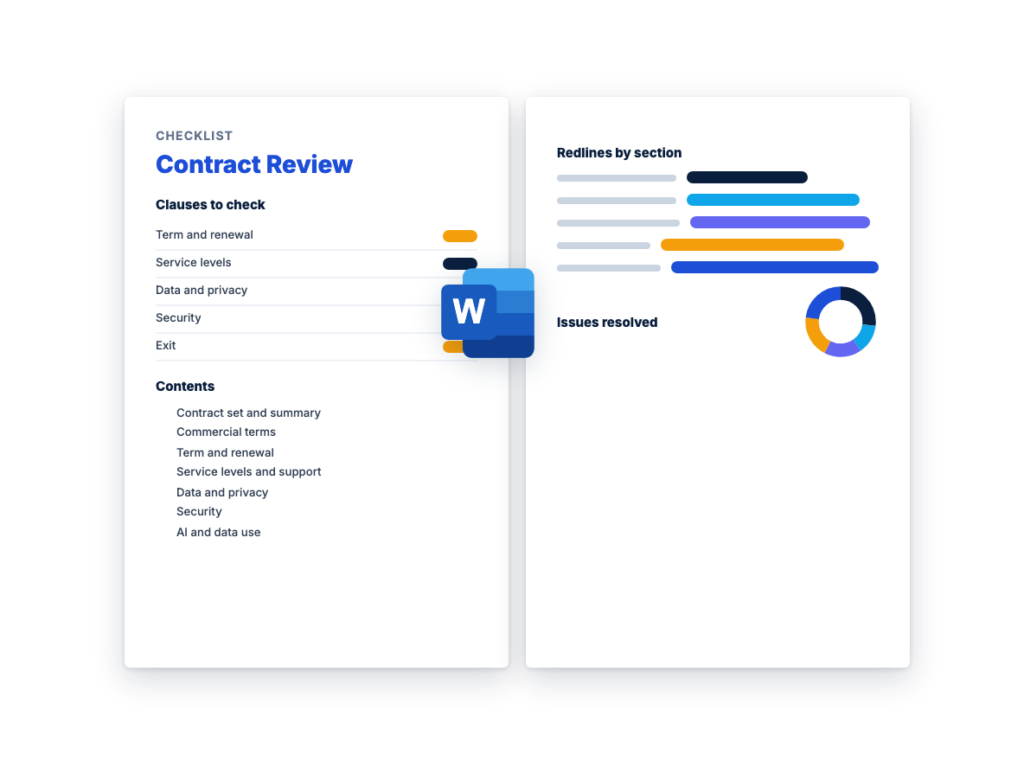
See the structure before you download. The Word file has every section listed below, ready to fill in.
The sections in the document, in order.
Use this contract review checklist before a software, SaaS or IT services contract goes to legal counsel or to signature. It checks the business terms that decide what you pay, what you get and how you leave: renewal and notice dates, price increases, license metrics, service levels, data and security commitments, AI data use and exit. It turns the contract terms in the IT procurement guide into one checklist for steps 8 and 9, negotiating and signing, while you still have alternatives.
It's written for whoever runs the purchase, such as a procurement lead, an IT manager or the business owner, with finance, IT, security and privacy each checking the terms they know. It isn't legal advice, and it doesn't replace legal review: legal counsel reviews the contract before anyone signs. Liability, indemnity, governing law and similar clauses are flagged for counsel to decide, together with the business facts counsel needs, such as the contract value and the data at stake.
If the vendor will hold your data or connect to your systems, run the security review first, with your own questionnaire or the free vendor security questionnaire template, and use this checklist to confirm its findings reached the contract. The Word file has a summary of the contract set and its total cost, checks grouped by topic with a column for the clause number, a redline and issues tracker, and sign-off.
Download the editable Microsoft Word version below. The full text is on this page, so you can read it before you download.
Complete Section 1 when the vendor’s contract documents arrive, work through Sections 2 to 11, and log every issue in Section 12. Then send the contract and the tracker to legal counsel, and record sign-off in Section 13 before signature. The checklist is internal: send the vendor your redlines, not this file.
Some clauses look routine and cost money for years. Several of them sit in an order form, a pricing schedule or a linked policy rather than the main agreement, so they’re easy to skim. Read these closely before you sign:
This is the complete text of the Word document. Fill in the [bracketed] placeholders and delete the italic guidance before you use or send it.
Reviewer instructions: use this checklist when the vendor’s
contract documents arrive, before the contract goes to legal counsel and
before anyone signs. Replace every [bracketed placeholder], delete rows
that don’t apply, and delete the italic guidance when you’re done. In
each checklist table, write the clause number in “Found in (section)”,
mark it OK, Issue or N/A, and put the change you want in “Note or
redline”. Copy every Issue into Section 12. Give each topic to the
person who knows it, such as finance for cost and IT for service levels.
This file is internal: send the vendor your redlines, not the
checklist.
Not legal advice. This checklist is a business
review of a contract’s commercial, service, data and security terms. It
isn’t legal advice, and it doesn’t replace legal review. Legal counsel
reviews the contract before signature. Rows marked “(Legal)” are flagged
for counsel to decide: record what the contract says and the business
facts counsel needs, and leave the judgment on the wording to
counsel.
Public bodies: the rules on which contract terms you can accept
vary by jurisdiction and agency, so check with your procurement office
or counsel before you negotiate.
| Item | Details |
|---|---|
| Vendor | [Vendor legal name] |
| Your contracting entity | [Organization legal name] |
| Product or service, edition and modules | [As named on the order form] |
| Business owner | [Name, title] |
| Contract reviewer | [Name, title] |
| Legal counsel | [Name] |
| Related request, RFP or security review | [Reference] |
| Start date and initial term | [Date; term] |
| Auto-renewal | [Yes / No]. Renewal term: [term] |
| Notice deadline | [The last date to give notice of non-renewal], and how notice must be given |
| Total cost over the term | [Amount, from Section 1.4] |
| Signature needed by | [Date, and why] |
List every document that forms the contract, including anything
the agreement brings in by a link (URL), such as online terms, a support
policy or an acceptable use policy.
| Document | In the set? | Version or date | Note |
|---|---|---|---|
| Master agreement (master services, subscription or license agreement) |
[Yes / No] | ||
| Order form or quote | |||
| Data processing agreement | Needed where the vendor processes personal data for you | ||
| Service level agreement | |||
| Security addendum or schedule | |||
| Statement of work (for services) | |||
| Support policy | |||
| Terms brought in by a link | Save a dated copy of each one | ||
| [Other] |
| Clause | What to check | Found in (section) | OK / Issue | Note or redline |
|---|---|---|---|---|
| Complete set | Every document that forms the contract is listed in Section 1.2, and each one refers to the others by the right name and version |
|||
| Parties | The legal names are right on every document, and the vendor entity that signs is the one that delivers the service and invoices you |
|||
| Order of precedence (Legal) | Record which document wins if two conflict. Flag it if online terms or a vendor policy could override what you negotiated in the agreement or order form |
|||
| Earlier conditions | The conditions set when the purchase was approved, and the findings from the security review, each appear somewhere in the contract set |
Compare the full term, not the first-year price: include renewal
increases at the cap, expected usage growth and the cost of
leaving.
| Cost item | Initial term | Each renewal term | Notes |
|---|---|---|---|
| Subscription or license fees | [At the renewal cap in Section 2] | ||
| Support or maintenance | |||
| Implementation and professional services | |||
| Usage-based charges, with expected growth | |||
| True-ups or overage | |||
| Exit costs: data export, transition help, data transfer charges | |||
| Total over [the initial term plus expected renewals] |
| Clause | What to check | Found in (section) | OK / Issue | Note or redline |
|---|---|---|---|---|
| Price and quantities | The order form matches the final quote and what you negotiated: products, edition, quantities, unit prices, discounts and total |
|||
| Discounts | Negotiated discounts apply for the whole term and carry into renewals |
|||
| Renewal price increase cap | Increases at renewal are capped at [cap]. Check whether the cap covers every renewal or only the first, and that it’s measured against the price you pay, not a list price |
|||
| Additions during the term | The price for extra users or modules added mid-term, and whether they end on the same date as the main subscription |
|||
| True-ups | How often usage is counted [interval], the price for use above what you licensed, and whether quantities can go down at renewal |
|||
| Usage-based charges and commitments | The price for each usage-based item, any committed spend and what happens if you don’t use it, overage charges, and the usage reports or alerts you get |
|||
| Professional services | Fixed fee or time and materials, the rates, a cap, expenses only with approval in advance, and changes to scope only in writing |
|||
| Payment terms | When invoices are issued (for example, annually in advance), the payment period [days], any late charges, how to dispute an invoice, and that invoices quote your purchase order number |
| Clause | What to check | Found in (section) | OK / Issue | Note or redline |
|---|---|---|---|---|
| Start of term and billing | When the subscription and billing start: on signature, on a set date or at go-live, and whether you pay during implementation |
|||
| Auto-renewal | Whether the contract renews automatically unless notice is given, and how long each renewal term runs |
|||
| Notice deadline | The notice period [period] and how notice must be given: the method, the address and to whom. Work out the last date to give notice, and record that date, not only the renewal date |
|||
| Renewal terms | A renewal follows the cap in Section 2 and can’t add products, quantities or a higher edition you didn’t order |
|||
| Changes to terms during the term | Whether the vendor can change the agreement, its policies or terms linked by URL during the term, how you’re told, and what you can do if a change harms you |
|||
| Editions and features | Whether features you rely on can be moved to a higher edition or sold separately during the term or at renewal |
| Clause | What to check | Found in (section) | OK / Issue | Note or redline |
|---|---|---|---|---|
| Availability commitment | The target [target], what’s measured (the service you use, not one component), over what period, and who measures it |
|||
| Exclusions | What doesn’t count as downtime, such as scheduled maintenance, with limits on when it happens and advance notice [period] |
|||
| Service credits | The credit for each miss, how and by when it must be claimed, any cap on credits, and whether credits are your only remedy |
|||
| Repeated failures | A right to terminate after repeated failures, defined as [number] misses in [period] |
|||
| Support response times | Support hours and channels, the severity definitions, the response time for each severity [times], escalation contacts, and which support tier the price includes |
|||
| Backup and recovery | For a critical service, the recovery time and recovery point objectives, stated in the contract rather than only in a policy |
|||
| Reporting | Reports on availability and support performance every [interval] |
Delete this table if the contract doesn’t include
services.
| Clause | What to check | Found in (section) | OK / Issue | Note or redline |
|---|---|---|---|---|
| Statement of work | Deliverables, milestones and acceptance criteria, and who on your side accepts each deliverable |
|||
| Key staff | Named key staff, and your approval before any of them is replaced |
|||
| Changes to scope | Work outside the statement of work happens only through a written change request, priced before it starts |
|||
| Tools, documents and data (Legal) | Record who owns the tools, configurations, documents and data created during the work, and what you need to keep using after the contract ends |
| Clause | What to check | Found in (section) | OK / Issue | Note or redline |
|---|---|---|---|---|
| Data processing agreement | In place where the vendor processes personal data for you, and signed with the contract. It sets how the data may be used, the sub-processors and where the data is held. Privacy laws that apply to you may require one: your privacy team or counsel confirms which apply |
|||
| Use of your data | The vendor may use your data only to provide the service [and as the data processing agreement allows]. Check what it may do with usage data and with aggregated or de-identified data |
|||
| Data location | Where your data and backups are stored and processed [countries or regions], and where the support staff who can reach it are based |
|||
| Sub-processors | A current sub-processor list, notice [period] before a new one handles your data, and a right to object or leave |
|||
| Incident notification | Notice within [time] of the vendor [confirming / becoming aware of] an incident affecting your data: when the clock starts, what the notice must contain and how the vendor will cooperate. Set the time with your own legal deadlines in mind |
|||
| Help with privacy requests | How the vendor helps you answer people’s requests about their personal data, and how quickly [time] |
|||
| Retention during the term | How long the vendor keeps your data, logs and backups, and whether that fits your own retention rules |
|||
| Return and deletion at exit | Your data returned in [format] within [period] after the contract ends, then deleted, including backups, with written confirmation (Section 10) |
Carry in the findings and contract terms from the security
review, such as Section 6 of RFPhub’s free Vendor
Security Questionnaire Template or the contract controls in your
vendor risk assessment. In regulated sectors such as banking or health
care, regulators may set their own vendor oversight requirements, so
check with your compliance team.
| Clause | What to check | Found in (section) | OK / Issue | Note or redline |
|---|---|---|---|---|
| Security addendum | The security controls the vendor keeps for the whole term, and a commitment not to reduce them during the term |
|||
| Independent audit reports | A current SOC 2 Type II report or ISO/IEC 27001 certificate covering the service you’re buying, kept current for the whole term, with copies of new ones as they’re issued |
|||
| Penetration testing | An independent penetration test every [interval], a summary of the results on request, and serious findings fixed within [time] |
|||
| Right to audit or assess | Your right to receive audit reports, ask follow-up questions and, where it matters, assess the vendor. SaaS vendors may offer independent reports instead of customer audits: decide in advance what you’ll accept |
|||
| Dated fixes | Each finding the security review said to fix by a contract date is in the contract, with its date |
|||
| Vendor access to your data | Vendor staff reach your data only when they need to, with multi-factor authentication, and their access is logged |
| Clause | What to check | Found in (section) | OK / Issue | Note or redline |
|---|---|---|---|---|
| AI features | Which features use AI and your data, whether they’re on by default, and whether your administrators can switch them off |
|||
| Training on your data | Whether the vendor may use your data, prompts or outputs to train or improve models that serve other customers |
|||
| Opt-out | How you opt out of that training, whether opting out is the default for your account, and whether the commitment is in the contract rather than only in a settings page |
|||
| Outside AI providers | Which outside AI providers process your data, and whether they’re on the sub-processor list under the same terms |
|||
| Prompts and outputs (Legal) | How long prompts and outputs are kept, and where. Record what the contract says about who may use the outputs |
|||
| New AI features | Notice before new AI features that use your data are added, and the same opt-out for them |
| Clause | What to check | Found in (section) | OK / Issue | Note or redline |
|---|---|---|---|---|
| License scope | Who may use the product (employees, contractors, affiliates), for what purposes, and in which countries or legal entities |
|||
| License metric | The exact unit you pay for and what counts toward it, such as whether inactive users, read-only users or test environments do, and whether named-user licenses can be reassigned |
|||
| Edition | The order form names the edition, and the features you rely on, including single sign-on, are in it |
|||
| Usage limits | Limits on storage, API calls or transactions, and the charge for going over them |
|||
| Non-production environments | Whether test or sandbox environments are included, and on what terms |
|||
| Usage audits | For installed software, the vendor’s right to check your usage: the notice [period], how often, who pays for the audit, and whether any shortfall is priced at the contract price or a list price |
|||
| Perpetual licenses | Whether maintenance is needed for updates and support, and the cost of restarting it after a lapse |
Business flags only. Record what the contract says, and add the
business facts counsel needs, such as the total contract value, the data
at stake and how much you depend on the service. Legal counsel decides
whether these terms are acceptable and how to change them.
| Clause | What to check | Found in (section) | OK / Issue | Note or redline |
|---|---|---|---|---|
| Liability cap (Legal) | Record the cap and how it’s calculated, and note the total contract value and the data at stake beside it |
|||
| Carve-outs from the cap (Legal) | Record whether data breaches, confidentiality and indemnities sit inside the cap, outside it, or under a separate cap |
|||
| Excluded losses (Legal) | Record the losses the contract excludes, and flag it if loss of your data, or the cost of responding to an incident, is among them |
|||
| IP indemnity (Legal) | Record whether the vendor will defend you against claims that the product infringes someone else’s intellectual property, and what it will do if you have to stop using the product |
|||
| Indemnities you give (Legal) | Record what you would indemnify the vendor for. Public bodies may not be allowed to accept some indemnities, such as open-ended ones |
|||
| Warranties (Legal) | Record what the vendor warrants, such as the service performing as its documentation describes, and the remedy if it doesn’t |
Data export and transition help are hardest to win after
signature, so settle them now.
| Clause | What to check | Found in (section) | OK / Issue | Note or redline |
|---|---|---|---|---|
| Termination for convenience | Whether you can end the contract early, the notice [period], any fee, and whether prepaid fees are refunded |
|||
| Termination for cause | Your right to terminate for a serious breach, including repeated service level failures (Section 4), and the period the vendor has to fix a breach first |
|||
| Suspension | When the vendor may suspend the service, such as for late payment, and the notice you get first |
|||
| Transition assistance | Help moving to a new provider, the service continued through the transition [period], and the rates for that help |
|||
| Data export | What data you get back, in what format (a documented format other tools can read), whether you can export it yourself, and what it costs |
|||
| Access after termination | How long your data stays available after the contract ends [period] |
|||
| Deletion | Deletion of your data, including backups, within [period], with written confirmation |
|||
| Exit costs | Data transfer charges when you leave, and any early termination fees |
|||
| Source code escrow (Legal) | For installed software you depend on, whether escrow is offered and what releases the code to you |
| Clause | What to check | Found in (section) | OK / Issue | Note or redline |
|---|---|---|---|---|
| Assignment by the vendor | Whether the vendor can transfer the contract to another company without your consent, and the notice you get |
|||
| Change of control (Legal) | Record whether you get notice if the vendor is acquired, whether the terms continue unchanged, and whether you can leave |
|||
| Assignment by you | Whether you can transfer the contract to an affiliate, or to a successor after a merger or reorganization |
|||
| Subcontractors | For services, whether subcontractors need your approval, and that the vendor stays responsible for their work |
|||
| Insurance | The types of insurance the vendor must carry, such as cyber, professional (errors and omissions) and general liability, with limits set by [your risk or insurance team], and a certificate before work starts |
|||
| Governing law and disputes (Legal) | Record which law governs the contract and how disputes are resolved: which courts, or arbitration, and where. Flag only: counsel decides. Public bodies: your rules may limit what you can accept here |
Log every Issue from Sections 1 to 11, one per row. Priority:
Must change (don’t sign without it), Negotiate (ask for it, but you
could sign without it), Legal (for counsel to decide) or Note (record
only). An issue accepted as is needs approval from [the business owner,
or the role your policy names]. The example rows are in brackets:
replace them.
| ID | Section and clause | Issue | Priority | Proposed change or redline | Owner | Vendor response | Outcome |
|---|---|---|---|---|---|---|---|
| [CR-1] | [3: Notice deadline] | [Notice deadline falls before the renewal review] | [Must change] | [Shorten the notice period to [period]] | [Procurement] | [Open] | |
| [CR-2] | [7: Training on your data] | [Vendor may train its models on customer data; the opt-out is only a setting] |
[Must change] | [Add: customer data, prompts and outputs aren’t used to train models that serve other customers] |
[Security] | [Open] | |
| [CR-3] | [9: Liability cap] | [Cap recorded beside the contract value and the data at stake] | [Legal] | [For counsel] | [Legal counsel] | [Open] | |
Outcome: Open, Agreed as proposed, Agreed with changes, Accepted
as is (approved by [name]) or Escalated. Keep the final tracker with the
signed contract, so the renewal review can see what was agreed and
why.
This sign-off records the business review only. It isn’t legal advice
or legal approval. Legal counsel reviews the contract wording
separately, and the contract is signed only after that review.
| Role | Name | Decision | Date | Conditions |
|---|---|---|---|---|
| Business owner | [Ready for legal / Ready for signature / Not ready] | |||
| Procurement | [Ready for legal / Ready for signature / Not ready] | |||
| IT | [Ready for legal / Ready for signature / Not ready] | |||
| Security and privacy | [Ready for legal / Ready for signature / Not ready] | |||
| Finance | [Ready for legal / Ready for signature / Not ready] | |||
| Legal counsel (review of the contract) | [Reviewed: ready for signature / Not ready] |
Before signature:
After signature:
A contract review checklist lists the terms to check before a contract is signed, with space to record where each one sits, whether it’s acceptable and what to change. This one is for software, SaaS and IT services contracts and covers the business terms: cost, renewal, service levels, data, security, AI use, licensing and exit. It isn’t legal advice, and legal counsel still reviews the contract.
Start with the order form: the edition, quantities, price, term, auto-renewal and notice deadline. Then check the renewal price cap, how the license metric is counted, the service levels and credits, the data processing agreement, where your data is stored, the incident notification time, the security commitments, whether the vendor may train AI models on your data, and how you get your data back at exit. Flag liability, indemnity and governing law for legal counsel.
Look for a clause that renews the contract unless notice is given, and note the notice period and exactly how notice must be given. Work out the last date to give notice, and put that date, not only the renewal date, in a renewal calendar with an owner. Set the reminder early enough to review usage and negotiate or switch before the deadline.
The business owner, procurement, IT, security and privacy, and finance each check the terms they know, and legal counsel reviews the agreement, the data processing terms and any online terms. Small purchases can combine roles, but a low price shouldn’t mean skipping contract review. Only someone with signature authority under your policy should sign.
Vendor due diligence checks the vendor itself: its security evidence, financial health, references and insurance. Contract review checks the written terms, including whether what due diligence found and what you negotiated appear in the contract as obligations. Do due diligence before you sign, and use the contract review to carry its findings into the terms.
A free, editable information security policy for small and mid-sized organizations, with data classification, access and password rules, AI tool use and…
A free, vendor-neutral business continuity plan template in Word, with a BIA worksheet, process priorities, continuity strategies, crisis management, communications and an…
A free, vendor-neutral incident response plan template in Word, with roles, a severity matrix, out-of-band contacts, containment approvals, playbooks, evidence and notification…
Please provide your feedback below.
"*" indicates required fields